AI Advertising Guide
How to Create Instagram Ads With AI: Step-by-Step Guide
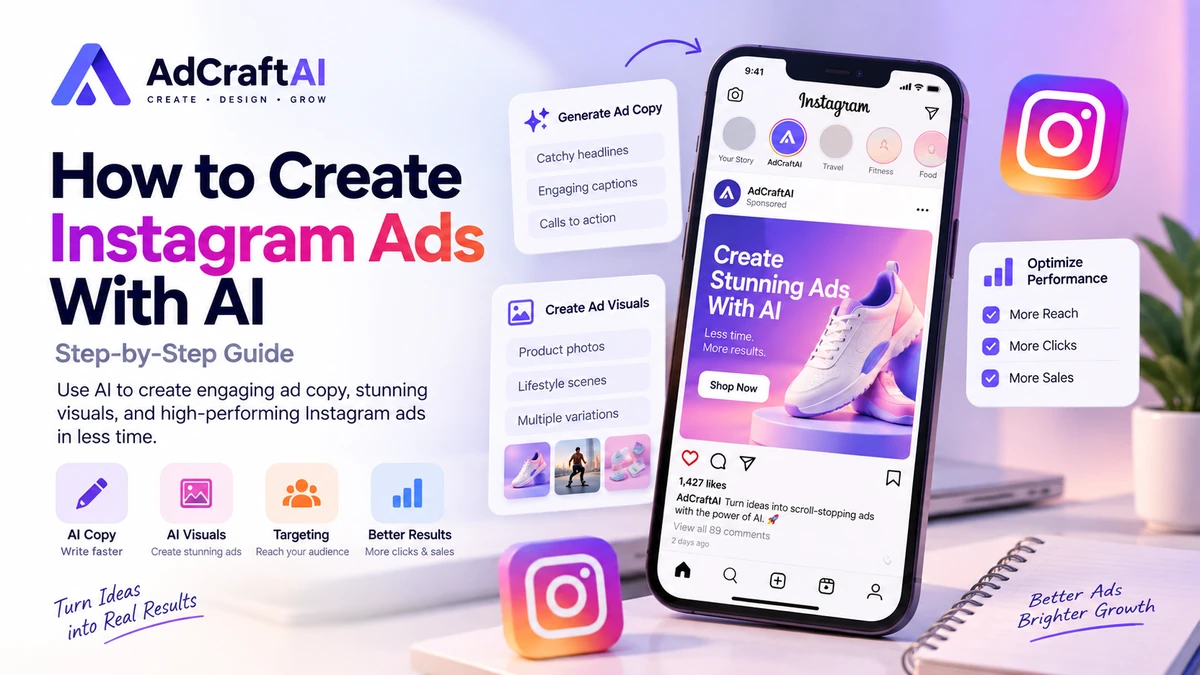
Creating effective Instagram ads can take time, especially when you need to write engaging copy, design eye-catching visuals, and test different ideas.
AI tools can make this process faster by helping you generate ad copy, creative concepts, headlines, and visual ideas in less time.
In this guide, you'll learn how to create Instagram ads with AI step by step, improve your ad creatives, and avoid common mistakes that can reduce performance.
Disclosure: This page may contain affiliate links. We may earn a commission at no extra cost to you if you make a purchase through these links.
Why Use AI for Instagram Ads?
AI can help simplify several parts of the Instagram advertising process.
Instead of creating every ad variation manually, you can use AI to generate different headlines, captions, calls to action, and creative ideas quickly.
This is especially useful when testing multiple versions of an ad.
- Generate Instagram ad copy faster
- Create multiple ad variations
- Find new creative angles
- Improve headlines and calls to action
- Save time during campaign preparation
However, AI should support your advertising strategy rather than replace it completely. The best results usually come from combining AI-generated ideas with your own knowledge of your audience, product, and offer.
How to Create Instagram Ads With AI: Step by Step
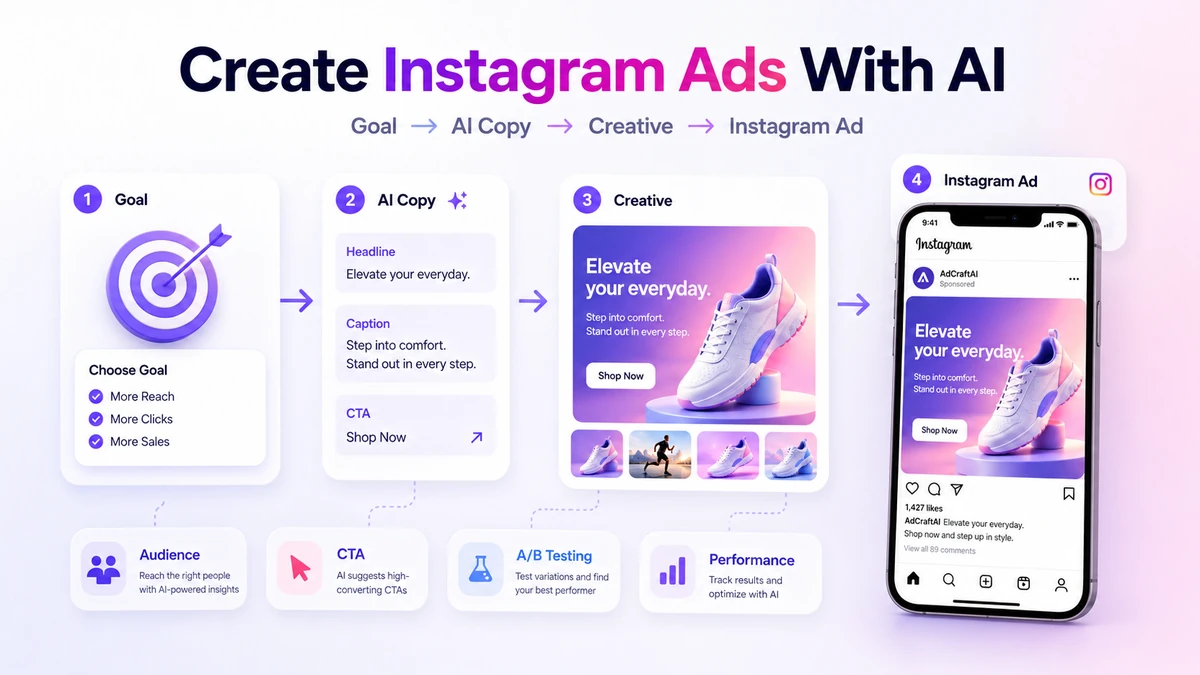
Creating Instagram ads with AI becomes much easier when you follow a clear process. Instead of asking an AI tool to create an entire campaign at once, build your ad step by step and review each part before publishing.
1. Choose Your Instagram Ad Goal
Start by deciding what you want your ad to achieve. Your goal could be driving traffic to a website, generating leads, promoting a product, increasing sales, or building brand awareness.
A clear campaign goal helps AI generate more relevant ad copy and creative ideas.
2. Describe Your Target Audience
Give the AI information about the people you want to reach. Include their interests, main problems, goals, and why they might be interested in your product or service.
For example, instead of asking AI to “create an Instagram ad,” use a more specific instruction such as:
Create an Instagram ad for a productivity app designed for freelancers. Focus on saving time, keeping tasks organized, and use a simple, conversational tone.
3. Generate Instagram Ad Copy With AI
Ask the AI tool to generate several versions of your Instagram ad copy instead of only one. Test different hooks, captions, headlines, and calls to action.
Keep the message clear and focused on one main benefit. Shorter copy often works better when users are quickly scrolling through Instagram.
4. Create the Instagram Ad Creative
Once the message is clear, create a visual that supports it. AI design tools can help generate different images, layouts, headlines, and creative variations for your campaign.
If your campaign starts with ecommerce product images, read our AI product photography guide before turning the strongest visuals into Instagram ads.
Make sure the main message is easy to understand on a mobile screen. Avoid overcrowding the design with too much text or too many visual elements.
5. Add a Clear Call to Action
Tell users what you want them to do next. Depending on your campaign, your call to action could be “Learn More,” “Shop Now,” “Get Started,” or “Sign Up.”
The call to action should match both the ad message and the landing page users will see after clicking.
6. Create and Test Multiple Variations
One of the biggest advantages of using AI for Instagram ads is the ability to create multiple variations quickly.
Test different images, hooks, captions, and calls to action instead of relying on a single ad. Over time, your campaign data can show which creative combinations perform best.
7. Review the Ad Before Publishing
AI-generated content should always be reviewed before it goes live. Check the wording, image quality, product claims, spelling, and overall tone.
The final ad should feel natural, match your brand, and clearly explain why someone should take action.
How to Create Better Instagram Ad Creatives With AI
A strong Instagram ad creative should communicate the main idea within a few seconds. AI can help you explore different visual directions, headlines, and layouts, but the final design should remain simple and easy to understand.
Keep the Main Message Clear
Focus each ad on one primary message or benefit. Trying to include too many features in a single creative can make the ad difficult to understand, especially on mobile devices.
Design for Mobile First
Most Instagram users view ads on a phone, so make sure your text is easy to read and the main product or subject is clearly visible without requiring users to zoom in.
Use Strong Visual Contrast
Your headline, product, and call to action should stand out from the background. Avoid cluttered layouts that compete for the viewer's attention.
Create Multiple Variations
Use AI to create several versions of the same concept. You can test different images, headlines, backgrounds, and calls to action while keeping the main offer consistent.
Keep Your Brand Consistent
AI-generated visuals should still match your brand. Use consistent colors, typography, messaging, and visual style so your ads feel recognizable across different campaigns.
Instagram Ad Copy Examples Created With AI
AI can help you create different versions of Instagram ad copy for different products and audiences. The key is to keep the message clear, focused, and relevant to the person seeing the ad.
Example 1: SaaS Product
Headline: Create Better Ads in Less Time
Caption: Stop spending hours designing ad creatives from scratch. Use AI to generate new ideas, test different variations, and speed up your advertising workflow.
CTA: Try It Now
Example 2: Online Store
Headline: Find Your Next Favorite Product
Caption: Discover products designed to make your everyday routine easier. Explore our latest collection and find the option that fits your needs.
CTA: Shop Now
Example 3: Service Business
Headline: Spend Less Time Creating Ads
Caption: Use AI to generate creative ideas and ad copy faster, so you can spend more time improving your campaigns and growing your business.
CTA: Learn More
Common Mistakes to Avoid When Creating Instagram Ads With AI
AI can speed up the Instagram ad creation process, but relying on it without reviewing the final result can lead to weak or ineffective ads. Here are some common mistakes to avoid.
Using AI Copy Without Reviewing It
AI-generated ad copy can sometimes sound generic or include information that does not match your product. Always review the final text before publishing your ad.
Adding Too Much Text to the Creative
Instagram is a visual platform. Keep your creative simple and make sure the main message can be understood quickly on a mobile screen.
Ignoring Your Target Audience
AI produces better results when you provide clear information about your audience. Generic prompts often lead to generic ads.
Using Only One Ad Variation
Do not rely on a single image, headline, or caption. Create several variations and test them to find out which combination performs better.
Publishing Without Checking the Landing Page
Make sure the message in your Instagram ad matches the page users visit after clicking. A strong ad can still perform poorly if the landing page does not match the offer.
Facebook Ads vs Instagram Ads With AI
Facebook and Instagram both use Meta's advertising platform, but the way people interact with ads on each platform can be different. Understanding those differences can help you create stronger AI-assisted ad campaigns.
Instagram Ads
Instagram is highly visual and mobile-focused. Strong images, short videos, clear headlines, and simple messages usually work best. AI can help you create multiple visual concepts, captions, and hooks for testing.
Facebook Ads
Facebook can support a wider range of ad formats and longer messages. It can be useful when you need more space to explain an offer, highlight benefits, or reach different audience groups.
Which One Should You Choose?
The best platform depends on your audience, product, and campaign goal. In many cases, testing both Facebook and Instagram ads can help you understand where your creatives perform better.
If you want to learn how to build Facebook campaigns with AI, read our step-by-step guide to creating Facebook ads with AI .
If you're considering AdCreative.ai for your Instagram campaigns, you can also read our AdCreative.ai pricing and plans guide to compare current plans, credits, and billing options.
Frequently Asked Questions About Instagram Ads With AI
Can AI create Instagram ads?
Yes. AI tools can help generate Instagram ad copy, headlines, creative ideas, images, and multiple ad variations. You should still review the final result before publishing to make sure it matches your brand and offer.
Can AI write Instagram ad copy?
Yes. AI can generate captions, hooks, headlines, and calls to action based on your product, audience, and campaign goal. Giving the AI more specific information usually produces more relevant results.
Can AI create Instagram ad creatives?
AI design tools can help create visual concepts, layouts, images, and creative variations for Instagram ads. The final design should still be clear, mobile-friendly, and consistent with your brand.
How many Instagram ad variations should I test?
There is no single number that works for every campaign. A practical approach is to test several variations of your image, headline, caption, or call to action and use campaign data to identify what performs best.
Should AI replace manual Instagram ad creation?
No. AI works best as a tool that speeds up research, copywriting, and creative production. Your knowledge of the audience, product, and campaign goal is still important when choosing the final ad.
Start Creating Better Instagram Ads With AI
AI can make Instagram ad creation faster by helping you generate copy, creative ideas, and multiple variations without starting from scratch every time.
Define your goal, understand your audience, create several variations, and test what actually performs best.
Discover the AI Tool →