SNAPCHAT ADS GUIDE
How to Create Snapchat Ads With AI in 2026
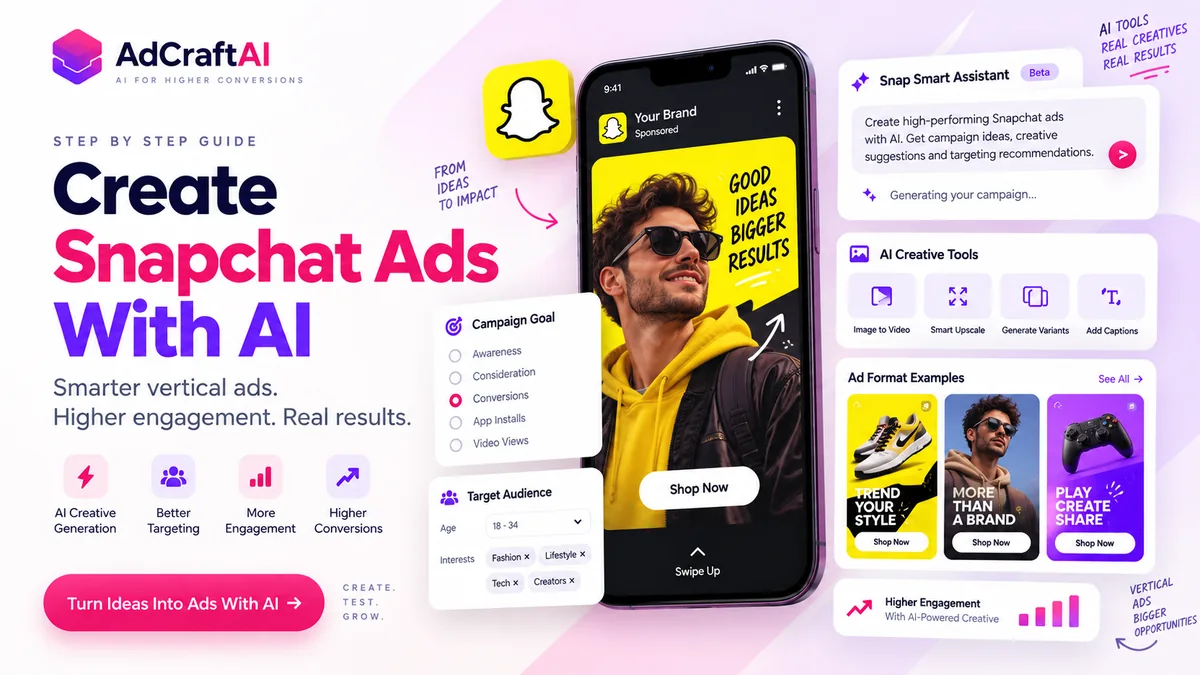
Snapchat added a new generation of AI advertising tools in 2026, including Snap Smart Assistant, AI creative enhancement, Image-to-Video, Smart Upscale and conversational AI ad experiences. This guide shows how to combine those tools with a vertical-first creative strategy, human review and structured testing.
Disclosure: This page may contain affiliate links. We may earn a commission at no extra cost to you if you sign up through these links.
Snapchat advertising is built around mobile behavior. Most of the core ad formats use a full-screen vertical canvas, which means the creative should feel native to a phone instead of looking like a horizontal ad that was cropped at the last minute.
AI can now help at several points in the workflow: campaign setup, audience recommendations, headlines, calls to action, vertical creative adaptation, image-to-video generation and asset enhancement. The useful part is speed. The important part is still deciding what the campaign should say and what the viewer should do next.
If you also create short-form ads for other platforms, compare this workflow with our TikTok Ads With AI guide and Instagram Ads With AI guide .
What Does Creating Snapchat Ads With AI Actually Mean?
Creating Snapchat Ads with AI means using artificial intelligence to speed up campaign planning and creative production without giving up control of the campaign.
- Describe the business goal and receive campaign recommendations.
- Generate headline and CTA ideas.
- Adapt product images for Snapchat's vertical canvas.
- Turn still images into short-form video.
- Improve low-resolution or poorly sized assets.
- Produce more creative variations for testing.
- Use conversational or AR-based AI formats where appropriate.
Snapchat AI Advertising Tools Available in 2026
In June 2026, Snap announced a broader AI-powered advertising suite covering campaign setup, creative development, product recommendations, conversational ads and creator workflows. Availability can vary by account and rollout stage, so always check what is visible inside your Ads Manager account.
| Tool | What It Does |
|---|---|
| Snap Smart Assistant | Lets advertisers describe a goal and receive recommendations for objectives, audience strategy, optimization settings and next steps. |
| Smart Upscale | Helps improve assets for Snapchat's full-screen vertical canvas. |
| Image-to-Video | Turns a product or campaign image into short-form video creative. |
| Background Image Enhancement | Creates more immersive, product-focused backgrounds. |
| AI Sponsored Snaps | Brings conversational AI agents into Chat so people can ask questions and receive product or service recommendations. |
| Sponsored AI Lenses | Uses generative AI inside immersive branded Lens experiences. |
Choose the Right Snapchat Ad Format Before Generating Creative
Snapchat supports several formats, and the creative should be built around the format instead of generated first and forced into a placement later.
| Format | Useful For | AI Opportunity |
|---|---|---|
| Single Image or Video | Awareness, traffic and remarketing | Generate hooks, vertical assets and variants |
| Story Ads | Deeper product storytelling | Build a sequence of scenes or messages |
| Collection Ads | Ecommerce and product discovery | Create product-led visuals and multiple tiles |
| Commercials | Brand awareness in curated content | Compress the message into a strong opening |
| AR Lenses | Immersive engagement and brand experiences | Explore generative or AI-assisted Lens concepts |
Snapchat currently lists 9:16 as the standard aspect ratio for Single Image or Video Ads, Story Ads, Collection Ads and Commercials. For Single Image or Video Ads, Snapchat lists 1080×1920 resolution and 3–180 seconds for video.
Practical rule:
Build a real 9:16 composition. Do not simply place a horizontal ad inside a vertical frame.
How to Create Snapchat Ads With AI: Step by Step
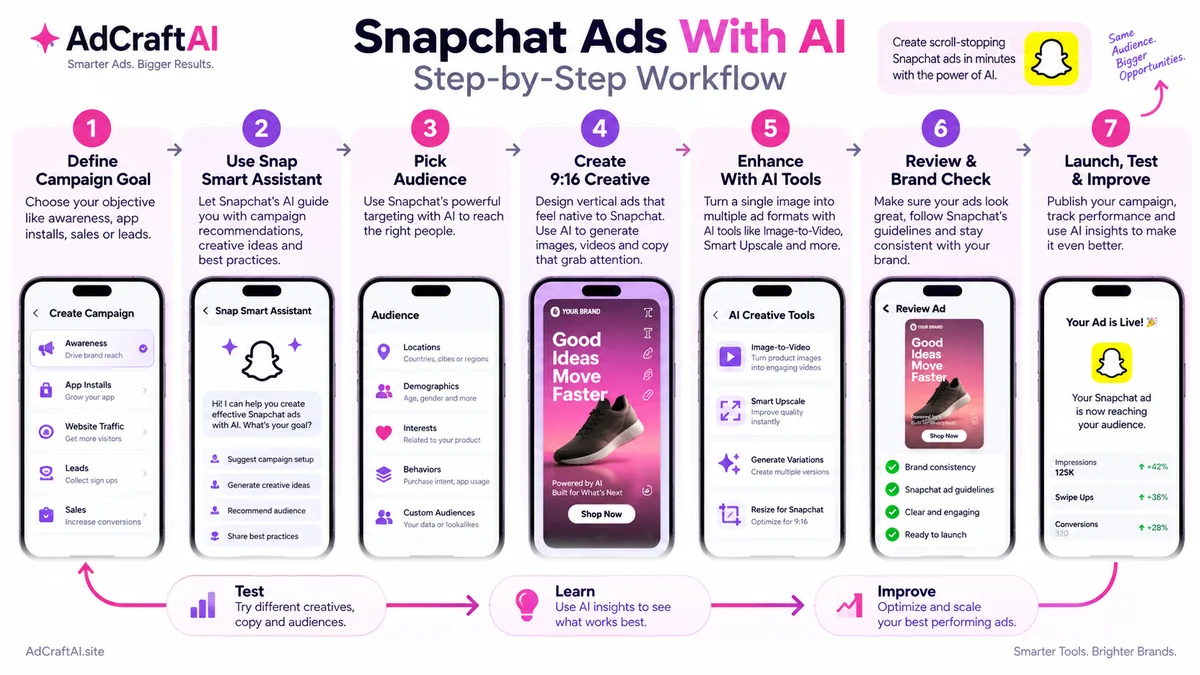
1. Define the Campaign Objective
Start with the business action you want. Snapchat provides objectives across awareness, traffic, leads, app installs and online sales. A clear objective helps both the human team and AI tools make better recommendations.
Example brief
Product: Skincare serum
Audience: Mobile shoppers interested in skincare and beauty
Problem: A complicated skincare routine feels difficult to maintain
Benefit: A simple daily product step
Goal: Online purchases
Primary format: 9:16 Single Video Ad
2. Use Snap Smart Assistant for Setup Guidance
Snap Smart Assistant lets advertisers describe their goal and can recommend campaign objectives, audience strategy and optimization settings. Use those recommendations as a starting point, not as a replacement for knowing the business.
We sell a skincare serum online. The goal is purchases from mobile shoppers interested in simple skincare routines. Recommend a campaign objective, an audience approach and the first creative direction to test on Snapchat.
3. Define the Audience Before Generating the Ad
Give the AI enough context to understand the viewer. Useful inputs include age range where appropriate, interests, existing customer signals, product category, location and the reason someone might care about the offer.
Avoid writing creative for “everyone.” A clear audience usually produces a clearer hook.
4. Write a Vertical-First Creative Brief
Snapchat is a visual, mobile-first environment. Your brief should describe what happens on screen, not only what the caption says.
Create a 9:16 Snapchat video ad concept for a skincare serum. Show the product in the first scene. Use short on-screen text. Keep the visual style clean and native to mobile. Focus on a simple daily skincare routine. Finish with a Shop Now CTA. Do not invent clinical claims or statistics.
5. Generate the First Creative
You can start from a product image, an existing video or a fresh creative concept. Snap's newer AI creative tools can help create headlines, calls to action, layouts and asset variations.
Keep product appearance, packaging, offer details and branding accurate.
6. Use Image-to-Video When Motion Adds Value
Image-to-Video can turn a still product image into short-form video. This is especially useful when you have strong product photography but limited motion assets.
Motion should support the product story. Do not add animation only because the tool can generate it.
7. Use Smart Upscale and Background Enhancement
Smart Upscale is designed to help assets fit Snapchat's full-screen vertical canvas more effectively. Background Image Enhancement can help create a more immersive setting around the product.
Review the final result carefully. AI-enhanced backgrounds should not alter the product or create misleading visual claims.
8. Add a Clear CTA
Match the CTA to the objective. Snapchat supports calls to action such as Shop Now, Sign Up, Apply Now and Book Now depending on the attachment and campaign setup.
9. Review the Creative on a Phone-Sized Canvas
- Check that text is readable.
- Confirm the product is visible quickly.
- Keep important elements away from interface overlays.
- Verify all product and promotional claims.
- Make sure the landing page matches the offer.
- Confirm the CTA matches the campaign goal.
10. Launch More Than One Meaningful Variation
Do not test five nearly identical ads. Change the hook, opening visual, product demonstration or message angle so the campaign can teach you something useful.
How to Use Snap Smart Assistant
Snap Smart Assistant is designed to make campaign setup more conversational. According to Snap's 2026 announcement, advertisers can describe their goals and receive recommendations for objectives, audience strategy and optimization settings.
The assistant can also guide setup, surface health checks and recommend next steps. The best input is a specific business brief, not a vague request to “get more sales.”
Good input:
“Drive online purchases for a $45 skincare serum. Target mobile shoppers interested in simple skincare. The landing page offers free shipping over $50. Recommend the best campaign objective, audience approach and first two creative angles to test.”
Use Snapchat's AI Creative Tools Without Losing Control
Snap says its AI creative tools can help transform one product image into multiple Snap-native formats. That can reduce the amount of manual resizing and version production needed for a campaign.
| Creative Task | AI Tool or Approach |
|---|---|
| Turn a still product image into motion | Image-to-Video |
| Improve fit for a vertical canvas | Smart Upscale |
| Build a more immersive product scene | Background Image Enhancement |
| Create more copy directions | AI-assisted headlines and calls to action |
Advertisers remain responsible for choosing which generated assets they actually run. That human selection step matters because technically polished creative can still be off-brand, inaccurate or strategically weak.
AI Sponsored Snaps and Sponsored AI Lenses
Snapchat's AI advertising strategy now goes beyond normal image and video generation. Snap introduced AI Sponsored Snaps in 2026 as a conversational ad experience in Chat. These experiences can use AI agents to answer questions, recommend products and help users make decisions inside the conversation.
Sponsored AI Lenses take a different approach. Instead of a conversational agent, they use generative AI in an immersive Lens experience where the user can participate in the brand creative.
Choose based on behavior:
Use conversational AI when product questions are part of the buying process. Use an AI Lens when participation, self-expression or immersive brand interaction is the stronger idea.
Where AdCreative.ai Can Fit in a Snapchat Ads Workflow
Snapchat's native tools are useful inside Ads Manager, especially when you want platform-specific campaign and creative assistance. An external tool can support the production stage before you upload selected assets.
AdCreative.ai currently offers AI ad creatives, ad copy, AI images, product videos, UGC-style video creation and creative variations. That can be useful when you want to create several concepts before adapting the strongest ones to Snapchat's 9:16 requirements.
If you want to compare plans first, see our AdCreative.ai pricing and plans guide .
Create More Snapchat Ad Variations With AI
Explore an AI creative workflow for generating product visuals, ad copy and video variations before adapting the strongest concepts for Snapchat Ads Manager.
Discover the AI Tool →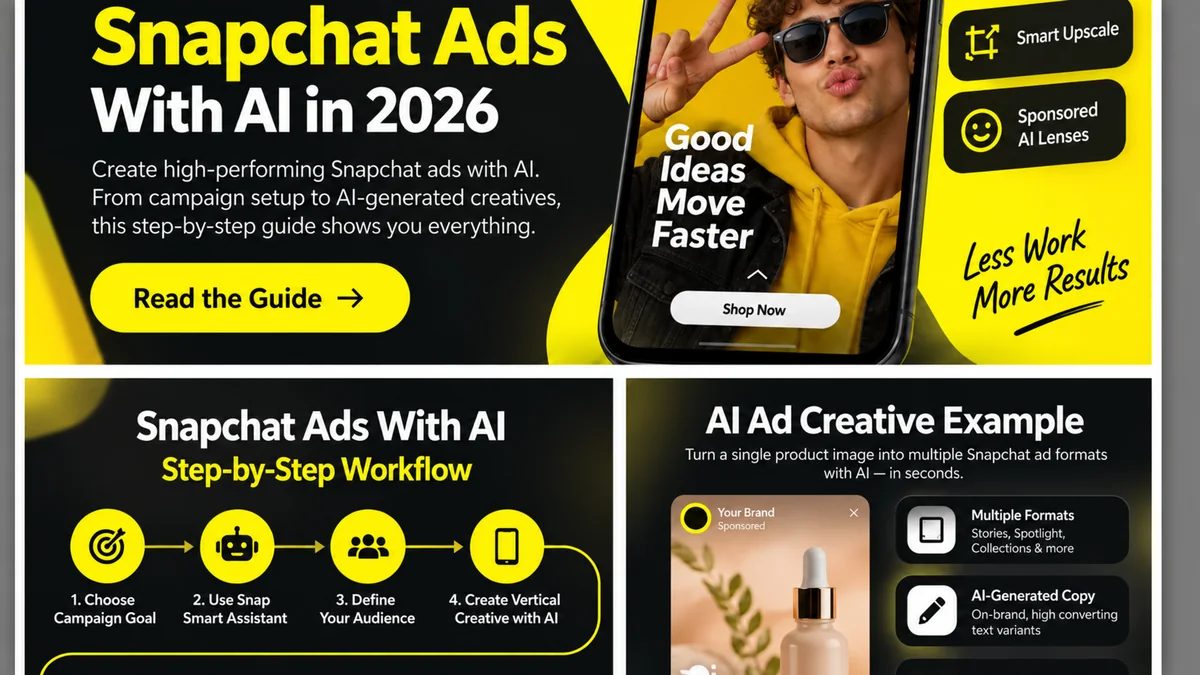
Practical Example: Create a Snapchat Product Ad With AI
Imagine we are promoting a skincare serum to mobile shoppers. The campaign objective is online purchases.
Campaign Brief
Audience: Beauty and skincare shoppers
Product: Daily skincare serum
Message: Keep the routine simple
Offer: Shop online
Format: 9:16 Single Video Ad
Hook Variations
- “Your skincare routine does not need ten steps.”
- “One simple step for your morning routine.”
- Open directly on the bottle with the text: “Keep it simple.”
Example 10-Second Storyboard
0–2 sec: Product appears immediately with the hook.
2–5 sec: Show the serum being used in a simple morning routine.
5–8 sec: Show packaging and one clear benefit supported by the product.
8–10 sec: Brand, product and Shop Now CTA.
AI Creative Prompt
Create a vertical 9:16 mobile ad concept for a skincare serum. Use a bright, clean setting. Show the real product immediately. Keep the pacing fast and the on-screen text short. The message is about making a daily skincare routine simple. Finish with a clear Shop Now frame. Do not create medical claims, before-and-after claims or unsupported statistics.
Create Three Real Variations
- Version A: Product-first opening.
- Version B: Problem-first opening about complicated routines.
- Version C: Lifestyle opening showing the product in use.
How to Test AI-Generated Snapchat Ads
Snapchat's own research continues to emphasize the importance of the opening seconds. That makes the hook and first visual one of the most useful creative variables to test.
| Test | Example |
|---|---|
| Opening visual | Product close-up vs lifestyle scene |
| Hook | Problem-first vs benefit-first |
| Motion | Still image vs AI image-to-video version |
| CTA | Shop Now vs Learn More where appropriate |
Match performance metrics to the campaign goal. A traffic campaign should not be judged exactly like a purchase campaign, and an awareness campaign should not be optimized only around click behavior.
Common Mistakes When Creating Snapchat Ads With AI
Reusing a Horizontal Ad Without Redesigning It
Snapchat is built around vertical viewing. A horizontal creative placed inside a vertical frame usually wastes space and weakens the visual hierarchy.
Hiding the Product Until the End
Short-form mobile ads need to establish context quickly. Show the product, problem or reason to keep watching early.
Letting AI Invent Product Claims
AI-generated text can sound convincing even when a claim is unsupported. Review every benefit, statistic, price and product statement before launch.
Overusing AI Effects
Smart Upscale, generated backgrounds, image-to-video and AR can all be useful. Using every effect in one ad can make the message less clear.
Testing Cosmetic Variations Only
Different colors are not enough. Test different hooks, creative openings, product demonstrations and message angles.
Ignoring the Landing Page
The ad and landing page should continue the same promise. If the ad is simple and product-focused but the landing page is confusing, better creative alone will not fix the full funnel.
A Simple Snapchat Ads With AI Workflow
- Define the campaign objective.
- Describe the audience and offer.
- Use Snap Smart Assistant for setup recommendations.
- Choose the Snapchat ad format.
- Write a vertical-first creative brief.
- Generate the first creative direction.
- Use Image-to-Video, Smart Upscale or background enhancement where useful.
- Add one clear CTA.
- Review brand, product and factual accuracy.
- Create meaningful variations.
- Launch and measure against the campaign goal.
- Use real performance data to build the next creative round.
Build a Broader AI Advertising Workflow
Snapchat fits naturally into a broader short-form and mobile advertising strategy. Keep the campaign idea consistent where useful, but adapt the creative to each platform.
Frequently Asked Questions About Snapchat Ads With AI
Can AI create Snapchat ads?
Yes. AI can help with campaign recommendations, copy, visual generation, image-to-video, asset enhancement and creative variations. Final creative should still be reviewed before launch.
What is Snap Smart Assistant?
Snap Smart Assistant is an AI-assisted advertising tool announced in 2026 that can recommend campaign objectives, audience strategy and optimization settings from an advertiser's stated goals.
What is Snapchat Image-to-Video?
Image-to-Video is one of Snap's AI creative tools for turning an image into short-form video creative.
What does Smart Upscale do?
Smart Upscale helps improve creative assets for Snapchat's full-screen vertical canvas.
What size should Snapchat ads be?
Snapchat lists 9:16 and 1080×1920 for core vertical formats such as Single Image or Video Ads, Story Ads and Collection Ads. Always check the current specifications for the exact format you plan to use.
What are AI Sponsored Snaps?
AI Sponsored Snaps are conversational ad experiences in Snapchat Chat that can use AI agents to answer questions, recommend products and help people make decisions.
What are Sponsored AI Lenses?
Sponsored AI Lenses are immersive branded Lens experiences that use generative AI to create interactive or personalized visual experiences.
Can I use AdCreative.ai for Snapchat ads?
AdCreative.ai can support the creative-production stage by generating ad concepts, images, copy and video variations. Selected assets should then be adapted and reviewed against Snapchat's current ad specifications.
Should I publish AI-generated Snapchat ads without editing them?
No. Review generated assets for product accuracy, brand consistency, unsupported claims, mobile readability, CTA clarity and landing-page consistency before launch.
Official Snapchat Ads Resources
Snapchat's ad products and AI features can change quickly. Check the official resources below before launching a new campaign.
Final Thoughts
Snapchat's 2026 AI tools can reduce the amount of manual work required to plan campaigns and create vertical assets. The strongest advantage is not simply generating more ads. It is being able to create more useful creative directions, adapt them to Snapchat's native format and learn faster from real performance data.
Keep the campaign goal, audience, offer and product truth under human control. Use AI to accelerate production, then use testing to decide what deserves to scale.
Explore AI-Powered Ad Creation
If creating enough vertical ad variations is slowing down your workflow, an AI-focused creative tool may be worth testing.
AdCreative.ai offers AI ad creative, copy and video tools that can support the production stage before selected assets are adapted for Snapchat.
Discover the AI Tool →