YOUTUBE ADS GUIDE
How to Create YouTube Ads With AI in 2026
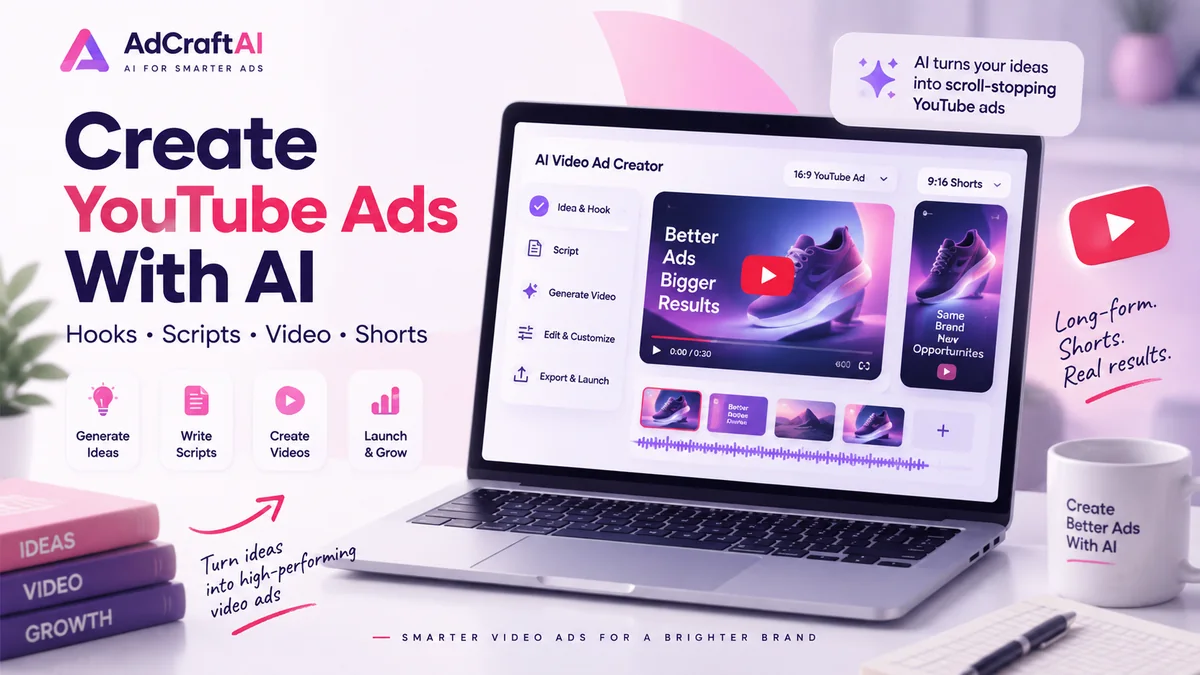
AI can speed up YouTube ad production from the first hook and script draft to storyboards, voiceovers, video variations and format adaptation. The strongest workflow still starts with a clear campaign goal and finishes with human review and real performance data.
Disclosure: This page may contain affiliate links. We may earn a commission at no extra cost to you if you sign up through these links.
Creating a YouTube ad used to mean planning a shoot, recording footage, editing several versions and resizing each creative for different placements. AI can now assist with many of those steps, but it does not remove the need for a strong offer, accurate claims, a useful landing page or a testing plan.
This guide focuses specifically on YouTube video creative: choosing the right format, writing the hook, building the script, generating or editing video assets, adapting the creative for in-stream and Shorts placements, and testing meaningful variations.
If you need the broader campaign and Google Ads context first, read our guide to creating Google Ads with AI . For the wider strategy across channels, see our AI advertising guide .
What Does Creating YouTube Ads With AI Actually Mean?
Creating YouTube ads with AI means using artificial intelligence as a production and iteration assistant. AI can help at several points in the creative process without making every campaign decision for you.
- Turn a campaign brief into hook ideas.
- Draft short video scripts.
- Create scene and storyboard concepts.
- Generate or adapt visuals and video clips.
- Create voiceover and caption drafts.
- Produce horizontal and vertical creative variations.
- Generate alternate hooks, benefits and calls to action for testing.
Choose the Right YouTube Ad Format Before Generating the Video
The format changes how the creative should be written and edited. Google currently supports several YouTube video ad formats, including skippable in-stream, in-feed, non-skippable in-stream, bumper, Shorts and Masthead placements.
| Format | Creative Focus | Useful AI Task |
|---|---|---|
| Skippable in-stream | Earn attention before the viewer skips | Create several opening hooks |
| In-feed | Give people a reason to choose the video | Generate title, thumbnail and angle ideas |
| Bumper | Communicate one memorable idea quickly | Compress the script into one message |
| YouTube Shorts | Vertical, fast, mobile-first creative | Create short hooks and 9:16 variations |
Useful rule:
Do not generate one generic video and assume it is ideal for every placement. Start with the placement and viewer behavior, then build the creative around it.
How to Create YouTube Ads With AI: Step by Step
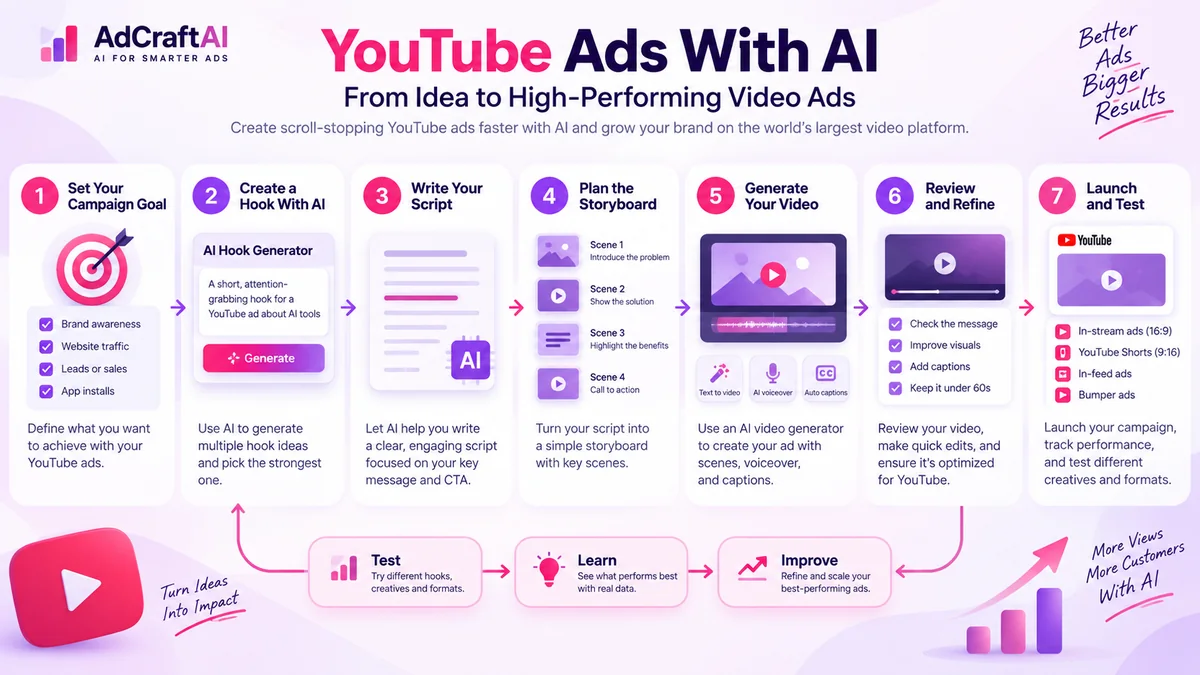
1. Define the Campaign Goal
Before opening an AI video generator, decide what the ad should accomplish. The creative for awareness is different from the creative for a free-trial signup, product sale or lead.
Example brief
Product: Project management software
Audience: Freelancers managing several clients
Problem: Deadlines and tasks are spread across different tools
Benefit: Keep projects organized in one workspace
Goal: Free-trial signups
Primary format: 15-second horizontal in-stream ad
2. Write the Hook Before the Full Script
For skippable in-stream ads, viewers can skip after five seconds. That makes the opening especially important. The first scene should establish the problem, benefit, curiosity or product quickly.
Generate 10 opening hooks for a YouTube video ad promoting project management software to freelancers. Each hook should communicate a clear problem or benefit within the opening seconds. Avoid exaggerated claims and keep the tone practical.
Useful hook directions include:
- Problem: “Still tracking client deadlines in three different apps?”
- Outcome: “See every client project in one workspace.”
- Demonstration: Open with the product solving the problem immediately.
- Contrast: Show a cluttered workflow, then the organized version.
3. Turn the Strongest Hook Into a Short Script
Keep the script focused on one audience, one problem and one primary action. AI can help create multiple drafts, but shorter and clearer usually makes testing easier.
Write a 15-second YouTube ad script for freelance designers who manage multiple client projects. Start with a direct problem in the first sentence, show the product as the solution, explain one benefit, and finish with a free-trial call to action. Keep every factual claim conservative.
4. Build a Simple Storyboard
A storyboard prevents the AI video from becoming a sequence of attractive but disconnected scenes. Give every scene a job.
| Scene | Purpose | Example |
|---|---|---|
| 1 | Hook | Freelancer switching between several project tools |
| 2 | Problem | Missed deadline notification |
| 3 | Solution | Product dashboard organizes every client |
| 4 | Benefit | Tasks and deadlines visible in one place |
| 5 | CTA | Start your free trial |
5. Generate or Edit the Video Assets
At this point, AI can help create scenes from text or images, animate product visuals, generate supporting footage, produce voiceover drafts and create alternate versions. Keep the source product, logo, interface and offer details consistent across every scene.
If the tool changes a product detail, invents interface elements, misspells on-screen text or creates an unrealistic demonstration, fix it before the ad goes live.
6. Create More Than One Aspect Ratio
Google recommends 1080p assets and supports horizontal 16:9, vertical 9:16 and square 1:1 video. Instead of stretching one master video, adapt composition, text placement and pacing to the intended surface.
- 16:9: useful for horizontal YouTube video experiences.
- 9:16: best suited to the vertical Shorts experience.
- 1:1: useful when a campaign supports square creative.
7. Add Captions, Brand Elements and a Clear CTA
Add captions where they improve comprehension, keep important text inside safe areas, use consistent brand colors and give the viewer one clear next action. The final frame should support the same offer shown on the landing page.
8. Review Everything Before Uploading
- Check every product and pricing claim.
- Check spelling in generated video frames.
- Confirm the voiceover matches the final script.
- Make sure the landing page supports the offer.
- Review brand assets and product appearance.
- Preview horizontal and vertical versions separately.
Create YouTube Video Assets With Google AI and Asset Studio
Google Ads Asset Studio includes AI-assisted workflows for creating text, image and video assets. Google currently documents a standalone narrative-video workflow that can use an ad group or landing page as creative context, generate a creative brief, develop a narrative and storyboard, and then produce a video for review.
During review, advertisers can adjust scene prompts, images and voiceover scripts. Google also allows the generated video to be uploaded to a linked YouTube channel or an ad video storage channel before it is added to a campaign.
Google-native AI is especially useful when you are already working inside Google Ads. External AI tools can still be useful earlier in the workflow when you want to create additional video concepts or variations before uploading selected assets.
How to Create YouTube Shorts Ads With AI
Shorts should be treated as a vertical creative format, not simply a horizontal ad placed inside a vertical frame. Google recommends vertical 9:16 video for Shorts.
Google allows longer videos to be eligible, but only the first 60 seconds play directly in the Shorts feed and Google recommends using videos under 60 seconds to better match Shorts viewing behavior.
Shorts workflow
Start with a vertical composition, show the subject immediately, keep on-screen text readable, move quickly into the product or benefit, and design the CTA so it still works with interface overlays.
If you already create short-form advertising for TikTok, compare the creative process with our TikTok Ads With AI guide . The production skills overlap, but the campaign setup, placements and platform behavior are not identical.
Where AdCreative.ai Can Fit in a YouTube Ads Workflow
AdCreative.ai currently offers AI video generation from text and image inputs as well as advertising creative workflows. That can make it useful before the Google Ads upload stage when you want to explore additional video concepts, product-focused clips or creative variations.
The practical role is simple: use the tool to help create and iterate video assets, then review the final creative against YouTube requirements, your landing page and the actual campaign objective.
If you want to compare the tool before using it, see our AdCreative.ai pricing and plans guide .
Create More Video Ad Variations With AI
Explore an AI-focused advertising workflow for generating video ideas, product videos and creative variations before adapting the strongest assets for YouTube campaigns.
Discover the AI Tool →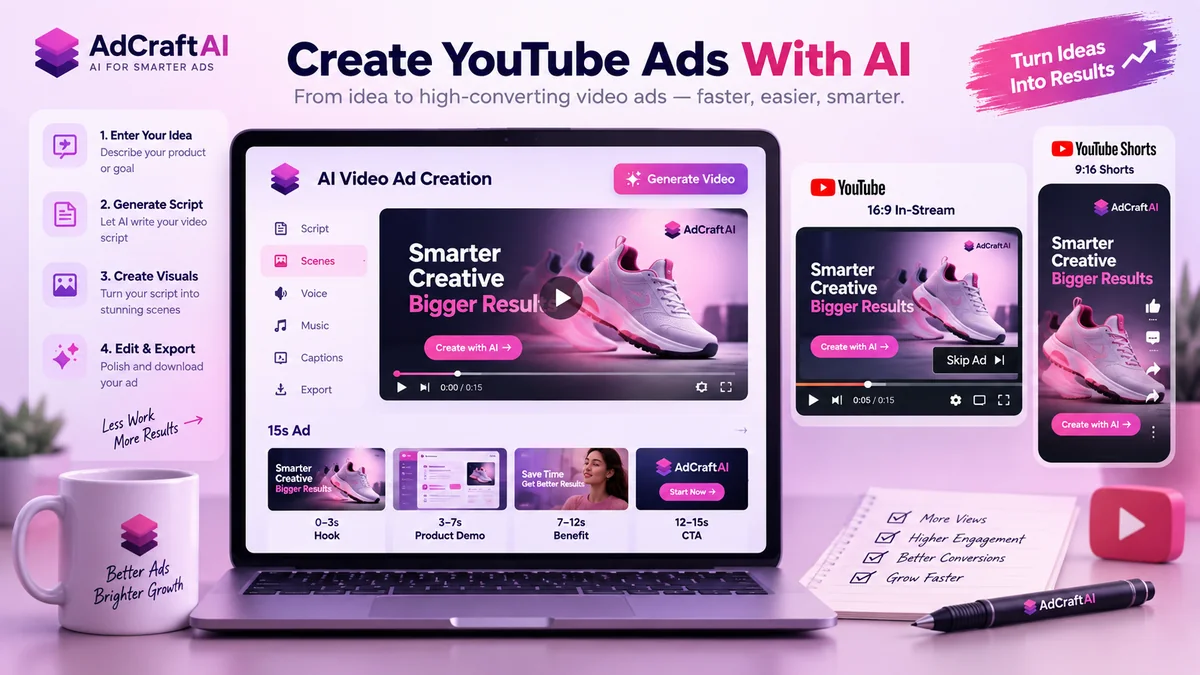
Practical Example: Build a 15-Second YouTube Ad With AI
Imagine we are advertising a project management app for freelance designers. The objective is to drive free-trial signups.
Creative Brief
Audience: Freelance designers
Problem: Client tasks and deadlines are scattered across tools
Promise: Organize client projects in one workspace
Offer: Free trial
Format: 15-second horizontal video
Hook Variations
- “Still switching between apps to manage client work?”
- “One client dashboard. Fewer missed deadlines.”
- “Your freelance projects should not feel this scattered.”
Example Script
0–3 sec: “Still switching between apps to manage client work?”
3–8 sec: Show the product organizing client tasks and deadlines in one dashboard.
8–12 sec: “Keep every project, task and deadline in one workspace.”
12–15 sec: “Start your free trial.”
AI Production Prompt
Create a clean 15-second software advertisement for freelance designers. Start with a fast visual of a freelancer switching between several project tools, then transition to a simple project management dashboard that organizes clients, tasks and deadlines in one place. Use a modern professional visual style, readable captions, realistic laptop screens and a clear free-trial end card. Do not invent product claims that are not provided in the brief.
Human Review
Before publishing, confirm that every interface shown in the video is representative of the real product, the free trial actually exists, the landing page matches the promise and the generated text is spelled correctly.
How to Test AI-Generated YouTube Ads
AI makes it easy to generate many videos. That only becomes useful when the variations test different ideas instead of changing small decorative details.
| Version | What Changes | What Stays the Same |
|---|---|---|
| A | Problem-focused hook | Offer, audience, landing page |
| B | Benefit-focused hook | Offer, audience, landing page |
| C | Product-demo opening | Offer, audience, landing page |
Choose campaign metrics that match the actual objective. Depending on the campaign, useful signals may include impressions, views, view rate, clicks, conversions, cost per conversion and conversion value. Avoid choosing a winner based on one surface-level metric if the business goal is different.
Common Mistakes When Creating YouTube Ads With AI
Starting With the Tool Instead of the Campaign Goal
A visually impressive video can still fail if it does not have one clear audience, promise and action. Write the brief first.
Using the Same Opening in Every Variation
If every version begins with the same idea, you are mostly testing editing differences. Create genuinely different hooks.
Ignoring the Five-Second Skip Moment
Skippable in-stream ads can be skipped after five seconds. Do not hide the product, problem or reason to keep watching until the middle of the video.
Using a Horizontal Creative as a Shorts Strategy
Shorts is a vertical, mobile-first viewing experience. Build a 9:16 version instead of assuming a horizontal master will communicate equally well.
Trusting AI-Generated Text and Product Details
Generated scenes can contain spelling mistakes, unrealistic interfaces or product details that do not exist. Review every frame that communicates factual information.
Generating Too Many Similar Videos
Five videos with different background colors are not five strong creative tests. Change the hook, message, proof, demonstration or CTA in a controlled way.
A Simple AI YouTube Ads Workflow
- Define the campaign objective.
- Choose the YouTube placement and format.
- Write a one-sentence creative brief.
- Generate several distinct hooks.
- Turn the strongest hooks into short scripts.
- Create a scene-by-scene storyboard.
- Generate or edit the video assets with AI.
- Create horizontal and vertical versions where useful.
- Add captions, branding and one clear CTA.
- Review claims, product details and landing-page consistency.
- Launch controlled creative tests.
- Use real campaign data to build the next variations.
Build a Broader AI Advertising Workflow
YouTube is one part of a broader advertising system. Reuse the campaign strategy where it makes sense, but adapt creative format and viewer behavior to each platform.
Frequently Asked Questions About YouTube Ads With AI
Can AI create YouTube ads?
Yes. AI can help generate hooks, scripts, storyboards, voiceovers, video scenes and creative variations. Human review is still important before the ad is published.
Does Google Ads have AI tools for creating YouTube videos?
Yes. Google Ads Asset Studio includes AI-assisted video creation workflows, including a narrative-video process that can build a creative brief, narrative, storyboard and final video.
What aspect ratio should I use for YouTube ads?
Google recommends 16:9 for horizontal video, 9:16 for vertical video and 1:1 for square video. The best choice depends on the placement and campaign type.
What aspect ratio is best for YouTube Shorts ads?
Google recommends vertical 9:16 assets for Shorts because the Shorts feed is a mobile-first, vertical viewing experience.
How long should a YouTube Shorts ad be?
Google recommends using video under 60 seconds for Shorts to match viewing behavior. Longer eligible videos may continue on the YouTube watch page after the first 60 seconds in the feed.
Can viewers skip YouTube in-stream ads?
Skippable in-stream ads can be skipped after five seconds. That is why the opening of the creative should communicate value quickly.
Can I use AdCreative.ai to make video ads for YouTube?
AdCreative.ai offers AI video-generation and advertising-creative workflows that can be used to create video concepts and variations before selected assets are adapted and uploaded for a YouTube campaign.
Do YouTube video ads have to be uploaded to YouTube?
Google states that video ad content must be hosted on YouTube. Asset Studio can also upload a generated video to a linked YouTube channel or an ad video storage channel during its workflow.
Should I create separate horizontal and vertical YouTube ads?
Often, yes. Different aspect ratios let you adapt framing, captions and pacing for horizontal YouTube experiences and vertical Shorts placements instead of relying on a single layout.
Should I publish AI-generated YouTube ads without editing them?
No. Review generated video for factual accuracy, product representation, spelling, branding, offer details, platform requirements and landing-page consistency before publishing.
Official Google Ads Resources
YouTube advertising formats and campaign features change over time. Use the official Google Ads documentation below to confirm current requirements before launching a campaign.
Final Thoughts
AI can make YouTube ad production faster, especially when you need more hooks, scripts, storyboards, video assets and creative variations. The advantage is not simply producing more video. It is being able to test more meaningful ideas without rebuilding every creative from the beginning.
Keep the campaign objective, audience and offer stable. Use AI to accelerate production. Then use human review and real YouTube campaign data to decide which creative direction deserves the next iteration.
Explore AI-Powered Video Ad Creation
If producing enough fresh video variations is slowing down your YouTube advertising workflow, an AI-focused creative tool may be worth testing.
AdCreative.ai offers AI video and advertising creative tools that can support the production and iteration stage of your workflow.
Discover the AI Tool →