PUSH CREATIVES GUIDE
How to Push AI Ad Creatives to Your Ad Accounts in 2026
Move an approved creative from the project into a connected platform’s media library, then finish campaign setup and publishing in the advertising platform itself.
Disclosure: This page may contain affiliate links. We may earn a commission at no extra cost to you if you sign up through these links.
Pushing a creative to an ad account is useful because it removes one manual download-and-reupload step from the campaign workflow.
AdCreative.ai’s current help center says ad accounts must first be connected to the brand. After that, users open a project, select a creative, choose Download and then choose the platform where the asset should be uploaded.
The important limitation is explicit: AdCreative.ai says it does not automatically publish the ad. The pushed creative is added to the platform’s media library, where it can be selected during normal ad creation.
For the wider strategy around generating, testing and improving advertising assets, see our complete AI advertising guide.
What This Workflow Means in Practice
Move an approved creative from the project into a connected platform’s media library, then finish campaign setup and publishing in the advertising platform itself.
The goal is to reduce repetitive work while keeping the final campaign, integration or business decision accurate and measurable.
What Inputs Matter Most?
| Input | Why It Matters |
|---|---|
| Connected brand | The brand must already have the target ad account connected. |
| Approved creative | Only push a version that has passed review. |
| Target platform | Determines which connected account receives the asset. |
| Account selection | The correct account must be active for the brand. |
| Media library | The destination where the asset becomes available. |
| Campaign setup | Still happens inside the advertising platform. |
What to Prepare Before You Start
- Connect the target ad account first.
- Verify the exact brand and account ID.
- Review the creative for accuracy and policy risk.
- Confirm the final image or video size.
- Use a clear naming convention before upload.
- Know that pushing is not the same as publishing a campaign.
Important: Better source information reduces the amount of guessing in the workflow.
How to Push AI Ad Creatives to Your Ad Accounts: Step by Step
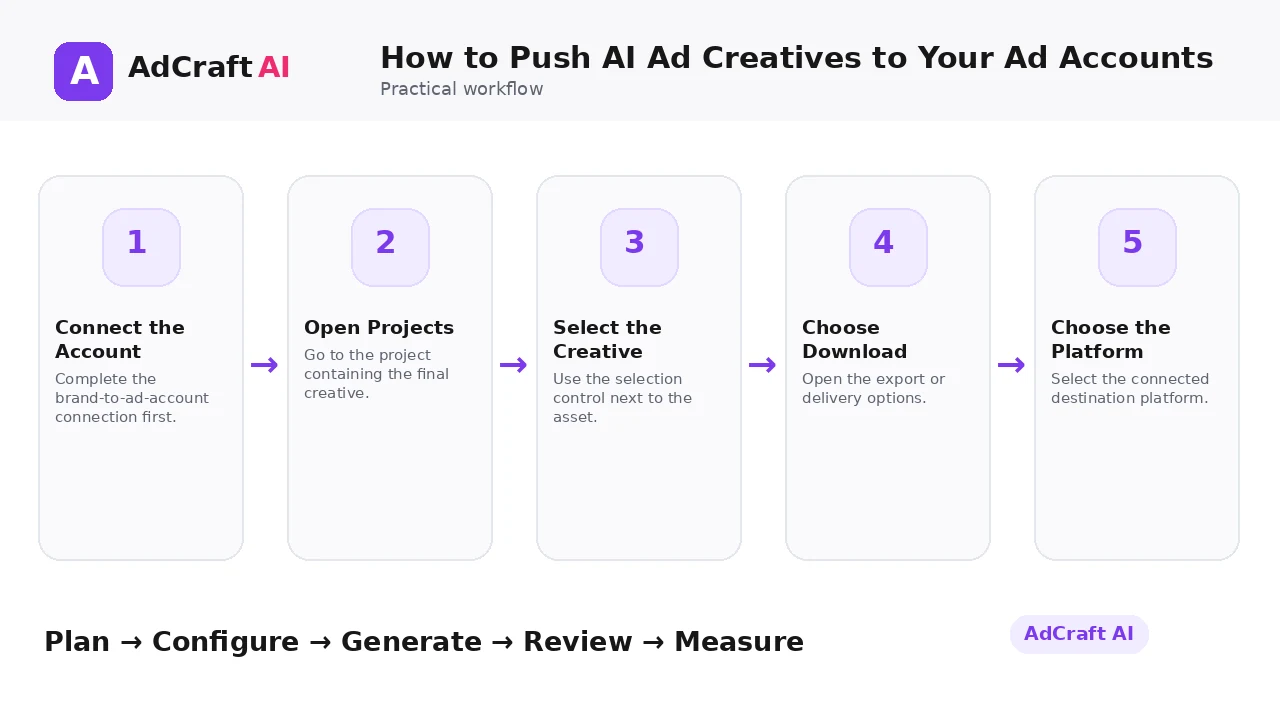
1. Connect the Account
Complete the brand-to-ad-account connection first.
2. Open Projects
Go to the project containing the final creative.
3. Select the Creative
Use the selection control next to the asset.
4. Choose Download
Open the export or delivery options.
5. Choose the Platform
Select the connected destination platform.
6. Push the Asset
Send the final creative to the account.
7. Open the Media Library
Verify that the asset arrived in the platform.
8. Build and Publish the Ad
Finish targeting, budget, copy, tracking and publishing inside the ad platform.
What Happens When You Push a Creative?
AdCreative.ai’s help article says the creative is uploaded to the connected social or advertising platform’s media library.
The same article clearly states that AdCreative.ai does not automatically publish your ads. The asset becomes available for selection when you create a new ad in the platform.
This distinction matters operationally: pushing handles asset delivery, while campaign setup still includes copy, destination URL, targeting, budget, tracking and final publishing decisions.
Explore the Current AdCreative.ai Workflow
Use the feature as a starting point, verify the current interface and plan details, and review every output before it becomes part of a live campaign.
Explore AdCreative.ai →What to Review Before You Use the Result
| Review Area | What to Check |
|---|---|
| Asset version | Is this the final approved file? |
| Account | Did it go to the correct account? |
| Naming | Can the team identify the creative later? |
| Placement | Does the aspect ratio match the intended ad placement? |
| Policy | Has the asset been reviewed for current platform requirements? |
| Campaign fields | Are copy, URL, tracking, audience and budget still configured correctly? |
Practical Example: Push a Creative, Then Build the Campaign
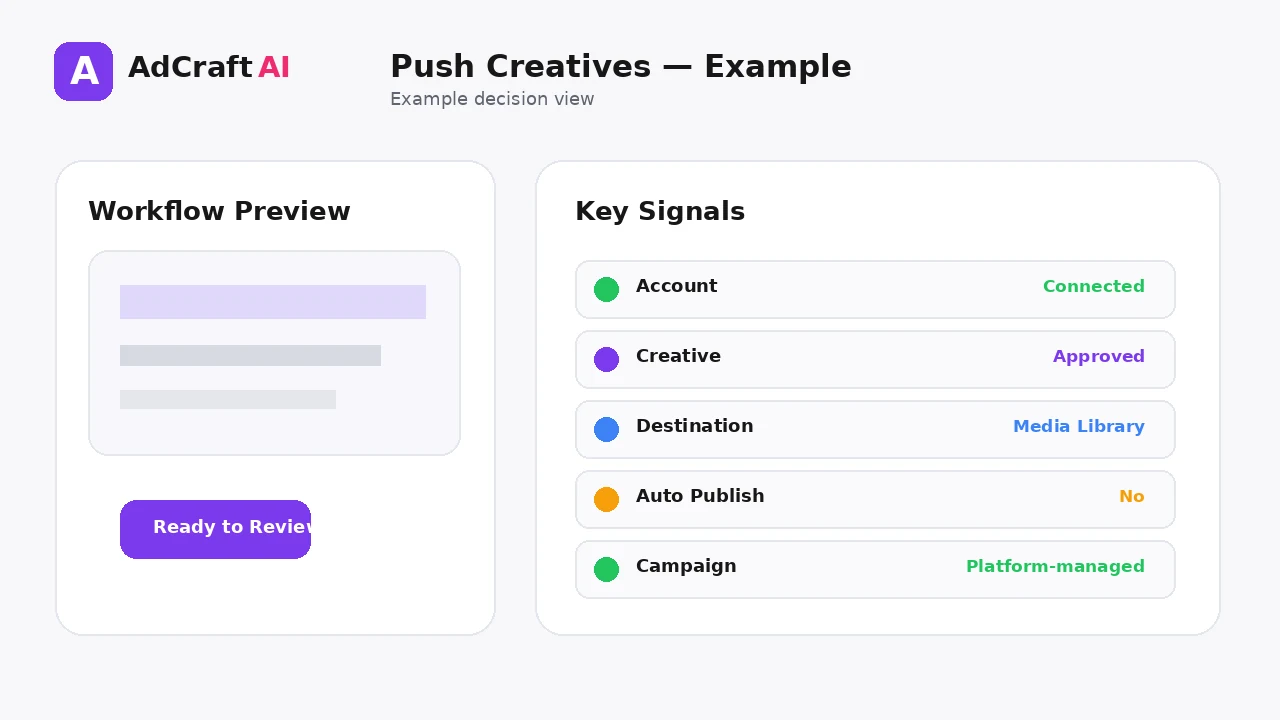
Imagine you approve one square ecommerce creative.
Step 1: Select the creative in the project and push it to the connected Meta account.
Step 2: Verify the creative appears in the account’s media library.
Step 3: Create the actual ad inside the platform, adding copy, destination URL, tracking and audience settings.
The upload is automated; the campaign decision is not.
Common Mistakes
Assuming push means publish
The official help article says pushed assets go to the media library.
Skipping account verification
A creative can be sent to the wrong connected account.
Pushing drafts
Only deliver reviewed final assets.
Poor file naming
Media libraries become difficult to manage at scale.
Ignoring placement size
The asset should match the campaign placement.
Forgetting tracking setup
Campaign tracking is still part of the advertising-platform workflow.
Best Practices
- Use accurate and current source information.
- Create a small number of meaningful variations before expanding volume.
- Keep brand, offer and landing-page information consistent.
- Use automation and scoring as decision support, not as guarantees.
- Review every asset before delivery or launch.
- Use real campaign or operational data to decide the next iteration.
A Simple Repeatable Workflow
- Define one campaign or workflow goal.
- Prepare accurate source inputs.
- Configure the relevant brand, account or creative settings.
- Generate or complete a small first batch.
- Review accuracy, brand fit and operational risk.
- Deliver or launch only approved assets.
- Measure the result with the appropriate data source.
- Document what worked and what failed.
- Use the learning to improve the next iteration.
Continue Building Your AI Advertising Workflow
Frequently Asked Questions
Does AdCreative.ai automatically publish pushed ads?
No. Its current help article says the asset is added to the platform’s media library.
Do I need to connect the ad account first?
Yes. The documented workflow requires the account to be connected to the brand.
Where do I select the creative?
The help guide says to open the project and use the selection control next to the creative.
What happens after I choose the platform?
The creative is uploaded to the connected platform so it can be used when building an ad.
Do I still need to configure the campaign?
Yes. Audience, budget, copy, URL, tracking and publishing remain campaign-level decisions.
Should agencies use a naming convention?
Yes. Clear naming helps keep client media libraries organized.
Official Resources
Product features, limits, integrations and plan details can change. Verify the current workflow in the official resources below.
Final Thoughts
Move an approved creative from the project into a connected platform’s media library, then finish campaign setup and publishing in the advertising platform itself.
The strongest AI advertising workflow combines faster production or analysis with human review and real performance data.
Explore More AdCreative.ai Tools
Compare the current features with your actual creative workflow and use the capabilities that remove real production or analysis bottlenecks.
Discover the AI Tool →