AI CUSTOM TEMPLATES GUIDE
How to Create Custom Ad Templates With AI in 2026
Build a reusable ad layout once, then create controlled text, image, price and promotion variations without rebuilding every creative from scratch.
Disclosure: This page may contain affiliate links. We may earn a commission at no extra cost to you if you sign up through these links.
Custom templates are useful when your team already knows what a strong layout should look like but needs many versions for products, offers, markets or placements.
Instead of asking AI to redesign every ad from zero, you define the structure first. Then text, images, prices, discounts and other dynamic elements can change while the visual system stays consistent.
AdCreative.ai currently positions Custom Templates as an automation workflow for generating on-brand creatives at scale, resizing them for different placements and using Creative Scoring feedback while designing.
For the wider strategy around generating, testing and improving advertising assets, see our complete AI advertising guide.
What This Workflow Means in Practice
Build a reusable ad layout once, then create controlled text, image, price and promotion variations without rebuilding every creative from scratch.
The goal is not to automate judgment. The goal is to reduce repetitive work while keeping the final campaign accurate, on-brand and measurable.
What Inputs Matter Most?
| Input | Why It Matters |
|---|---|
| Brand system | Logo, colors, typography and visual rules that should stay consistent. |
| Base layout | The structure that controls headline, product, price, CTA and supporting elements. |
| Dynamic text | Headlines, offers, prices or localized copy that can change between variations. |
| Images | Product or campaign assets that can be swapped without rebuilding the template. |
| Matching method | Direct Match or Cross-match determines how text and image sets become generated variations. |
| Placements | The sizes or channels the template needs to support. |
What to Prepare Before You Start
- Choose one proven layout instead of starting with a complex design system.
- Define which elements must stay fixed and which should be dynamic.
- Prepare clean product images and approved brand assets.
- Create a naming system for campaigns, markets and variations.
- Decide whether you need direct matching or cross-matched combinations.
- Plan how you will review large batches before downloading them.
Important: Better source inputs reduce the amount of guessing the AI or calculator has to do.
How to Create Custom Ad Templates With AI: Step by Step
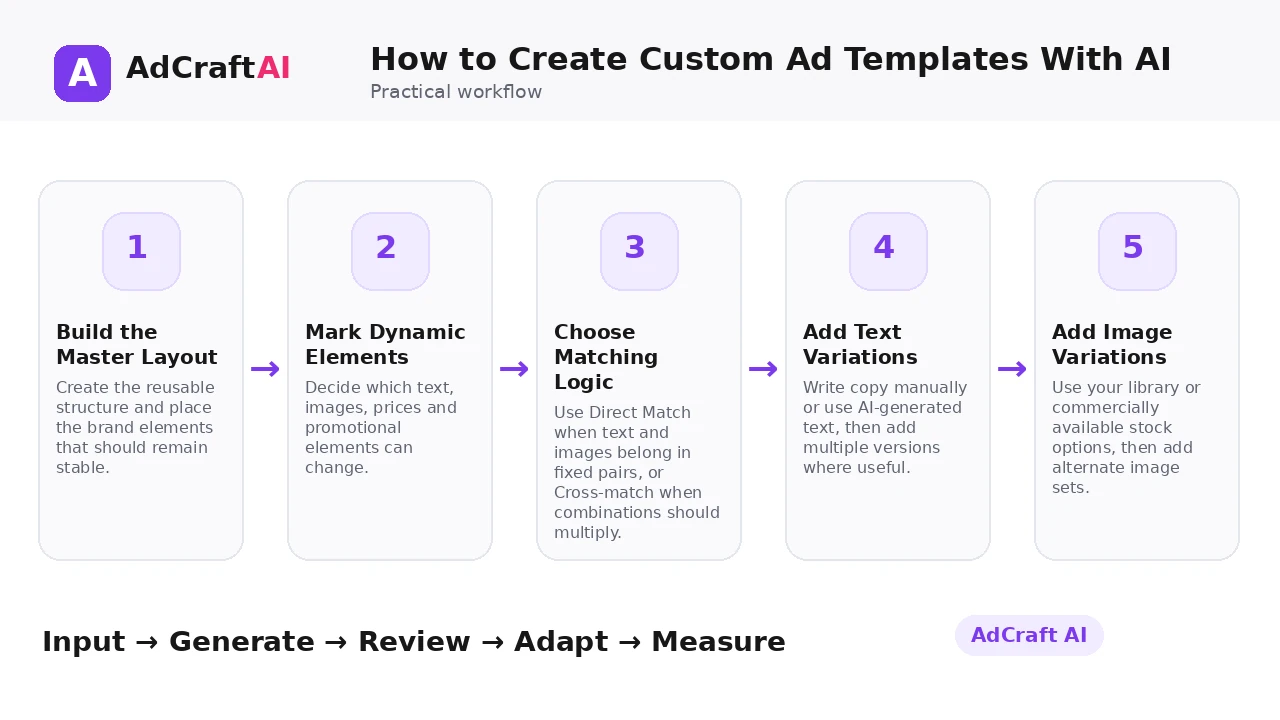
1. Build the Master Layout
Create the reusable structure and place the brand elements that should remain stable.
2. Mark Dynamic Elements
Decide which text, images, prices and promotional elements can change.
3. Choose Matching Logic
Use Direct Match when text and images belong in fixed pairs, or Cross-match when combinations should multiply.
4. Add Text Variations
Write copy manually or use AI-generated text, then add multiple versions where useful.
5. Add Image Variations
Use your library or commercially available stock options, then add alternate image sets.
6. Generate the Batch
Create the variations from the same design system instead of duplicating the file manually.
7. Review and Edit
Open the generated results, fix weak combinations and save the strongest variations.
8. Resize and Deploy
Adapt approved creatives to the required placements and export only the versions you plan to test.
How AdCreative.ai Custom Templates Work
AdCreative.ai currently says you can create a custom template once and generate on-brand visuals by changing dynamic elements such as text, product images, prices and discounts. The product page also highlights one-click resizing for different placements.
The help center describes two matching approaches: Direct Match and Cross-match. It also explains that text can be written manually or generated with AI, and that multiple text and image versions can be added before generation.
AdCreative.ai also promotes Creative Scoring feedback inside the template workflow. Treat that score as a prioritization signal, then validate the actual creative with live campaign results.
Explore This AdCreative.ai Workflow
Use the feature as a starting point, review the generated or estimated output carefully, and validate the final decision with your own campaign or operational data.
Explore AdCreative.ai →What to Review Before You Use the Result
| Review Area | What to Check |
|---|---|
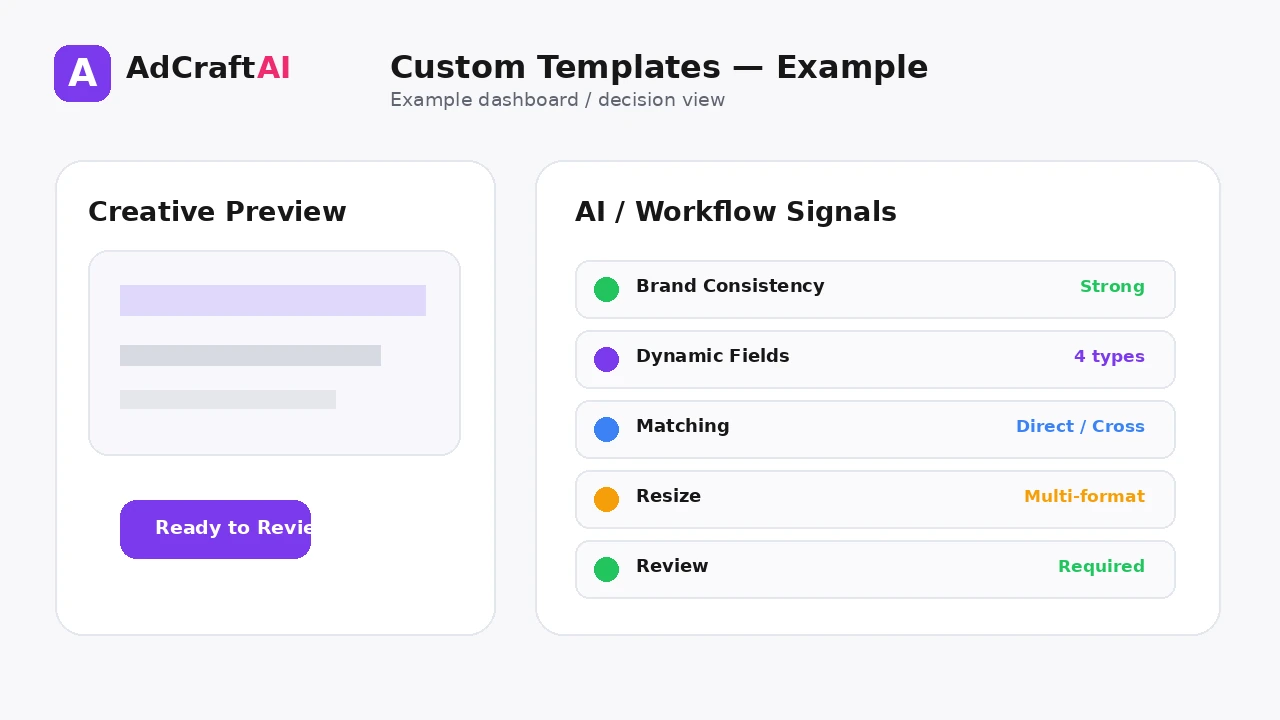
| Brand consistency | Do logo, typography, spacing and colors stay within your approved system? |
| Dynamic fields | Did each price, discount and product image land in the right place? |
| Text fit | Do long headlines break the layout or reduce readability? |
| Product pairing | Are text and image combinations logically matched? |
| Resize quality | Does the design still work in each required aspect ratio? |
| Batch hygiene | Can you identify the purpose of each exported variation later? |
Practical Example: One Ecommerce Template, Twelve Variations
Imagine a footwear store wants one sale layout for three products and four headline angles.
Fixed: Logo, CTA position, typography, discount badge style and product area.
Dynamic: Product image, product name, price, discount and headline.
Result: A controlled set of variations produced from one visual system instead of twelve manually rebuilt files.
The team can then eliminate combinations that do not read well, resize the approved set and test only the strongest creative hypotheses.
Common Mistakes
Making every element dynamic
Too much freedom can destroy the consistency that makes a template valuable.
Ignoring long copy
A template that works with one short headline may fail when the text doubles in length.
Cross-matching incompatible assets
More combinations are not better when the product, price and message no longer belong together.
Exporting everything
Large batches need a review step or weak variations will enter campaigns.
Treating resize as automatic perfection
Different placements may still need hierarchy adjustments.
Never updating the master
Templates should evolve when campaign data shows a better layout or message structure.
Best Practices
- Use accurate source information and current offers.
- Generate a small number of meaningful variations before expanding volume.
- Change one important variable at a time when testing.
- Keep the final creative consistent with the landing page and brand.
- Use AI scores, calculators or suggestions as decision support rather than guarantees.
- Let live campaign data determine the next creative iteration.
A Simple Repeatable Workflow
- Define one campaign or production goal.
- Prepare the source inputs.
- Generate or configure a small first batch.
- Review accuracy, hierarchy and brand fit.
- Edit or remove weak variations.
- Adapt the strongest version for the target placement.
- Run a controlled test or operational check.
- Measure the result.
- Use what you learned to create the next iteration.
Continue Building Your AI Advertising Workflow
Frequently Asked Questions
What is a custom ad template?
It is a reusable advertising layout where selected text, images or offer elements can change while the core brand structure stays consistent.
Can AI generate the text inside a custom template?
AdCreative.ai's help center says users can write text manually or let AI generate it before creating template variations.
What is Cross-match?
Cross-match creates combinations across sets of text and images, while Direct Match is useful when assets should stay paired.
Can custom templates be resized?
AdCreative.ai currently highlights fast resizing for different placements and platforms.
Should every campaign use the same template?
No. Reuse is useful when the layout fits the campaign. New concepts still deserve new structures when the message or product requires them.
Can Creative Scoring guarantee the best variation?
No. Use pre-launch scoring as decision support and confirm performance with live campaign data.
Official Resources
Product features, limits and calculator assumptions can change. Use the official resources below to verify the current workflow before relying on a specific capability.
Final Thoughts
Build a reusable ad layout once, then create controlled text, image, price and promotion variations without rebuilding every creative from scratch.
The strongest workflow combines faster production or analysis with human review and real performance data. Use AI to create more useful options—not to remove accountability from the final decision.
Explore More AdCreative.ai Tools
Compare the workflow with your current creative process and use the features that remove genuine production or analysis bottlenecks.
Discover the AI Tool →