AGENCY AI AD PRODUCTION GUIDE
How Agencies Can Scale Ad Creative Production With AI in 2026
Scale client creative output without turning production into uncontrolled volume by standardizing brand inputs, templates, review, delivery and learning across accounts.
Disclosure: This page may contain affiliate links. We may earn a commission at no extra cost to you if you sign up through these links.
Agencies need both speed and separation: more assets for more clients, but with each brand’s identity, approvals and account data kept distinct.
AdCreative.ai’s current agency page promotes generation of banners, videos, text and product shoots, plus automation of repetitive creative tasks and Creative Scoring AI.
The company also publishes performance claims on that page. Those are vendor claims; agencies should measure actual client outcomes and process efficiency independently.
For the wider strategy around generating, testing and improving advertising assets, see our complete AI advertising guide.
What This Workflow Means in Practice
Scale client creative output without turning production into uncontrolled volume by standardizing brand inputs, templates, review, delivery and learning across accounts.
The goal is to reduce repetitive work while keeping the final campaign, integration or business decision accurate and measurable.
What Inputs Matter Most?
| Input | Why It Matters |
|---|---|
| Client brand profile | Keeps logos, colors and positioning separated. |
| Template system | Standardizes repeatable layouts without erasing client identity. |
| Creative brief | Defines the campaign objective and test hypothesis. |
| Approval process | Prevents drafts from reaching client campaigns. |
| Account mapping | Connects the correct ad accounts to the correct client brand. |
| Reporting taxonomy | Tracks angles, formats and results across multiple accounts. |
What to Prepare Before You Start
- Use one brand profile per client.
- Create a standard naming convention.
- Separate generation from client approval.
- Define which templates are reusable and which are client-specific.
- Connect only authorized ad accounts.
- Track creative angles so high volume still produces learning.
Important: Better source information reduces the amount of guessing in the workflow.
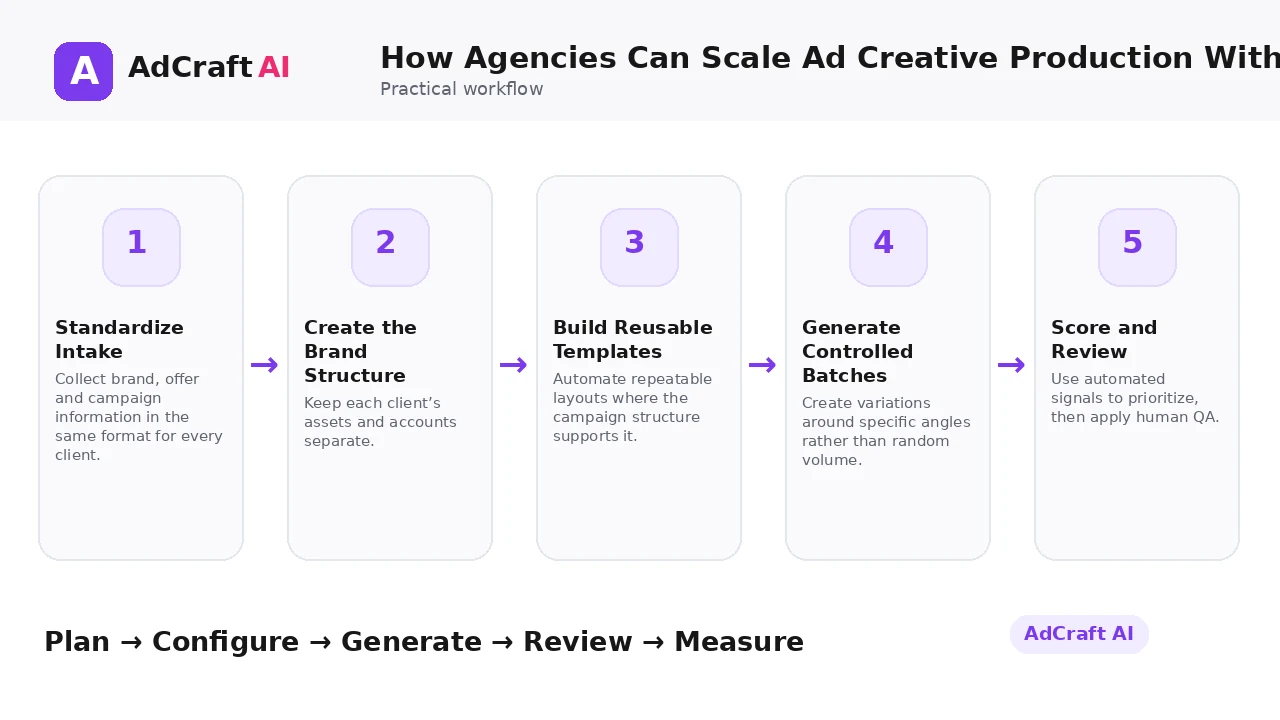
How Agencies Can Scale Ad Creative Production With AI: Step by Step
1. Standardize Intake
Collect brand, offer and campaign information in the same format for every client.
2. Create the Brand Structure
Keep each client’s assets and accounts separate.
3. Build Reusable Templates
Automate repeatable layouts where the campaign structure supports it.
4. Generate Controlled Batches
Create variations around specific angles rather than random volume.
5. Score and Review
Use automated signals to prioritize, then apply human QA.
6. Get Client Approval
Keep an explicit approval stage before delivery or launch.
7. Push or Export Assets
Deliver only approved versions to the correct accounts.
8. Report Learning
Show clients what creative patterns worked and what will change next.
How AdCreative.ai Positions Its Agency Workflow
AdCreative.ai’s current agency page says agencies can generate on-brand creatives such as banners, videos, text and product shoots, and automate time-consuming creative tasks.
The same page highlights Creative Scoring AI and presents claims about predicted performance accuracy and conversion lift. Those figures are AdCreative.ai’s own claims and should be validated in client accounts.
For an agency, the strongest value proposition is operational: reduce repetitive production, keep more variations testable and preserve team time for strategy, client communication and analysis.
Explore the Current AdCreative.ai Workflow
Use the feature as a starting point, verify the current interface and plan details, and review every output before it becomes part of a live campaign.
Explore AdCreative.ai →What to Review Before You Use the Result
| Review Area | What to Check |
|---|---|
| Brand separation | Are client assets and accounts clearly isolated? |
| Approval status | Can the team tell draft, approved and live assets apart? |
| Template quality | Does automation preserve each client’s identity? |
| Batch discipline | Does each variation represent a useful hypothesis? |
| Account mapping | Will delivery go to the correct client account? |
| Reporting | Can the agency explain what it learned from the batch? |
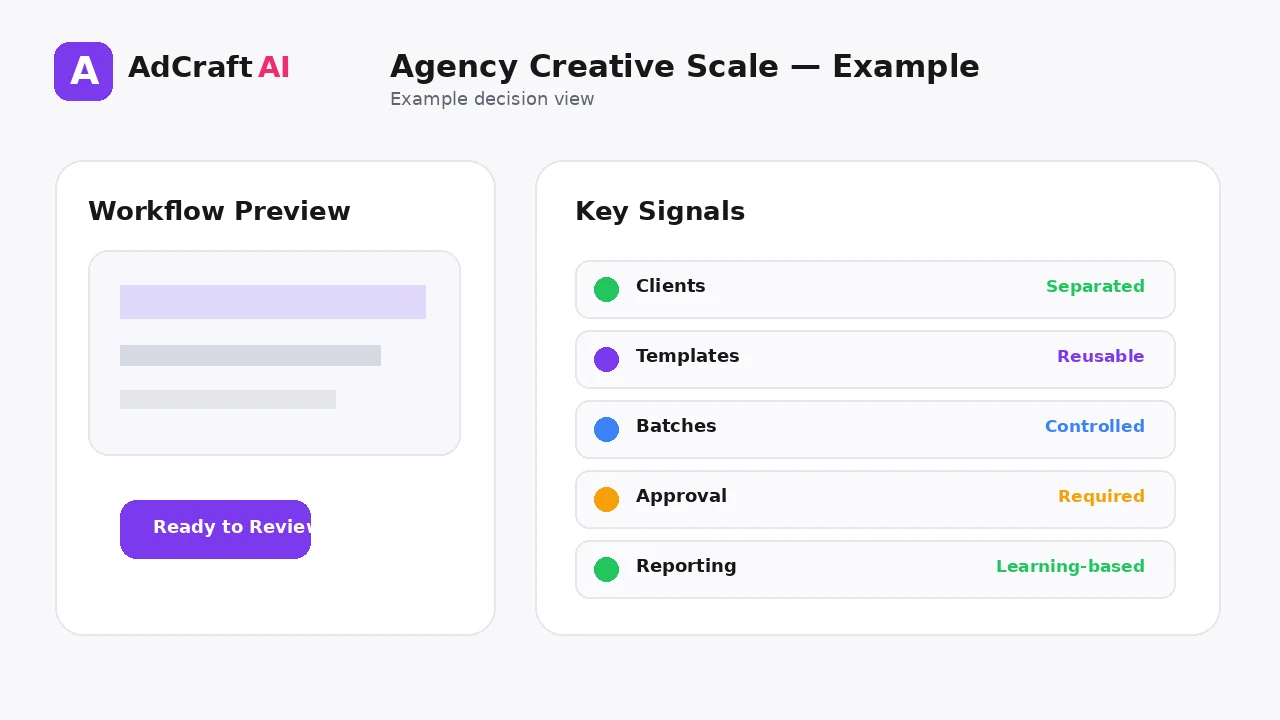
Practical Example: Scale One Campaign Across Three Clients
Imagine an agency manages three ecommerce clients running seasonal promotions.
Shared process: Same intake checklist, naming system and QA stages.
Client-specific layer: Separate brand profile, product assets, templates and account IDs.
Testing layer: Each client gets a controlled set of creative angles based on its own offer and audience.
The production system scales, but the creative strategy stays client-specific.
Common Mistakes
Reusing the same design for every client
Operational reuse should not erase brand differences.
Mixing client accounts
Account mapping errors are costly and avoidable.
Calling volume productivity
More files do not equal more useful tests.
Skipping approvals
Agency workflows need explicit client or internal review.
Relying on predicted scores alone
Automated scoring can prioritize; client performance still decides.
Reporting outputs instead of learning
Clients need to understand what changed and why.
Best Practices
- Use accurate and current source information.
- Create a small number of meaningful variations before expanding volume.
- Keep brand, offer and landing-page information consistent.
- Use automation and scoring as decision support, not as guarantees.
- Review every asset before delivery or launch.
- Use real campaign or operational data to decide the next iteration.
A Simple Repeatable Workflow
- Define one campaign or workflow goal.
- Prepare accurate source inputs.
- Configure the relevant brand, account or creative settings.
- Generate or complete a small first batch.
- Review accuracy, brand fit and operational risk.
- Deliver or launch only approved assets.
- Measure the result with the appropriate data source.
- Document what worked and what failed.
- Use the learning to improve the next iteration.
Continue Building Your AI Advertising Workflow
Frequently Asked Questions
Can agencies use AdCreative.ai for multiple clients?
Its agency use-case page is explicitly designed around scaling client creative workflows.
What types of assets does the agency page mention?
It highlights banners, videos, text and product shoots.
Can templates help agencies scale?
Yes. Custom templates can standardize recurring creative structures while keeping brand elements controlled.
Should agencies connect client ad accounts?
Only with proper authorization and clear brand-to-account mapping.
Does Creative Scoring guarantee performance?
No. Treat predictive scoring as decision support and validate with each client’s campaign data.
What should agencies standardize first?
Intake, naming, brand setup, QA, approval and reporting are high-leverage process layers.
Official Resources
Product features, limits, integrations and plan details can change. Verify the current workflow in the official resources below.
Final Thoughts
Scale client creative output without turning production into uncontrolled volume by standardizing brand inputs, templates, review, delivery and learning across accounts.
The strongest AI advertising workflow combines faster production or analysis with human review and real performance data.
Explore More AdCreative.ai Tools
Compare the current features with your actual creative workflow and use the capabilities that remove real production or analysis bottlenecks.
Discover the AI Tool →