AI AD PACKAGE GUIDE
How to Build a Complete Ad Package With AI in 2026
Create the visual, ad text and audience direction in one coordinated workflow instead of building each campaign component separately.
Disclosure: This page may contain affiliate links. We may earn a commission at no extra cost to you if you sign up through these links.
An ad package is useful when the bottleneck is not one isolated asset but the coordination between the creative, message and audience.
AdCreative.ai currently describes its Ad Package feature as generating the ad creative, ad text and audience in one workflow. It can start from a brand website URL or manually entered brand information.
The practical advantage is consistency: the strategy selected at the beginning can influence the visual, copy and audience direction instead of creating those pieces independently.
For the wider strategy around generating, testing and improving advertising assets, see our complete AI advertising guide.
What This Workflow Means in Practice
Create the visual, ad text and audience direction in one coordinated workflow instead of building each campaign component separately.
The goal is not to automate judgment. The goal is to reduce repetitive work while keeping the final campaign accurate, on-brand and measurable.
What Inputs Matter Most?
| Input | Why It Matters |
|---|---|
| Brand information | Website URL or manually entered information establishes the product and brand context. |
| Strategy | An AI-generated or custom strategy defines the campaign direction. |
| Ad platform | Controls the platform context and helps determine appropriate creative sizing. |
| Background image | Can come from your library or commercially free stock options. |
| Ad text | Can be written manually or generated with AI in the preferred language. |
| Audience direction | Provides AI-generated audience segments to review alongside the creative and copy. |
What to Prepare Before You Start
- Make sure the brand website or manual brief is accurate.
- Choose one campaign objective and one offer before generating.
- Decide whether you want an AI-suggested strategy or a custom one.
- Know the advertising platform before reviewing the creative sizes.
- Prepare approved product and brand images.
- Treat audience suggestions as hypotheses to validate, not as guaranteed targeting answers.
Important: Better source inputs reduce the amount of guessing the AI or calculator has to do.
How to Build a Complete Ad Package With AI: Step by Step
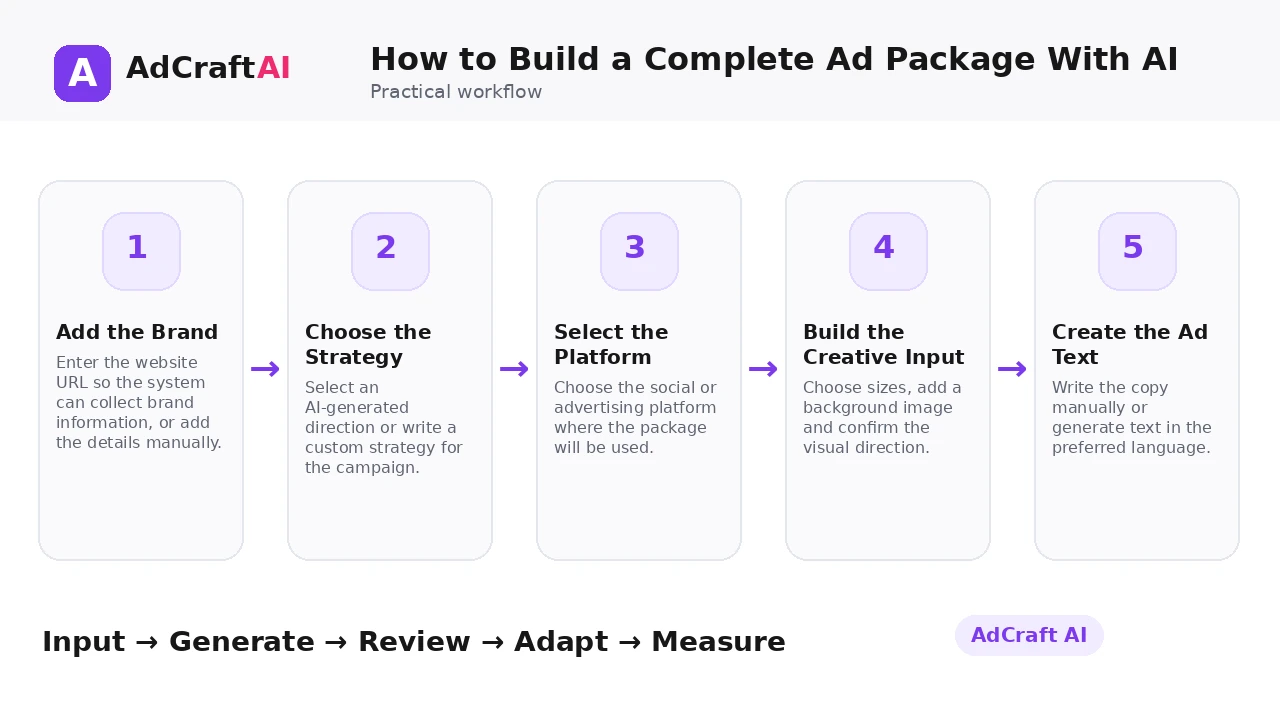
1. Add the Brand
Enter the website URL so the system can collect brand information, or add the details manually.
2. Choose the Strategy
Select an AI-generated direction or write a custom strategy for the campaign.
3. Select the Platform
Choose the social or advertising platform where the package will be used.
4. Build the Creative Input
Choose sizes, add a background image and confirm the visual direction.
5. Create the Ad Text
Write the copy manually or generate text in the preferred language.
6. Review the Creatives
Compare the generated designs and open weak versions in the editor when necessary.
7. Review Text and Audience
Edit or copy the generated ad text and inspect the suggested audience segments.
8. Launch as a Cohesive Test
Keep the creative, copy and audience hypothesis connected so campaign results are easier to interpret.
How AdCreative.ai Ad Package Works
AdCreative.ai's help center says the Ad Package feature gives you an ad creative, ad text and audience in one go.
The documented workflow starts with a brand website URL or manually entered information, then moves to an AI-generated or custom strategy and a selected ad platform. Users can choose creative size, a library image or commercially free stock image, and either enter text manually or generate it with AI.
The generated creatives can be reviewed and edited in the Creative Studio Editor, while the ad text can be edited or copied and the AI-generated audience segments reviewed before launch.
Explore This AdCreative.ai Workflow
Use the feature as a starting point, review the generated or estimated output carefully, and validate the final decision with your own campaign or operational data.
Explore AdCreative.ai →What to Review Before You Use the Result
| Review Area | What to Check |
|---|---|
| Strategy alignment | Do creative, copy and audience all support the same campaign idea? |
| Visual accuracy | Does the design represent the real product and offer? |
| Copy consistency | Does the text match both the creative and landing page? |
| Audience plausibility | Does the suggested audience make sense based on your customer knowledge? |
| Platform fit | Are size, message and CTA appropriate for the chosen placement? |
| Test design | Can you tell which package component caused a performance change? |
Practical Example: Build One Ecommerce Ad Package
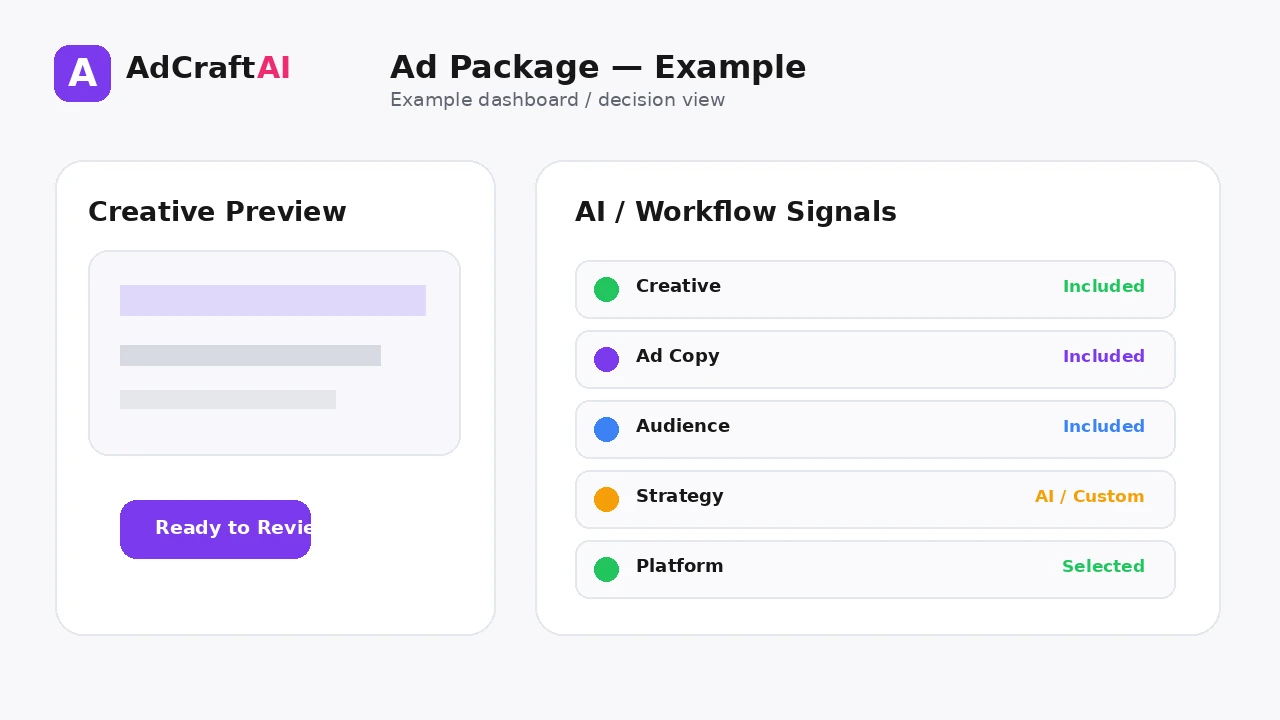
Imagine a skincare brand promoting one moisturizer.
Strategy: Lead with lightweight daily hydration for people who dislike heavy creams.
Creative: Product-first visual with clean copy space and a simple benefit headline.
Ad text: Expand the benefit and include the current offer without adding unsupported claims.
Audience hypothesis: Review AI suggestions against the brand's actual customer data before using them.
The package becomes one testable campaign idea instead of three disconnected assets.
Common Mistakes
Using an unclear strategy
The package becomes inconsistent when the initial direction is vague.
Accepting every audience suggestion
Generated segments still need business context and validation.
Mixing multiple offers
One package should usually have one clear commercial reason to act.
Editing the creative but not the copy
Changes should remain synchronized across the package.
Ignoring landing-page continuity
The promise in the package must match the destination.
Testing too many package components at once
If every element changes, you cannot learn what drove the result.
Best Practices
- Use accurate source information and current offers.
- Generate a small number of meaningful variations before expanding volume.
- Change one important variable at a time when testing.
- Keep the final creative consistent with the landing page and brand.
- Use AI scores, calculators or suggestions as decision support rather than guarantees.
- Let live campaign data determine the next creative iteration.
A Simple Repeatable Workflow
- Define one campaign or production goal.
- Prepare the source inputs.
- Generate or configure a small first batch.
- Review accuracy, hierarchy and brand fit.
- Edit or remove weak variations.
- Adapt the strongest version for the target placement.
- Run a controlled test or operational check.
- Measure the result.
- Use what you learned to create the next iteration.
Continue Building Your AI Advertising Workflow
Frequently Asked Questions
What is an AdCreative.ai Ad Package?
AdCreative.ai describes it as a workflow that generates an ad creative, ad text and audience together.
Can I start from my website?
Yes. The current help documentation says the workflow can scan a brand website URL or use manually entered brand information.
Can I create my own strategy?
Yes. You can choose an AI-generated strategy or use the Custom Strategy field.
Can I edit the generated creative?
The help center says generated creatives can be edited in the Creative Studio Editor.
Does the package choose my audience automatically?
It provides AI-generated audience segments to review. Treat them as hypotheses rather than guaranteed targeting recommendations.
Can the ad text be generated in different languages?
The documented workflow says AI-generated text can be created in a preferred language.
Official Resources
Product features, limits and calculator assumptions can change. Use the official resources below to verify the current workflow before relying on a specific capability.
Final Thoughts
Create the visual, ad text and audience direction in one coordinated workflow instead of building each campaign component separately.
The strongest workflow combines faster production or analysis with human review and real performance data. Use AI to create more useful options—not to remove accountability from the final decision.
Explore More AdCreative.ai Tools
Compare the workflow with your current creative process and use the features that remove genuine production or analysis bottlenecks.
Discover the AI Tool →