AI IMAGE GENERATION GUIDE
How to Generate AI Images for Ads in 2026
Generate campaign-specific visuals from prompts, refine the strongest directions and adapt them into ad-ready creative variations.
Disclosure: This page may contain affiliate links. We may earn a commission at no extra cost to you if you sign up through these links.
Generating AI images for ads means creating new visual assets from text instructions and campaign context instead of relying only on traditional stock libraries or manual production. The key is controlling subject, composition, brand fit and accuracy rather than simply asking for an attractive image.
AI is most useful here as a production and decision-support tool. It can speed up repetitive work and create more options, but the final creative still needs human review, accurate source information and real campaign testing.
For the wider process, see our complete AI advertising guide.
What Does AI Image Generation Mean in Practice?
Generating AI images for ads means creating new visual assets from text instructions and campaign context instead of relying only on traditional stock libraries or manual production. The key is controlling subject, composition, brand fit and accuracy rather than simply asking for an attractive image.
The objective is a repeatable creative workflow. Better inputs create better drafts, careful review reduces avoidable mistakes, and live performance data tells you what deserves another iteration.
What Inputs Matter Most?
| Input | Why It Matters |
|---|---|
| Subject | Defines what the image must show. |
| Environment | Sets the scene and campaign context. |
| Composition | Controls space for headlines, products and CTA elements. |
| Lighting and mood | Shape the visual style and emotional tone. |
| Brand cues | Help keep colors and visual language consistent. |
| Placement | Determines orientation, cropping and safe areas. |
What to Prepare Before You Start
- Define the ad objective before writing the prompt.
- Know whether the image needs space for copy or a CTA.
- Use accurate product references when the real item must appear.
- List visual details that must not change.
- Decide the intended platform and aspect ratio.
- Plan a commercial-safety and accuracy review.
Rule of thumb: If an important fact is unclear before generation, AI usually does not make that uncertainty disappear. Fix the source input first.
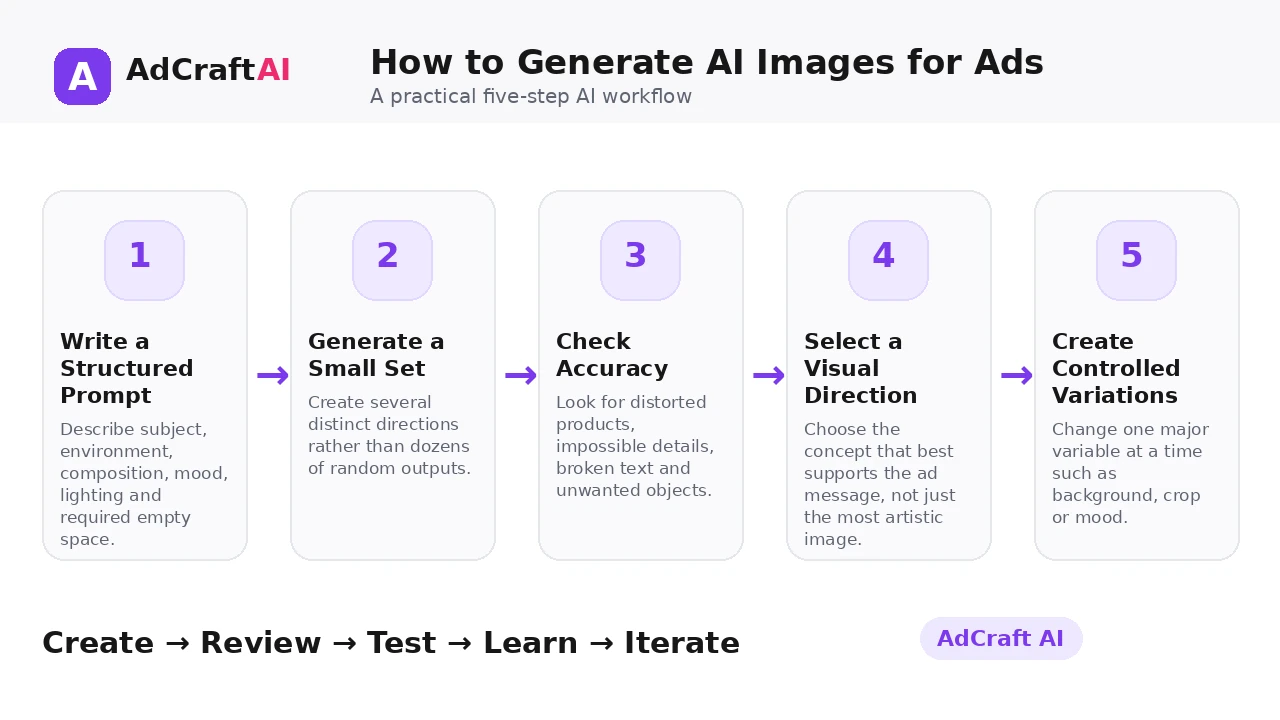
How to Generate AI Images for Ads: Step by Step
1. Write a Structured Prompt
Describe subject, environment, composition, mood, lighting and required empty space.
2. Generate a Small Set
Create several distinct directions rather than dozens of random outputs.
3. Check Accuracy
Look for distorted products, impossible details, broken text and unwanted objects.
4. Select a Visual Direction
Choose the concept that best supports the ad message, not just the most artistic image.
5. Create Controlled Variations
Change one major variable at a time such as background, crop or mood.
6. Adapt for the Ad
Add brand elements, copy and CTA while preserving a clear visual hierarchy.
7. Review Commercial Use
Confirm the tool's current terms and any applicable IP, likeness or brand considerations.
8. Test Live Performance
Use campaign data to determine which visual direction should be expanded.
How AdCreative.ai AI Image Generation Works
AdCreative.ai currently positions its AI Images feature as a way to generate original campaign visuals instead of repeatedly searching stock libraries. Its product page highlights generated-from-scratch images, commercial-use positioning, royalty-free source infrastructure and post-generation safety checks.
Commercial-safety claims should still be read together with the current product terms and your own brand or legal requirements. Generated content needs the same accuracy and usage review as any other campaign asset.
Explore AI Image Generation
Use the feature as part of a practical advertising workflow: generate, review, edit, test and learn from real campaign results.
Explore the AI Tool →What the AI Workflow Can Help With
- Generate new campaign visuals from text prompts.
- Create multiple visual styles and directions.
- Reduce dependence on reused stock imagery.
- Refine images for specific messages and placements.
- Create assets that can be incorporated into ad creatives.
- Use post-generation review as part of the workflow.
Feature availability can change, so verify the current product interface before building a permanent production process around one specific capability.
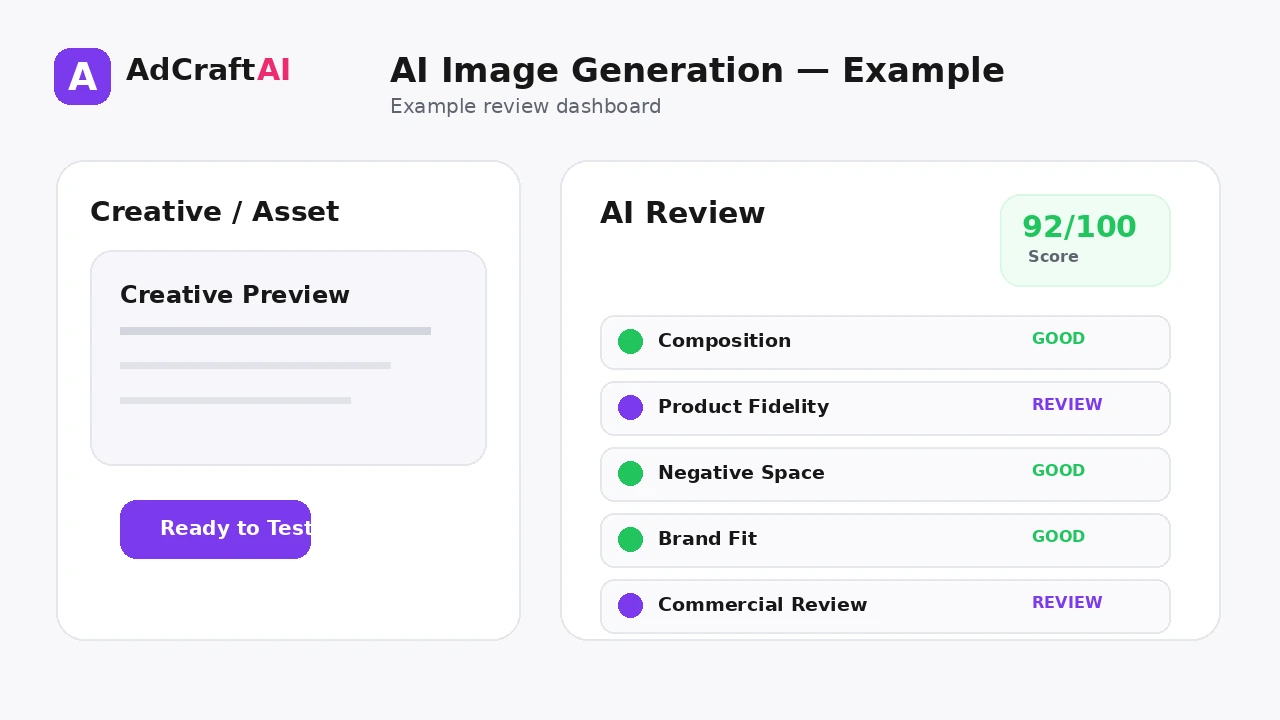
What to Review Before Publishing
| Review Area | What to Check |
|---|---|
| Subject accuracy | Does the image show the intended subject correctly? |
| Product fidelity | Are shape, color, labels and physical details preserved when necessary? |
| Composition | Is there usable space for ad copy and branding? |
| Artifacts | Are hands, text, edges and repeated details visually coherent? |
| Brand fit | Does the mood and visual language match the campaign? |
| Usage review | Have current commercial terms and brand risks been considered? |
Review is not a formality. The output becomes useful only when it accurately represents the product, offer, brand and campaign objective.
Practical Example: Three Visual Directions for One Ad
Imagine a premium notebook brand. The product message is “plan your week with less clutter.”
Direction 1 — Minimal desk: Product centered on a clean workspace with large negative space for headline copy.
Direction 2 — Morning routine: Notebook placed beside coffee and a simple schedule to communicate everyday use.
Direction 3 — Product detail: Close crop on material and binding to emphasize premium quality.
These directions test different visual promises while keeping the product and core message consistent.
Common Mistakes
Writing only style words
A prompt needs subject and composition, not just adjectives.
Ignoring ad layout
Beautiful images can fail when there is no space for copy or product emphasis.
Distorting real products
Accuracy matters when the generated image represents something customers will buy.
Generating endless random options
Controlled variations teach more than uncontrolled volume.
Skipping usage review
Commercial use still requires attention to current terms, IP and brand considerations.
Treating images as the whole ad
Visuals need to work with the message, offer and CTA.
Best Practices for Better Results
- Use one clear campaign goal for each generation session.
- Change one important variable at a time so you know what caused a difference.
- Keep source information accurate and current.
- Review AI output against the real product, offer and brand.
- Use prediction or automated checks as decision support, not as guarantees.
- Let live campaign data determine the next creative iteration.
A strong AI workflow is disciplined. It creates more useful options without turning the campaign into uncontrolled content production.
A Simple Repeatable Workflow
- Define the campaign goal.
- Prepare accurate source inputs.
- Generate a small number of meaningful variations.
- Review the strongest outputs for accuracy and brand fit.
- Run any required compliance or commercial-use checks.
- Adapt the creative for the target placement.
- Launch controlled tests.
- Analyze real campaign results.
- Create the next variation from what you learned.
Continue Building Your AI Advertising Workflow
Frequently Asked Questions
Can AI generate images for advertising?
Yes. AI image generators can create campaign-specific visuals from prompts and creative direction.
Can AI images replace stock photography?
They can reduce the need for some stock use, but stock, photography and AI generation can all remain useful depending on the campaign.
Are AI-generated images automatically safe for commercial use?
No universal assumption is safe. Review the generator's current terms and any relevant IP, likeness and brand considerations.
Can I generate product ads with AI images?
Yes, but use accurate references and review the result closely when the real product must be represented faithfully.
What makes a good ad-image prompt?
Specify the subject, scene, composition, mood, lighting, placement needs and details that must remain accurate.
How many image variations should I create?
Create enough to test distinct visual ideas. A few controlled directions are usually more useful than many random outputs.
Official Resource
Product features can change. Check the current official information before relying on a specific capability in a permanent workflow.
Final Thoughts
Generate campaign-specific visuals from prompts, refine the strongest directions and adapt them into ad-ready creative variations.
The best use of AI is not to remove judgment from advertising. It is to reduce repetitive production work, create clearer testing options and make the path from idea to measurable campaign faster.
Build Your Next Creative With AI
Explore AdCreative.ai's generation, analysis and creative-production tools, then review the final assets before putting them into a live campaign.
Discover the AI Tool →