AI INSTANT ADS GUIDE
How to Turn a Website Into Ads With AI in 2026
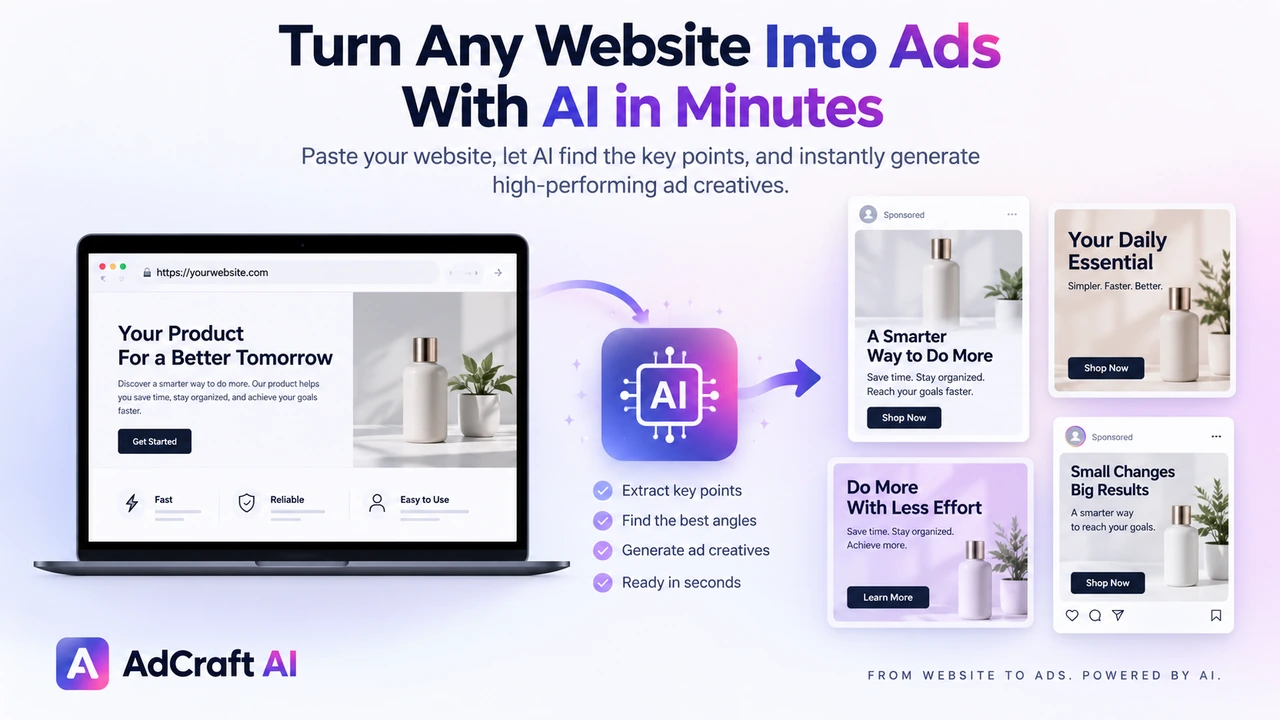
A website already contains much of the information needed to build an ad: the product, offer, positioning, pricing cues, benefits and brand language. AI can scan that information and turn it into ad copy, visuals and creative variations without rebuilding the entire brief from scratch.
Disclosure: This page may contain affiliate links. We may earn a commission at no extra cost to you if you sign up through these links.
Traditional ad production often starts with a manual brief. Someone reviews the website, identifies the offer, writes headlines, chooses visuals and then builds several creative variations for testing.
Website-to-ad AI compresses that process. You provide a webpage or product URL, the system analyzes the page, extracts useful advertising inputs and generates creative options from them.
The result can be a faster starting point, but the final ads still need human review. Your website may contain too much information, outdated details or messaging that should not automatically become an advertisement.
This guide focuses on the URL-to-ad workflow. For the broader process, see our complete AI advertising guide.
What Does It Mean to Turn a Website Into Ads With AI?
Turning a website into ads with AI means using a webpage as the input for ad creation instead of manually preparing every part of the creative brief.
The AI reviews the page and can use information such as the product or service, key benefits, pricing cues, offers, brand tone and visual assets to help generate advertising copy and creative concepts.
The goal is not to copy the webpage into an ad. The goal is to extract the strongest advertising inputs and reorganize them into a shorter, more focused creative.
What Can AI Read From a Website Before Creating Ads?
A well-structured page can provide several useful signals for ad generation. The exact information depends on the page and the tool.
| Website Signal | How It Can Be Used in an Ad |
|---|---|
| Product or service name | Establish the central subject of the creative |
| Value proposition | Build a headline or primary benefit |
| Product benefits | Create supporting copy and messaging angles |
| Pricing or promotion | Surface a relevant offer when appropriate |
| Images | Provide visual assets or product context |
| Brand language | Help align tone and messaging |
| Call to action | Suggest the next step for the user |
Website scanning is only as useful as the source page. If the page has an unclear offer or outdated information, those weaknesses can carry into the generated creative.
What to Check Before Generating Ads From Your Website
Before giving the URL to an AI ad generator, review the page as if it were a creative brief.
- Make sure the product or service is immediately clear.
- Confirm that pricing and promotional details are current.
- Check that product images are accurate and high quality.
- Remove or update claims that should not appear in advertising.
- Make the main value proposition easy to understand.
- Know the campaign objective before choosing a generated ad.
Important:
A URL is not a substitute for campaign strategy. The AI can extract page information, but you still need to decide the audience, objective, offer and testing plan.
How to Turn a Website Into Ads With AI: Step by Step
1. Choose the Right Page
Use the page that best represents what you want to advertise. A focused product page or landing page usually gives the AI more relevant information than a broad homepage.
2. Define the Campaign Objective
Decide what the ad should accomplish before generating it. For example, the creative may be intended to drive product sales, leads, traffic or another campaign action.
3. Paste the Website or Product URL
Enter the URL into the website-to-ad generator. The system can then scan the page and identify advertising inputs.
4. Review the Extracted Message
Check whether the AI correctly understood the product, offer, pricing cues and value proposition. Correct the direction before relying on the generated variations.
5. Generate Several Ad Variations
Create a small set of ads instead of relying on one output. Different versions may emphasize different benefits, visuals or message structures.
6. Check Copy and Visual Accuracy
Compare every generated ad with the source page. Product details, prices, promotions, logos and claims should remain accurate.
7. Edit the Strongest Variations
AI-generated ads are starting points. Adjust headlines, descriptions, layouts or visuals when a version is close but not ready for publishing.
8. Select Ads for Testing
Choose variations that represent clear creative hypotheses. Avoid testing many nearly identical ads that do not teach you anything new.
9. Launch and Measure Real Results
Once the campaign is live, use actual performance data to decide which direction deserves more iterations. Our AI ad performance analysis guide covers the post-launch workflow.
How AdCreative.ai Instant Ads Works
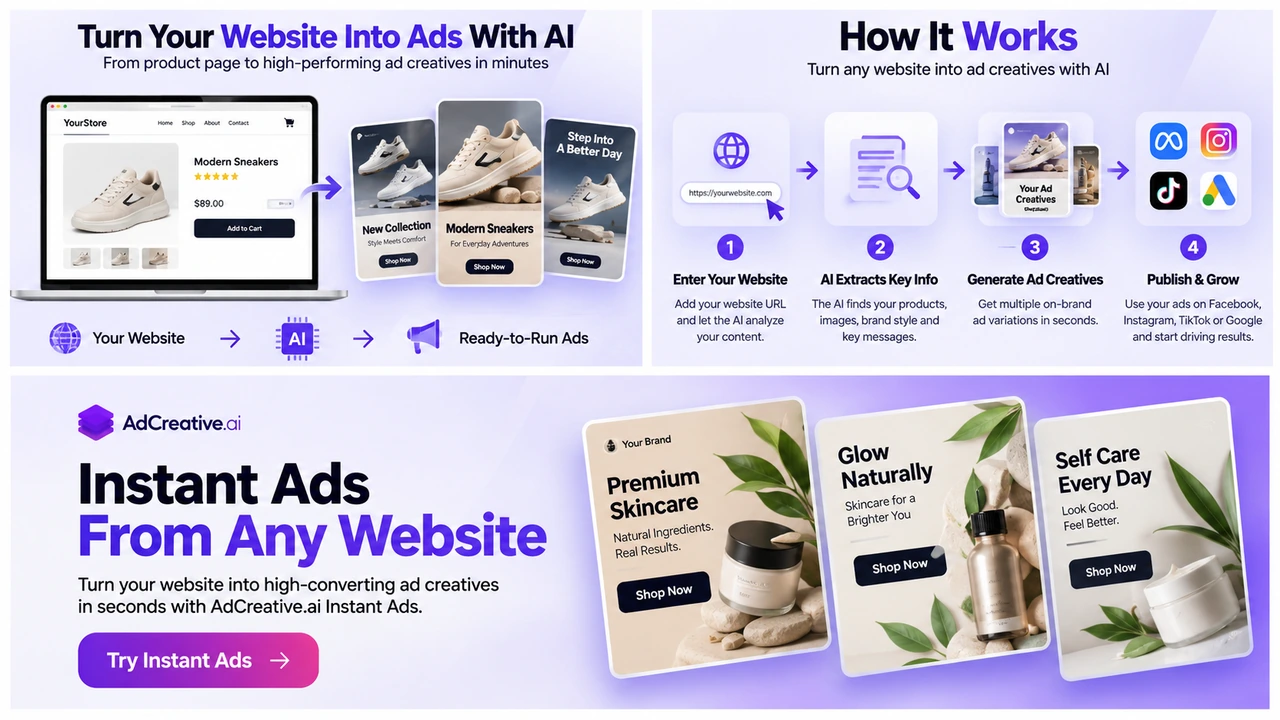
AdCreative.ai currently offers a feature called Instant Ads that is designed around generating ad creatives from a website or product URL.
According to AdCreative.ai, Instant Ads scans the webpage, analyzes product details, pricing, positioning and tone, extracts key selling points and uses that information to generate advertising copy and visuals.
The platform also says the workflow can tailor recommendations to the selected campaign objective. That is useful because the same webpage may need different messaging depending on whether the campaign is focused on traffic, leads or sales.
Turn Your Website Into Ad Variations
Instant Ads can use a website or product URL as the starting point for generating advertising copy, visuals and ready-to-review creative options.
Explore Instant Ads →What Can Instant Ads Generate From a Website?
AdCreative.ai currently describes the Instant Ads workflow as capable of generating complete creative components from the URL.
- Ad headlines
- Descriptions and supporting copy
- Visual creative concepts
- Product-focused messaging
- Promotional elements when relevant information is present
- Multiple creative variations
The company also lists AI-generated or stock-enhanced visuals, AdLLM-generated copy and product-photo workflows for product URLs.
For more control over the source visuals themselves, see our product photos with AI guide and product videos with AI guide.
How to Review and Edit AI-Generated Website Ads
Generated does not mean finished. A strong review process protects accuracy and makes the creative more relevant to the campaign.
| Review Area | What to Check |
|---|---|
| Headline | Does it communicate one clear benefit? |
| Offer | Is the promotion accurate and still active? |
| Product details | Are names, features and prices correct? |
| Visual | Does it represent the real product or service? |
| Branding | Do colors, logo and tone match the brand? |
| CTA | Is the next action clear and appropriate? |
AdCreative.ai's Academy currently says Instant Ads creatives can be edited, including text, visuals and layout elements. That makes the generated result a starting point rather than a locked output.
How to Choose Which AI-Generated Ads to Test
The biggest mistake after generating several ads is choosing one only because it looks attractive.
Start with the campaign objective and ask whether each creative communicates the right offer to the right audience.
AdCreative.ai's current Academy material says Instant Ads can display a conversion score for generated creatives. Use a score as one decision input, not as a guarantee of live campaign results.
For a dedicated pre-launch scoring workflow, read our guide to predicting ad performance with AI .
Better testing approach:
Choose three meaningfully different ads: one benefit-led version, one offer-led version and one product-first visual version. Then compare them with real campaign data.
Using Product Pages to Generate Ecommerce Ads
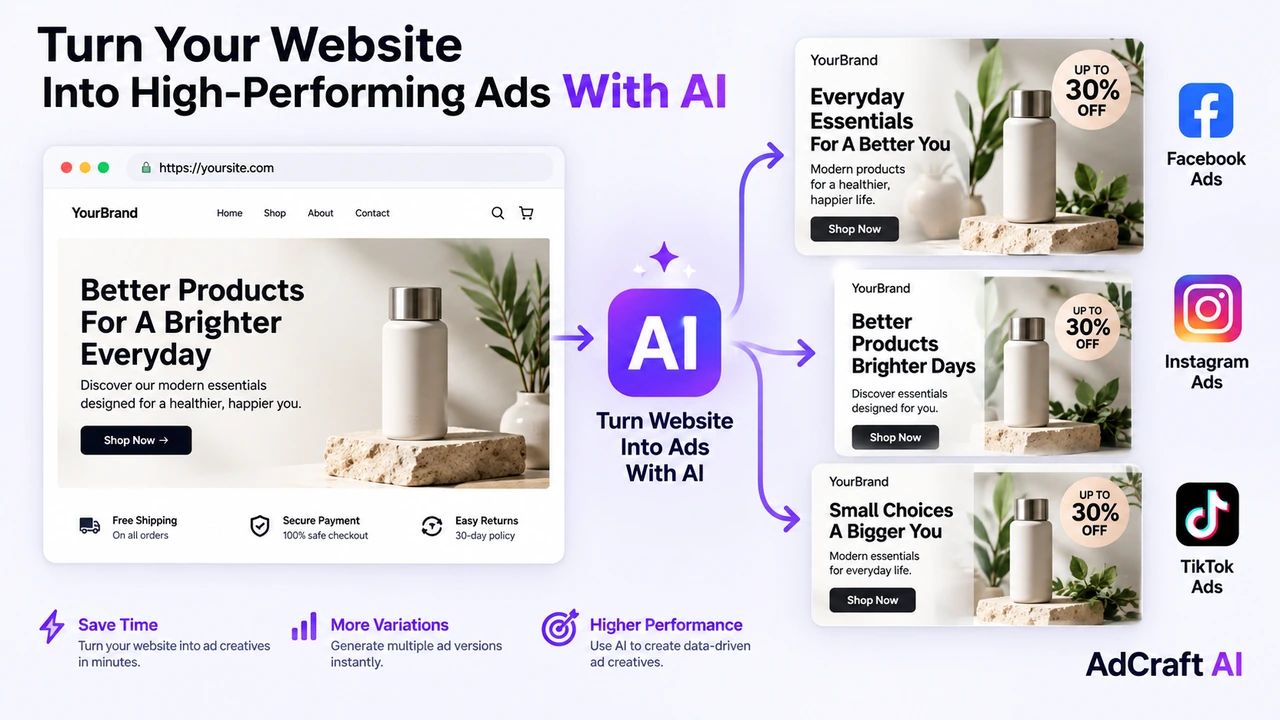
Product pages are a natural input for website-to-ad tools because they often contain the exact information a product ad needs: product images, benefits, price, promotion and purchase context.
Before generating, check whether the page clearly communicates the real product and the offer you actually want to advertise.
- Use the correct product variant.
- Confirm price and discount information.
- Use current product images.
- Check availability and shipping claims.
- Remove outdated promotional language.
If the website image is weak, improve the source visual first. A stronger product asset gives both the website and the generated ad a better starting point.
Practical Example: Turn a Product Page Into Three Ad Angles
Imagine an online store has a landing page for a wireless speaker. The page includes a product image, price, battery-life benefit and a limited-time shipping offer.
Angle 1: Product Benefit
Headline direction: Long battery life for everyday listening
Visual: Clean product-first layout
Goal: Lead with a practical feature
Angle 2: Offer
Headline direction: Highlight the active shipping offer
Visual: Product plus clear promotional hierarchy
Goal: Test whether the offer improves response
Angle 3: Lifestyle Use
Headline direction: Position the speaker around a real use case
Visual: Product in a simple lifestyle environment
Goal: Test context against a clean product ad
These three ads come from the same page, but they represent different hypotheses. That makes the campaign test more useful than generating three nearly identical layouts.
Can Website-Generated Ads Be Adapted for Different Markets?
AdCreative.ai currently advertises translation and tone adjustment inside the Instant Ads workflow. This can help create localized creative variations without rebuilding the complete ad from the beginning.
Localization still requires review. Translation accuracy, offer availability, pricing, cultural context and advertising rules can differ between markets.
The current Instant Ads product page also lists workflows for moving creatives toward Meta Ads, LinkedIn Ads and Google Ads. Platform support can change, so verify the available connections inside the product before relying on a specific deployment workflow.
Improve Website-to-Ad Generation With Better Audience Context
A website can explain what you sell, but it may not fully explain which audience should receive each message.
Audience context can help you decide which benefits and angles should be emphasized in the generated ads. Our buyer personas with AI guide covers a practical workflow for turning website and customer signals into audience hypotheses.
Common Mistakes When Turning a Website Into Ads With AI
Using the Wrong Page
A broad homepage can contain several products and messages. Use the most focused page available for the campaign.
Trusting Extracted Pricing Without Checking It
Pricing and promotions can change. Verify every commercial detail before publishing.
Letting AI Choose the Entire Strategy
Website scanning can accelerate production, but the campaign still needs a clear audience, objective and offer.
Publishing the First Generated Ad
Generate several controlled options and review them against the source page.
Testing Near-Duplicate Variations
A useful test should compare meaningful creative differences, not tiny layout changes that provide little learning.
Ignoring Post-Launch Data
The website starts the creative process. Real campaign performance should determine what you create next.
A Simple Website-to-Ad AI Workflow
- Choose one focused website or product page.
- Confirm product, price, offer and visual accuracy.
- Define the campaign objective.
- Paste the URL into the AI ad generator.
- Review what the system extracted from the page.
- Generate several creative variations.
- Check copy, pricing, claims and product details.
- Edit the strongest variations.
- Select meaningfully different ads for testing.
- Launch them under comparable campaign conditions.
- Analyze the results.
- Use the winning insights to create the next batch.
Continue Building Your AI Advertising Workflow
- Complete AI Advertising Guide
- How to Create Buyer Personas With AI
- How to Set Up Your Brand for AI Ad Generation
- How to Create Product Photos With AI
- How to Create Product Videos With AI
- How to Write Ad Copy With AI
- How to Check Ad Compliance With AI
- How to Predict Ad Performance With AI
- How to Analyze Your Ad Performance With AI
- AdCreative.ai Pricing Guide
Frequently Asked Questions About Turning a Website Into Ads With AI
Can AI create ads from a website URL?
Yes. Website-to-ad tools can scan a webpage, identify useful product, offer and messaging information, and use it to generate advertising copy and visual creative options.
What is AdCreative.ai Instant Ads?
Instant Ads is an AdCreative.ai feature designed to generate ad creatives from a website or product URL. The current product page says it analyzes the webpage, extracts selling points and creates ad copy and visuals.
Can Instant Ads use a product page?
Yes. AdCreative.ai specifically describes the workflow as accepting website or product links and using URL information to help create ads.
Can I edit ads after AI generates them?
Yes. AdCreative.ai's current Academy material says Instant Ads outputs can be edited, including text, visuals and layout elements.
Does Instant Ads generate ad copy as well as visuals?
Yes. AdCreative.ai currently describes Instant Ads as generating both advertising copy and visual creative from information found on the webpage.
Should I publish an AI-generated ad without reviewing it?
No. Check product details, pricing, offers, claims, branding and visual accuracy before using any generated creative in a live campaign.
Is a website-to-ad tool enough to run a successful campaign?
No. It can accelerate creative production, but audience selection, campaign setup, offer quality, landing-page performance and ongoing testing still affect campaign results.
Instant Ads Resources
AI advertising features can change. Check the official product information before building a permanent workflow around a specific capability or integration.
Final Thoughts
Turning a website into ads with AI can remove a large amount of repetitive creative setup. Instead of rewriting the product brief for every campaign, the URL becomes the starting point for copy, visuals and ad variations.
The strongest workflow still includes human review: choose the right page, verify what the AI extracted, edit the strongest outputs and test meaningfully different concepts.
Your website provides the source information. Real campaign data determines which creative direction should continue.
Turn Your Website Into Ads With AI
Use a website or product URL as the starting point for creating ad copy, visuals and multiple creative variations.
AdCreative.ai includes Instant Ads alongside creative generation, scoring, performance insights and other advertising tools.
Discover the AI Tool →