AI FASHION PHOTOSHOOT GUIDE
How to Create AI Fashion Photoshoots in 2026
Transform clean garment photos into campaign-style fashion visuals while preserving clothing details, styling and brand direction.
Disclosure: This page may contain affiliate links. We may earn a commission at no extra cost to you if you sign up through these links.
AI fashion photoshoots use garment images as source material and generate styled campaign photography around them. The workflow can reduce the need for some traditional production, but the generated result must still preserve the real garment's cut, color, texture and important details.
AI is most useful here as a production and decision-support tool. It can speed up repetitive work and create more options, but the final creative still needs human review, accurate source information and real campaign testing.
For the wider process, see our complete AI advertising guide.
What Does Fashion Photoshoots AI Mean in Practice?
AI fashion photoshoots use garment images as source material and generate styled campaign photography around them. The workflow can reduce the need for some traditional production, but the generated result must still preserve the real garment's cut, color, texture and important details.
The objective is a repeatable creative workflow. Better inputs create better drafts, careful review reduces avoidable mistakes, and live performance data tells you what deserves another iteration.
What Inputs Matter Most?
| Input | Why It Matters |
|---|---|
| Garment photo | Provides the clothing item that must remain accurate. |
| Fitting type | Helps the system understand whether the item is upper body, lower body, a full look or a dress. |
| Model choice | Changes how the garment is presented in the final image. |
| Environment | Sets studio, editorial, lifestyle or seasonal context. |
| Pose and mood | Control campaign energy and composition. |
| Brand direction | Keeps styling aligned with the collection and channel. |
What to Prepare Before You Start
- Use a sharp garment photo with clear edges.
- Confirm the real color and important construction details.
- Choose whether the goal is ecommerce clarity or campaign storytelling.
- Define model, styling and environment direction.
- Prepare brand references for lighting and mood.
- Plan a garment-accuracy review before publishing.
Rule of thumb: If an important fact is unclear before generation, AI usually does not make that uncertainty disappear. Fix the source input first.
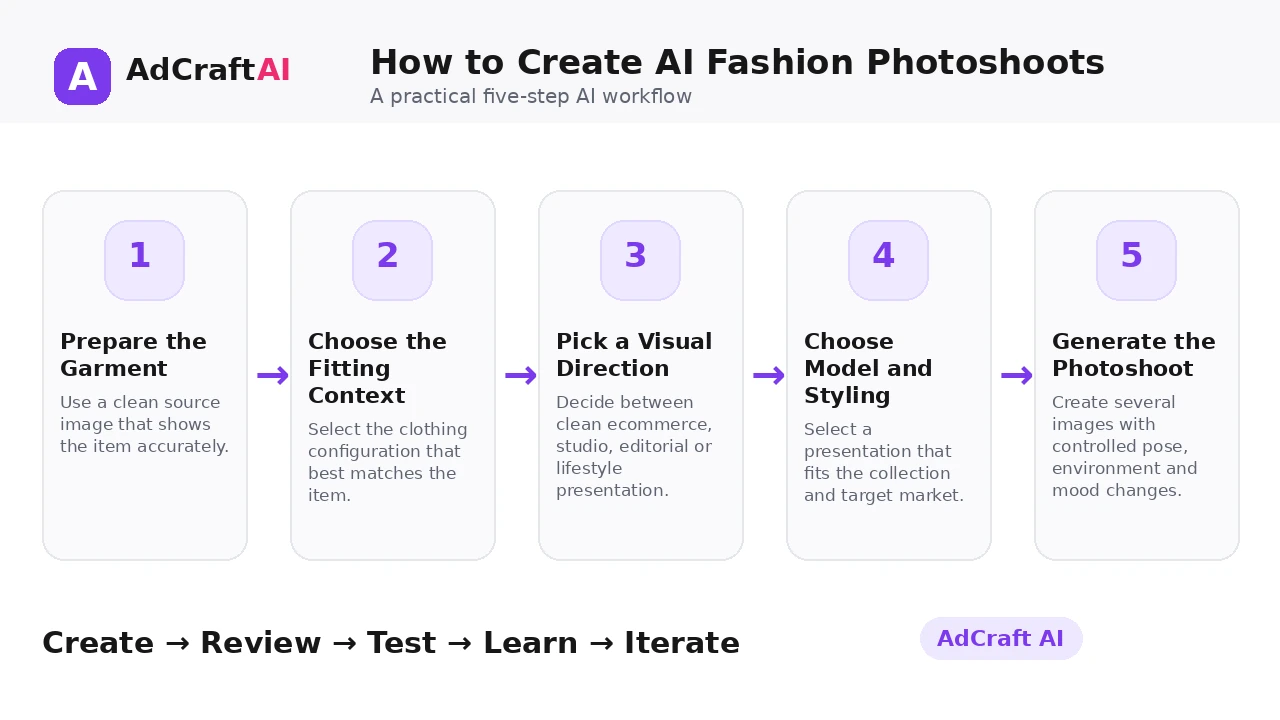
How to Create AI Fashion Photoshoots: Step by Step
1. Prepare the Garment
Use a clean source image that shows the item accurately.
2. Choose the Fitting Context
Select the clothing configuration that best matches the item.
3. Pick a Visual Direction
Decide between clean ecommerce, studio, editorial or lifestyle presentation.
4. Choose Model and Styling
Select a presentation that fits the collection and target market.
5. Generate the Photoshoot
Create several images with controlled pose, environment and mood changes.
6. Review Garment Fidelity
Check seams, logos, patterns, proportions, color and material behavior.
7. Build Campaign Variations
Use the strongest image across ad, social and ecommerce formats.
8. Measure Performance
Compare campaign results to see which styling direction deserves more production.
How AdCreative.ai Fashion Photoshoots Works
AdCreative.ai currently says Fashion Photoshoots can transform garment photos into AI fashion campaign imagery. Its product page highlights model choice, styling control, environments, poses and moods, while its help material explains that the workflow begins by selecting a fitting type and uploading a clothing image.
The platform also positions the output for ads, social media and ecommerce. That makes garment fidelity especially important: the visual should inspire without misrepresenting what customers will actually receive.
Explore Fashion Photoshoots AI
Use the feature as part of a practical advertising workflow: generate, review, edit, test and learn from real campaign results.
Explore the AI Tool →What the AI Workflow Can Help With
- Turn garment photos into styled fashion campaign imagery.
- Choose different model and environment directions.
- Create clean studio or more editorial visual styles.
- Generate multiple poses and moods from one source item.
- Reuse outputs for ads, social media and ecommerce.
- Convert selected imagery into additional advertising creative.
Feature availability can change, so verify the current product interface before building a permanent production process around one specific capability.
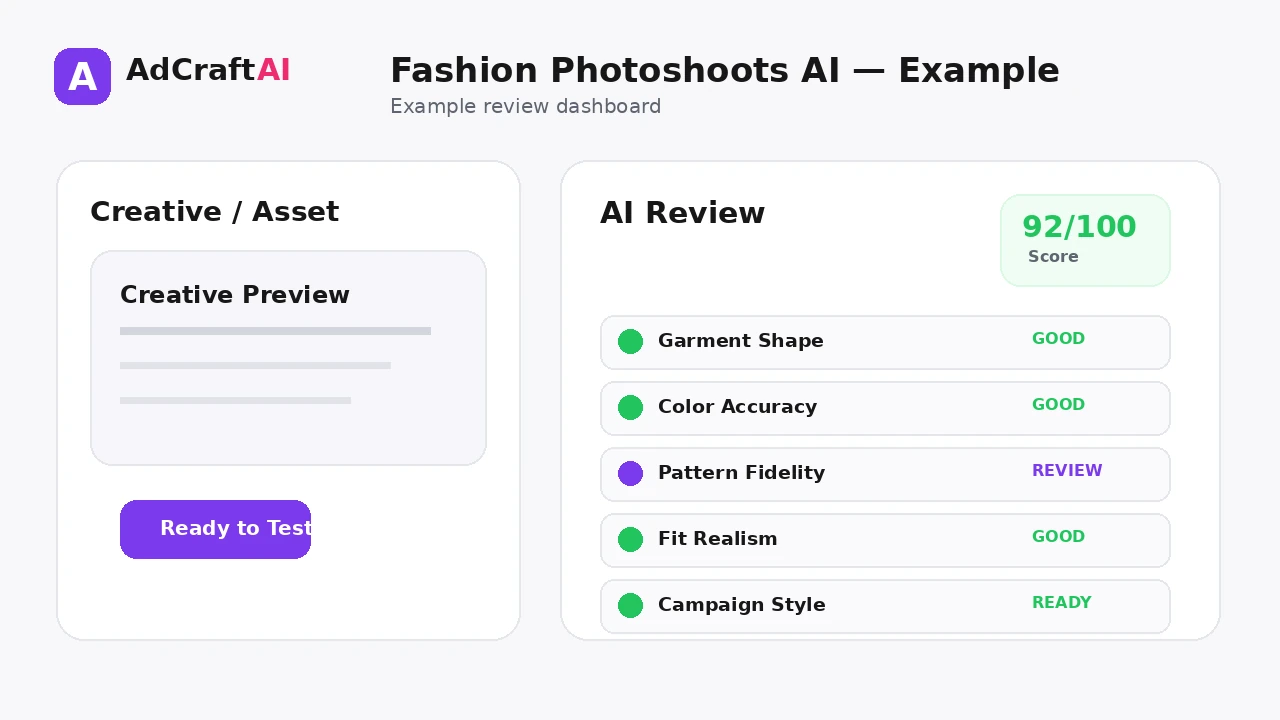
What to Review Before Publishing
| Review Area | What to Check |
|---|---|
| Garment shape | Is the cut and silhouette consistent with the real item? |
| Color | Does the generated color match the product? |
| Patterns and logos | Are prints, embroidery and branding intact? |
| Fit | Does the garment sit realistically on the model or form? |
| Environment | Does the styling support the campaign without distracting from the product? |
| Commercial accuracy | Would a shopper form a correct expectation of the item? |
Review is not a formality. The output becomes useful only when it accurately represents the product, offer, brand and campaign objective.
Practical Example: One Jacket, Three Campaign Styles
Imagine a lightweight men's jacket photographed cleanly against a plain background.
Style 1 — Ecommerce studio: Neutral backdrop, direct lighting and product-first framing.
Style 2 — Urban campaign: Modern city environment with the jacket remaining the visual anchor.
Style 3 — Editorial detail: Closer crop emphasizing texture, collar and construction.
Keep the jacket identical across all three directions so the test compares styling, not a changed product.
Common Mistakes
Using a weak garment photo
Poor source edges and lighting make fidelity harder.
Changing product details
A campaign image should not invent zippers, patterns or cuts that are not real.
Mixing ecommerce and editorial goals
Different placements need different levels of styling and product clarity.
Ignoring fit realism
Unnatural folds or proportions can damage trust.
Generating only one environment
Controlled styling variations reveal which campaign direction resonates.
Skipping human review
Fashion visuals need close inspection before they reach customers.
Best Practices for Better Results
- Use one clear campaign goal for each generation session.
- Change one important variable at a time so you know what caused a difference.
- Keep source information accurate and current.
- Review AI output against the real product, offer and brand.
- Use prediction or automated checks as decision support, not as guarantees.
- Let live campaign data determine the next creative iteration.
A strong AI workflow is disciplined. It creates more useful options without turning the campaign into uncontrolled content production.
A Simple Repeatable Workflow
- Define the campaign goal.
- Prepare accurate source inputs.
- Generate a small number of meaningful variations.
- Review the strongest outputs for accuracy and brand fit.
- Run any required compliance or commercial-use checks.
- Adapt the creative for the target placement.
- Launch controlled tests.
- Analyze real campaign results.
- Create the next variation from what you learned.
Continue Building Your AI Advertising Workflow
Frequently Asked Questions
Can AI create fashion photoshoots from clothing photos?
Yes. AdCreative.ai currently offers a Fashion Photoshoots workflow designed to transform garment photos into styled campaign imagery.
Do I need a professional studio photo first?
A clean, sharp garment image is the best starting point, but the exact source requirements depend on the tool.
Can I choose different models or environments?
AdCreative.ai currently highlights model selection, environments, poses and moods as part of the feature.
Can AI fashion photos be used for ecommerce?
They can support ecommerce use when the garment is represented accurately and the image meets the store's requirements.
What should I check before publishing?
Review color, fit, seams, patterns, logos, material behavior and any product detail that affects shopper expectations.
Can I turn AI fashion photos into ads?
Yes. AdCreative.ai positions generated fashion imagery as usable for ad creative, social media and campaign workflows.
Official Resource
Product features can change. Check the current official information before relying on a specific capability in a permanent workflow.
Final Thoughts
Transform clean garment photos into campaign-style fashion visuals while preserving clothing details, styling and brand direction.
The best use of AI is not to remove judgment from advertising. It is to reduce repetitive production work, create clearer testing options and make the path from idea to measurable campaign faster.
Build Your Next Creative With AI
Explore AdCreative.ai's generation, analysis and creative-production tools, then review the final assets before putting them into a live campaign.
Discover the AI Tool →