AI FASHION VIDEO GUIDE
How to Create Fashion Videos With AI in 2026
Turn a static fashion image into short motion-based campaign content while protecting garment detail, styling and brand consistency.
Disclosure: This page may contain affiliate links. We may earn a commission at no extra cost to you if you sign up through these links.
AI fashion video generation turns a still garment or fashion image into moving campaign content. The system creates motion, camera behavior and scene dynamics from the source image. Because motion can change how fabric, fit and product details appear, every output needs a careful accuracy review.
AI is most useful here as a production and decision-support tool. It can speed up repetitive work and create more options, but the final creative still needs human review, accurate source information and real campaign testing.
For the wider process, see our complete AI advertising guide.
What Does Fashion Videoshoots AI Mean in Practice?
AI fashion video generation turns a still garment or fashion image into moving campaign content. The system creates motion, camera behavior and scene dynamics from the source image. Because motion can change how fabric, fit and product details appear, every output needs a careful accuracy review.
The objective is a repeatable creative workflow. Better inputs create better drafts, careful review reduces avoidable mistakes, and live performance data tells you what deserves another iteration.
What Inputs Matter Most?
| Input | Why It Matters |
|---|---|
| Source fashion image | Anchors the garment, styling and composition. |
| Pose or motion direction | Controls how the subject or camera moves. |
| Prompt | Adds context such as pace, mood and camera behavior. |
| Duration | Determines how much motion needs to be created. |
| Placement | Influences vertical, square or landscape framing. |
| Brand mood | Keeps movement and styling consistent with the campaign. |
What to Prepare Before You Start
- Start with an accurate fashion image.
- Choose one motion idea instead of stacking many effects.
- Decide whether the camera or subject should move.
- Protect logos, patterns and garment details.
- Know the final aspect ratio and placement.
- Plan to inspect the video frame by frame before launch.
Rule of thumb: If an important fact is unclear before generation, AI usually does not make that uncertainty disappear. Fix the source input first.
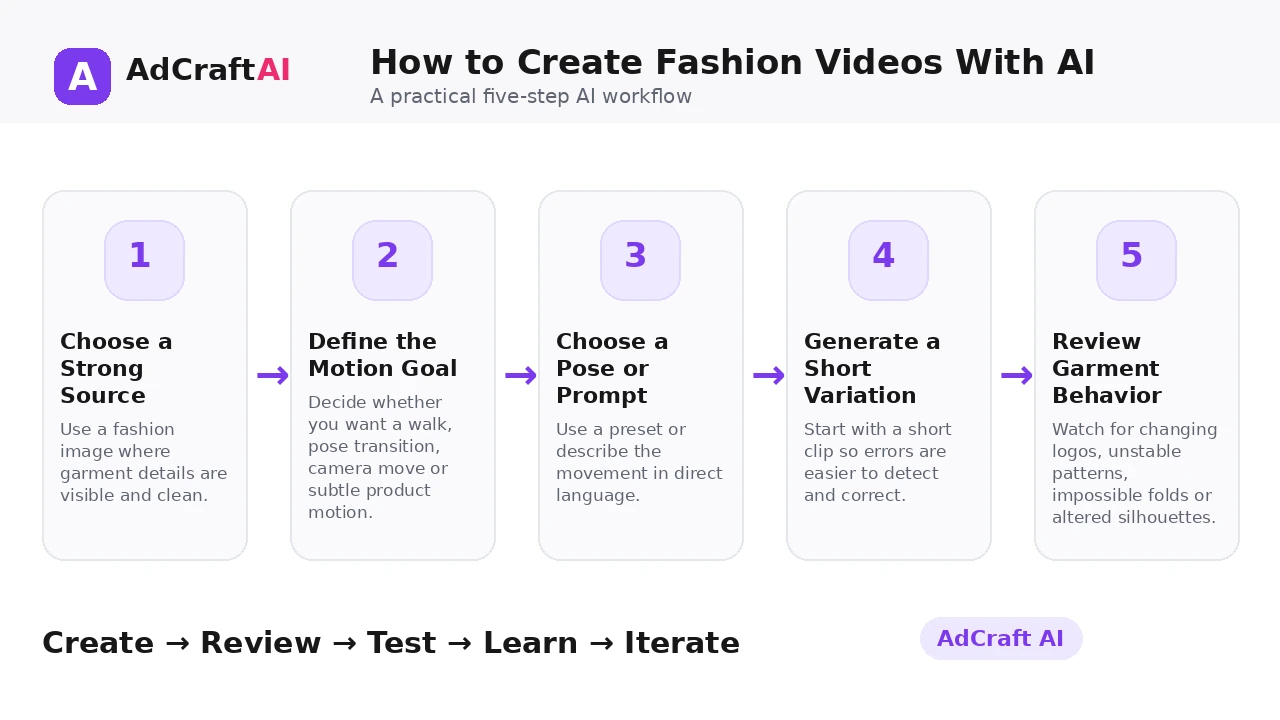
How to Create Fashion Videos With AI: Step by Step
1. Choose a Strong Source Image
Use a fashion image where garment details are visible and clean.
2. Define the Motion Goal
Decide whether you want a walk, pose transition, camera move or subtle product motion.
3. Choose a Pose or Prompt
Use a preset or describe the movement in direct language.
4. Generate a Short Variation
Start with a short clip so errors are easier to detect and correct.
5. Review Garment Behavior
Watch for changing logos, unstable patterns, impossible folds or altered silhouettes.
6. Create Alternative Motion
Test a second movement while keeping the source product constant.
7. Adapt for the Placement
Crop and pace the strongest result for social, ads or product pages.
8. Measure and Iterate
Use view-through and conversion data to choose the next motion direction.
How AdCreative.ai Fashion Videoshoots Works
AdCreative.ai currently describes Fashion Videoshoots as a way to create fashion video from a single image. Its product page says users can upload a photo, choose from designed poses or customize a prompt, then generate campaign-ready motion with realistic movement and cinematic styling.
The practical value is speed, but fashion video still requires frame-by-frame review. Motion generation can introduce product changes that are easy to miss in a single preview frame.
Explore Fashion Videoshoots AI
Use the feature as part of a practical advertising workflow: generate, review, edit, test and learn from real campaign results.
Explore the AI Tool →What the AI Workflow Can Help With
- Create fashion video from one source image.
- Choose designed poses or use a custom prompt.
- Generate motion and camera movement without filming.
- Build short campaign variations quickly.
- Adapt the strongest output into advertising content.
- Test different motion directions from the same source asset.
Feature availability can change, so verify the current product interface before building a permanent production process around one specific capability.
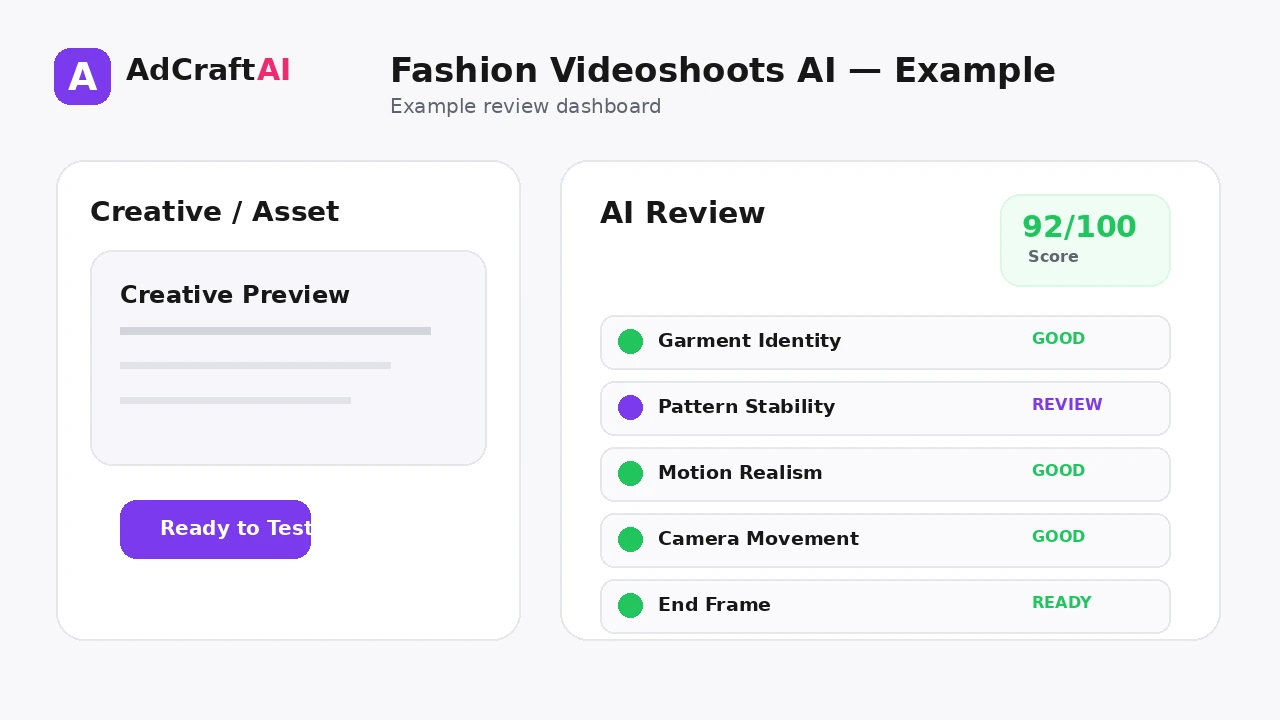
What to Review Before Publishing
| Review Area | What to Check |
|---|---|
| Garment identity | Does the item remain the same throughout the clip? |
| Logo and pattern stability | Do branded and repeated details stay consistent frame to frame? |
| Motion realism | Does movement feel physically believable? |
| Body and fabric interaction | Do folds and fit remain plausible? |
| Camera behavior | Does movement support the product rather than distract from it? |
| Ending frame | Does the clip finish cleanly enough for a CTA or loop? |
Review is not a formality. The output becomes useful only when it accurately represents the product, offer, brand and campaign objective.
Practical Example: Three Motions From One Fashion Image
Take one campaign image of a men's overshirt and keep the styling constant.
Motion 1 — Slow push-in: Minimal movement that emphasizes texture and product detail.
Motion 2 — Pose transition: A subtle body shift that shows the fit from a slightly different angle.
Motion 3 — Editorial camera move: A gentle lateral move that adds campaign energy without changing the garment.
The best version is the one that adds motion while preserving the real product.
Common Mistakes
Using a low-quality source image
Video generation amplifies visual weaknesses from the first frame.
Prompting too much motion
Complex movement increases the chance of garment distortion.
Ignoring frame-level errors
A clip can look good at normal speed while individual frames change the product.
Using motion that hides the item
Fashion video should still communicate what is being sold.
Forgetting platform framing
A landscape clip may not translate cleanly to vertical placements.
Creating motion without a test hypothesis
Different movement styles should answer a campaign question.
Best Practices for Better Results
- Use one clear campaign goal for each generation session.
- Change one important variable at a time so you know what caused a difference.
- Keep source information accurate and current.
- Review AI output against the real product, offer and brand.
- Use prediction or automated checks as decision support, not as guarantees.
- Let live campaign data determine the next creative iteration.
A strong AI workflow is disciplined. It creates more useful options without turning the campaign into uncontrolled content production.
A Simple Repeatable Workflow
- Define the campaign goal.
- Prepare accurate source inputs.
- Generate a small number of meaningful variations.
- Review the strongest outputs for accuracy and brand fit.
- Run any required compliance or commercial-use checks.
- Adapt the creative for the target placement.
- Launch controlled tests.
- Analyze real campaign results.
- Create the next variation from what you learned.
Continue Building Your AI Advertising Workflow
Frequently Asked Questions
Can AI create a fashion video from one image?
Yes. AdCreative.ai currently markets Fashion Videoshoots as an image-to-video workflow that can start from a single photo.
Can I control the motion?
The current product page says users can choose designed poses or customize a prompt.
Do I need to film a model?
The feature is designed to generate motion without a traditional filming workflow.
What should I check in an AI fashion video?
Inspect garment shape, logos, patterns, folds, body interaction and frame-to-frame consistency.
Can I use the videos in ads?
AdCreative.ai positions the feature for ads and campaign content, but the final clip still needs to meet platform and brand requirements.
Should I generate long fashion videos?
Short clips are usually easier to review and adapt. Start with the shortest format that communicates the idea.
Official Resource
Product features can change. Check the current official information before relying on a specific capability in a permanent workflow.
Final Thoughts
Turn a static fashion image into short motion-based campaign content while protecting garment detail, styling and brand consistency.
The best use of AI is not to remove judgment from advertising. It is to reduce repetitive production work, create clearer testing options and make the path from idea to measurable campaign faster.
Build Your Next Creative With AI
Explore AdCreative.ai's generation, analysis and creative-production tools, then review the final assets before putting them into a live campaign.
Discover the AI Tool →