AI STORYTELLING ADS GUIDE
How to Create Storytelling Video Ads With AI in 2026
Turn a product or website into a short sequence of scenes with a narrative, voiceover, subtitles and editable visual structure.
Disclosure: This page may contain affiliate links. We may earn a commission at no extra cost to you if you sign up through these links.
Storytelling ads are different from simple product videos because the creative is organized around a sequence: hook, context, development, payoff and CTA.
AI can speed up the assembly of that sequence by using website information or manually supplied details, generating scenes and adding voiceover. The result still needs editing so the story remains accurate and short enough for advertising.
AdCreative.ai's current help documentation describes a Storytelling Ads workflow with video-size selection, website URL or manual input, voice selection, generation, preview and an editor for scenes, text, images, subtitles, voiceover and background music.
For the wider strategy around generating, testing and improving advertising assets, see our complete AI advertising guide.
What This Workflow Means in Practice
Turn a product or website into a short sequence of scenes with a narrative, voiceover, subtitles and editable visual structure.
The goal is not to automate judgment. The goal is to reduce repetitive work while keeping the final campaign accurate, on-brand and measurable.
What Inputs Matter Most?
| Input | Why It Matters |
|---|---|
| Website or brief | Provides the product, offer and message the story should communicate. |
| Narrative goal | Defines whether the story should explain a problem, demonstrate a transformation or introduce an offer. |
| Scene sequence | Controls the progression from hook to final CTA. |
| Voiceover | Adds spoken delivery and influences the pace and tone. |
| Subtitles | Keep the message understandable when audio is muted. |
| Music | Supports mood without competing with the spoken message. |
What to Prepare Before You Start
- Choose one core message for the whole video.
- Write the ending CTA before building the middle scenes.
- Keep the number of scenes appropriate for a short ad.
- Collect product images or visual references that must remain accurate.
- Choose a voice style that fits the brand rather than simply sounding dramatic.
- Plan a version that still communicates when watched without sound.
Important: Better source inputs reduce the amount of guessing the AI or calculator has to do.
How to Create Storytelling Video Ads With AI: Step by Step
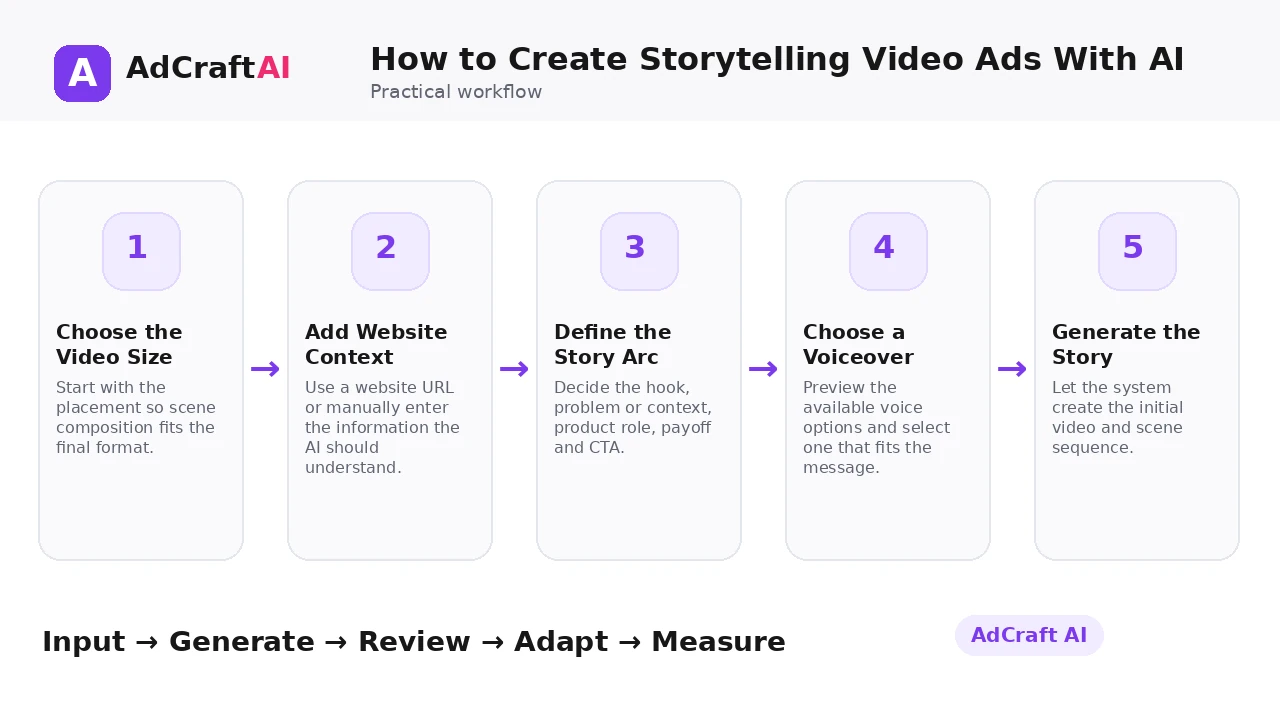
1. Choose the Video Size
Start with the placement so scene composition fits the final format.
2. Add Website Context
Use a website URL or manually enter the information the AI should understand.
3. Define the Story Arc
Decide the hook, problem or context, product role, payoff and CTA.
4. Choose a Voiceover
Preview the available voice options and select one that fits the message.
5. Generate the Story
Let the system create the initial video and scene sequence.
6. Preview the Entire Flow
Watch for pacing, repeated ideas, weak transitions and inaccurate visuals.
7. Edit Individual Scenes
Rearrange, delete or add scenes and adjust text, images, subtitles, voiceover or music.
8. Test Alternative Openings
Keep the core story but compare different hooks because the first scene often controls retention.
How AdCreative.ai Storytelling Ads Work
AdCreative.ai's current help center says Storytelling Ads can be created by choosing the video size, entering a website URL or manual details, selecting a voice-over artist and generating the video.
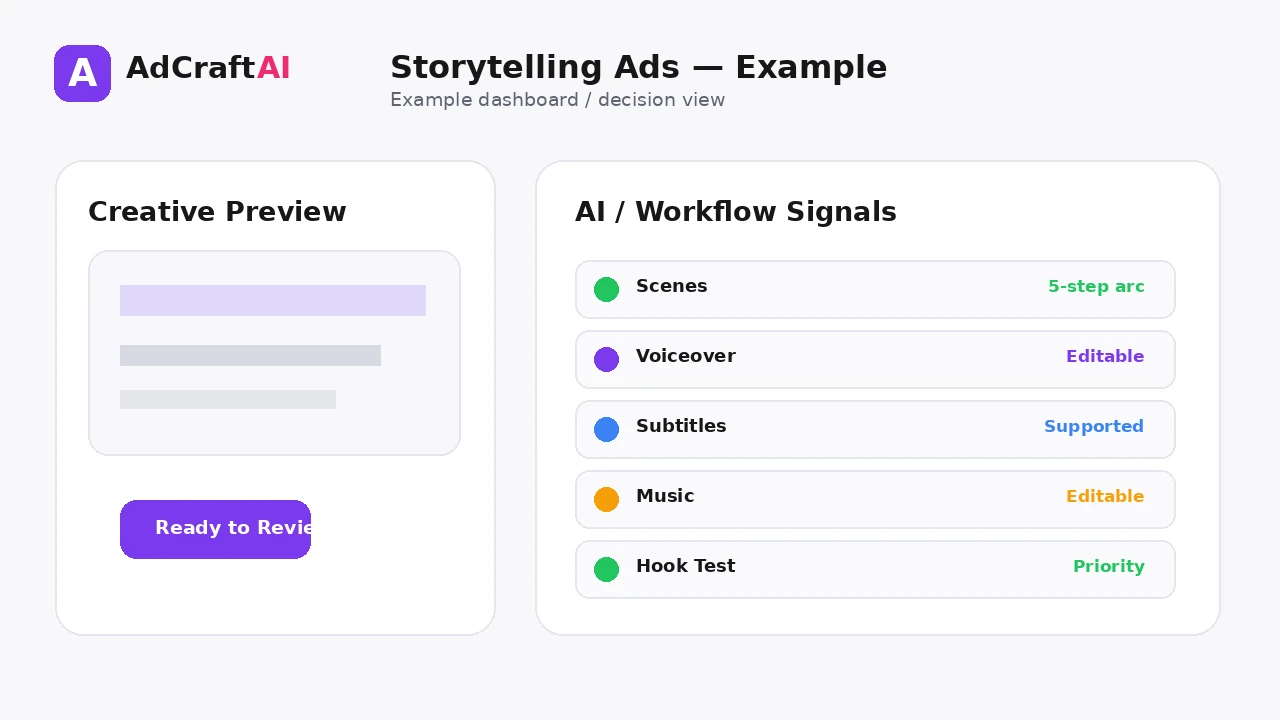
After generation, the editor can be used to rearrange scenes, adjust text and images, delete scenes or add new ones. The same interface also supports subtitle-style changes, voice-over updates and background-music changes.
That makes the feature useful for iterative narrative testing: keep the core product and offer stable while changing the opening, scene order or delivery style.
Explore This AdCreative.ai Workflow
Use the feature as a starting point, review the generated or estimated output carefully, and validate the final decision with your own campaign or operational data.
Explore AdCreative.ai →What to Review Before You Use the Result
| Review Area | What to Check |
|---|---|
| Hook | Does the first scene create immediate context or curiosity? |
| Story logic | Can a viewer follow the sequence without extra explanation? |
| Product accuracy | Do scenes represent the real product, service and offer correctly? |
| Pacing | Does each scene earn its time or can the video be shorter? |
| Audio balance | Is the voice clear and is music supporting rather than competing? |
| CTA | Does the final action feel like the natural end of the story? |
Practical Example: A Five-Scene SaaS Storytelling Ad
Imagine a scheduling tool for small service businesses.
Scene 1 — Hook: Show a messy calendar and missed customer follow-ups.
Scene 2 — Context: Explain that manual scheduling creates repeated admin work.
Scene 3 — Product: Introduce automated booking and reminders.
Scene 4 — Payoff: Show a simpler weekly schedule and fewer manual tasks.
Scene 5 — CTA: Invite the viewer to try the workflow.
Now test a second version with a different first scene while keeping the remaining story stable.
Common Mistakes
Starting with brand history
Short ads usually need the viewer's problem or desired outcome first.
Using too many scenes
More scenes can weaken the narrative when each one adds little.
Letting the voiceover repeat on-screen text
Audio and visuals should reinforce each other, not duplicate every word.
Ignoring silent viewers
Subtitles and visual sequencing still matter.
Changing too many variables at once
Test the hook or scene order separately so results are interpretable.
Forgetting the landing page
The story promise should match what happens after the click.
Best Practices
- Use accurate source information and current offers.
- Generate a small number of meaningful variations before expanding volume.
- Change one important variable at a time when testing.
- Keep the final creative consistent with the landing page and brand.
- Use AI scores, calculators or suggestions as decision support rather than guarantees.
- Let live campaign data determine the next creative iteration.
A Simple Repeatable Workflow
- Define one campaign or production goal.
- Prepare the source inputs.
- Generate or configure a small first batch.
- Review accuracy, hierarchy and brand fit.
- Edit or remove weak variations.
- Adapt the strongest version for the target placement.
- Run a controlled test or operational check.
- Measure the result.
- Use what you learned to create the next iteration.
Continue Building Your AI Advertising Workflow
Frequently Asked Questions
What are AI storytelling ads?
They are video ads organized around a generated or assisted narrative with multiple scenes, voiceover and editable visual elements.
Can AdCreative.ai use my website to create the story?
Its current help documentation says you can enter a website URL or manually provide the information needed for the storytelling ad.
Can I change the scenes after generation?
Yes. The current editor workflow supports rearranging scenes, deleting them and adding new scenes.
Can I change subtitles and background music?
AdCreative.ai's help center says subtitle style, voiceover and background music can be updated in the edit screen.
How long should a storytelling ad be?
Use the shortest sequence that communicates the idea. The best duration depends on placement, message complexity and audience behavior.
What should I test first?
A useful first test is the opening scene or hook while keeping the core product message and CTA consistent.
Official Resources
Product features, limits and calculator assumptions can change. Use the official resources below to verify the current workflow before relying on a specific capability.
Final Thoughts
Turn a product or website into a short sequence of scenes with a narrative, voiceover, subtitles and editable visual structure.
The strongest workflow combines faster production or analysis with human review and real performance data. Use AI to create more useful options—not to remove accountability from the final decision.
Explore More AdCreative.ai Tools
Compare the workflow with your current creative process and use the features that remove genuine production or analysis bottlenecks.
Discover the AI Tool →