AI UGC VIDEO GUIDE
How to Create UGC Video Ads With AI in 2026
Build creator-style video ads from product assets, scripts and AI presenters without organizing a traditional filming workflow.
Disclosure: This page may contain affiliate links. We may earn a commission at no extra cost to you if you sign up through these links.
AI UGC video ads imitate the structure and pacing of creator-style advertising by combining a product, script, presenter or avatar, voice and short-form editing into a generated video. They are designed to reduce production friction, not to pretend that a synthetic presenter is a real customer with a real experience.
AI is most useful here as a production and decision-support tool. It can speed up repetitive work and create more options, but the final creative still needs human review, accurate source information and real campaign testing.
For the wider process, see our complete AI advertising guide.
What Does UGC Videos AI Mean in Practice?
AI UGC video ads imitate the structure and pacing of creator-style advertising by combining a product, script, presenter or avatar, voice and short-form editing into a generated video. They are designed to reduce production friction, not to pretend that a synthetic presenter is a real customer with a real experience.
The objective is a repeatable creative workflow. Better inputs create better drafts, careful review reduces avoidable mistakes, and live performance data tells you what deserves another iteration.
What Inputs Matter Most?
| Input | Why It Matters |
|---|---|
| Product image | Gives the system a clear visual reference for the advertised item. |
| Hook | Determines what happens in the first seconds of the video. |
| Script | Controls the message, proof points and CTA. |
| Avatar or presenter style | Sets the delivery style for the creator-like presentation. |
| Voice and pacing | Influence how native the video feels in short-form placements. |
| Destination | Helps adapt the format for Meta, TikTok, Shorts or a product page. |
What to Prepare Before You Start
- Use an accurate, high-quality product image.
- Write one clear hook for the opening seconds.
- Keep the script focused on a small number of benefits.
- Avoid fabricated testimonials or experiences.
- Decide the target aspect ratio and placement.
- Plan several creative variations instead of one final video.
Rule of thumb: If an important fact is unclear before generation, AI usually does not make that uncertainty disappear. Fix the source input first.
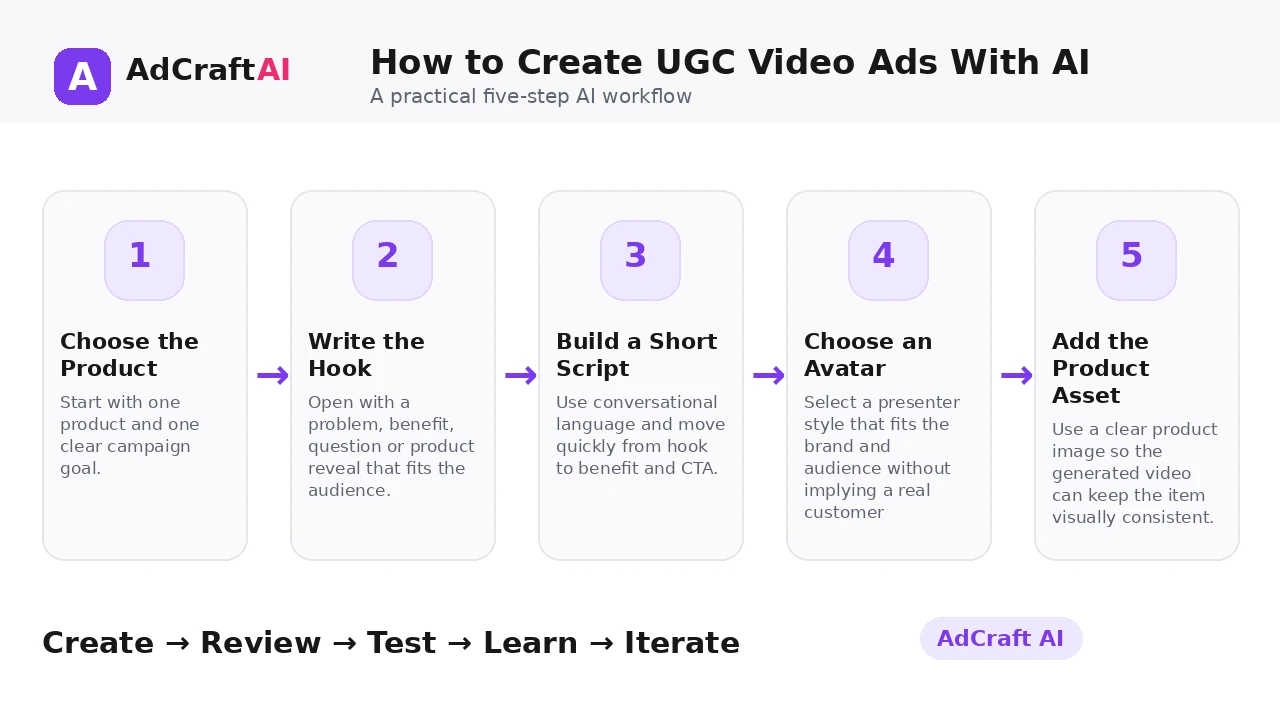
How to Create UGC Video Ads With AI: Step by Step
1. Choose the Product
Start with one product and one clear campaign goal.
2. Write the Hook
Open with a problem, benefit, question or product reveal that fits the audience.
3. Build a Short Script
Use conversational language and move quickly from hook to benefit and CTA.
4. Choose an Avatar
Select a presenter style that fits the brand and audience without implying a real customer relationship.
5. Add the Product Asset
Use a clear product image so the generated video can keep the item visually consistent.
6. Generate Variations
Test different hooks, scripts, pacing and CTA structures.
7. Review Authenticity and Accuracy
Check product appearance, voice delivery, claims and any disclosure needs.
8. Launch and Measure
Compare watch time, hold rate, clicks and conversions to guide the next batch.
How AdCreative.ai UGC Videos AI Works
AdCreative.ai currently describes its AI UGC Video Generator as a workflow where marketers upload a product image, choose an avatar and create ready-to-use UGC-style ads without filming. Its recent educational material also discusses creator-style scripts, AI avatars, voiceovers and performance-oriented formats.
The strongest use is rapid iteration: produce several hooks and scripts, review them for accuracy and disclosure needs, and use real campaign data to decide which creator-style concept deserves more investment.
Explore UGC Videos AI
Use the feature as part of a practical advertising workflow: generate, review, edit, test and learn from real campaign results.
Explore the AI Tool →What the AI Workflow Can Help With
- Create creator-style ad videos from product assets.
- Use AI avatars or presenter-style delivery.
- Generate voice-led short-form variations.
- Test multiple hooks and scripts without reshooting.
- Adapt videos for paid social and product-page use.
- Produce new iterations from winning messages.
Feature availability can change, so verify the current product interface before building a permanent production process around one specific capability.
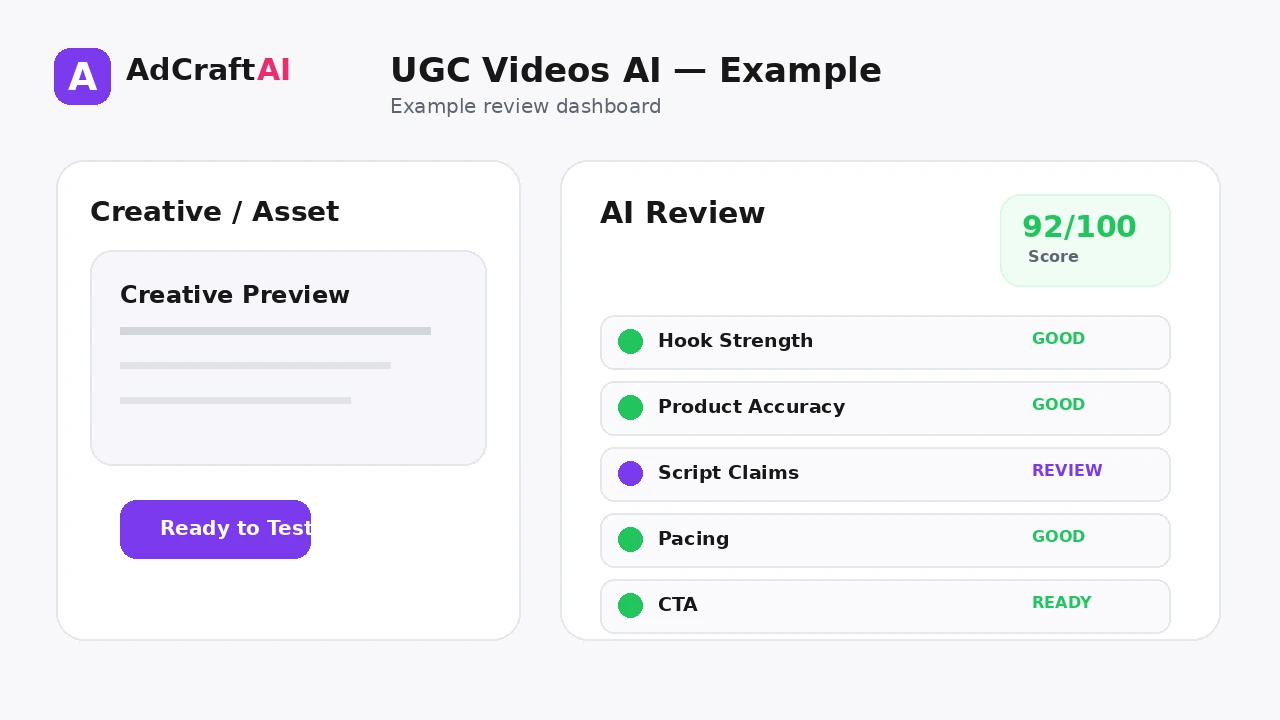
What to Review Before Publishing
| Review Area | What to Check |
|---|---|
| Hook | Does the first moment earn attention without being misleading? |
| Product accuracy | Does the video represent the real item correctly? |
| Script claims | Are benefits and performance statements supportable? |
| Presenter context | Is it clear when the presenter is synthetic or illustrative where disclosure is needed? |
| Pacing | Does the video move fast enough for the intended placement? |
| CTA | Is the requested action clear by the end? |
Review is not a formality. The output becomes useful only when it accurately represents the product, offer, brand and campaign objective.
Practical Example: Three UGC Hooks for One Product
Imagine a compact desk lamp sold to remote workers. Keep the same product and presenter style, but test three openings.
Problem hook: “Still working under harsh overhead light?”
Benefit hook: “A cleaner desk setup in under a minute.”
Demo hook: Start by showing the lamp switching between brightness levels before any explanation.
Now the campaign compares three attention strategies instead of three cosmetic edits.
Common Mistakes
Writing a long commercial script
UGC-style creative usually works better when the message feels direct and native.
Inventing customer experiences
Do not present synthetic material as a genuine testimonial when it is not.
Using inaccurate product imagery
The generated video should not distort the real product.
Keeping one hook
The opening is often the highest-leverage part of a short-form video test.
Ignoring sound-off viewing
Captions and visual clarity still matter.
Measuring only clicks
Video retention and downstream conversion both help explain performance.
Best Practices for Better Results
- Use one clear campaign goal for each generation session.
- Change one important variable at a time so you know what caused a difference.
- Keep source information accurate and current.
- Review AI output against the real product, offer and brand.
- Use prediction or automated checks as decision support, not as guarantees.
- Let live campaign data determine the next creative iteration.
A strong AI workflow is disciplined. It creates more useful options without turning the campaign into uncontrolled content production.
A Simple Repeatable Workflow
- Define the campaign goal.
- Prepare accurate source inputs.
- Generate a small number of meaningful variations.
- Review the strongest outputs for accuracy and brand fit.
- Run any required compliance or commercial-use checks.
- Adapt the creative for the target placement.
- Launch controlled tests.
- Analyze real campaign results.
- Create the next variation from what you learned.
Continue Building Your AI Advertising Workflow
Frequently Asked Questions
What is an AI UGC video ad?
It is a creator-style advertising video generated with AI using assets such as product images, scripts, avatars and voice.
Can I make UGC ads without filming?
Yes. AdCreative.ai currently markets its AI UGC workflow as a way to create UGC-style videos without traditional filming.
Do I need a product photo?
AdCreative.ai's current UGC product page specifically describes uploading a product image as part of the workflow.
Should AI UGC videos look like real customer testimonials?
Avoid implying a synthetic presenter is a real customer with a genuine experience unless that claim is actually true.
What should I test first in a UGC ad?
Start with the hook, because the first seconds strongly influence whether viewers continue watching.
Can I use AI UGC videos on product pages?
Creator-style product videos can be adapted for product pages as well as paid social, provided the content is accurate and appropriate for that use.
Official Resource
Product features can change. Check the current official information before relying on a specific capability in a permanent workflow.
Final Thoughts
Build creator-style video ads from product assets, scripts and AI presenters without organizing a traditional filming workflow.
The best use of AI is not to remove judgment from advertising. It is to reduce repetitive production work, create clearer testing options and make the path from idea to measurable campaign faster.
Build Your Next Creative With AI
Explore AdCreative.ai's generation, analysis and creative-production tools, then review the final assets before putting them into a live campaign.
Discover the AI Tool →