CREATIVE UTILITY SUITE GUIDE
How to Use the Creative Utility Suite for Ads in 2026
Handle repetitive creative-production tasks—background cleanup, upscaling, face refinement and voice generation—inside one supporting workflow.
Disclosure: This page may contain affiliate links. We may earn a commission at no extra cost to you if you sign up through these links.
A creative utility suite is a group of supporting production tools that handle small but repeated tasks around ad creation. Instead of generating an entire campaign by itself, it helps clean, improve and prepare the assets that feed the larger advertising workflow.
AI is most useful here as a production and decision-support tool. It can speed up repetitive work and create more options, but the final creative still needs human review, accurate source information and real campaign testing.
For the wider process, see our complete AI advertising guide.
What Does Creative Utility Suite Mean in Practice?
A creative utility suite is a group of supporting production tools that handle small but repeated tasks around ad creation. Instead of generating an entire campaign by itself, it helps clean, improve and prepare the assets that feed the larger advertising workflow.
The objective is a repeatable creative workflow. Better inputs create better drafts, careful review reduces avoidable mistakes, and live performance data tells you what deserves another iteration.
What Inputs Matter Most?
| Input | Why It Matters |
|---|---|
| Product or campaign image | Can be cleaned, isolated or enlarged before creative assembly. |
| Background | Can be removed when you need a transparent or reusable subject. |
| Low-resolution asset | Can be upscaled for larger placements or cleaner editing. |
| Face image | Can be improved when AI generation leaves facial artifacts. |
| Written script | Can be converted into an AI voice or text-to-speech asset. |
| Final placement | Determines the quality and format needed from the utility step. |
What to Prepare Before You Start
- Identify the exact asset problem before choosing a tool.
- Keep an untouched copy of the source file.
- Know the final size and placement requirements.
- Review product edges after background removal.
- Do not assume upscaling can recreate missing real-world detail.
- Review synthetic voices and face edits for accuracy and disclosure needs.
Rule of thumb: If an important fact is unclear before generation, AI usually does not make that uncertainty disappear. Fix the source input first.
How to Use the Creative Utility Suite for Ads: Step by Step
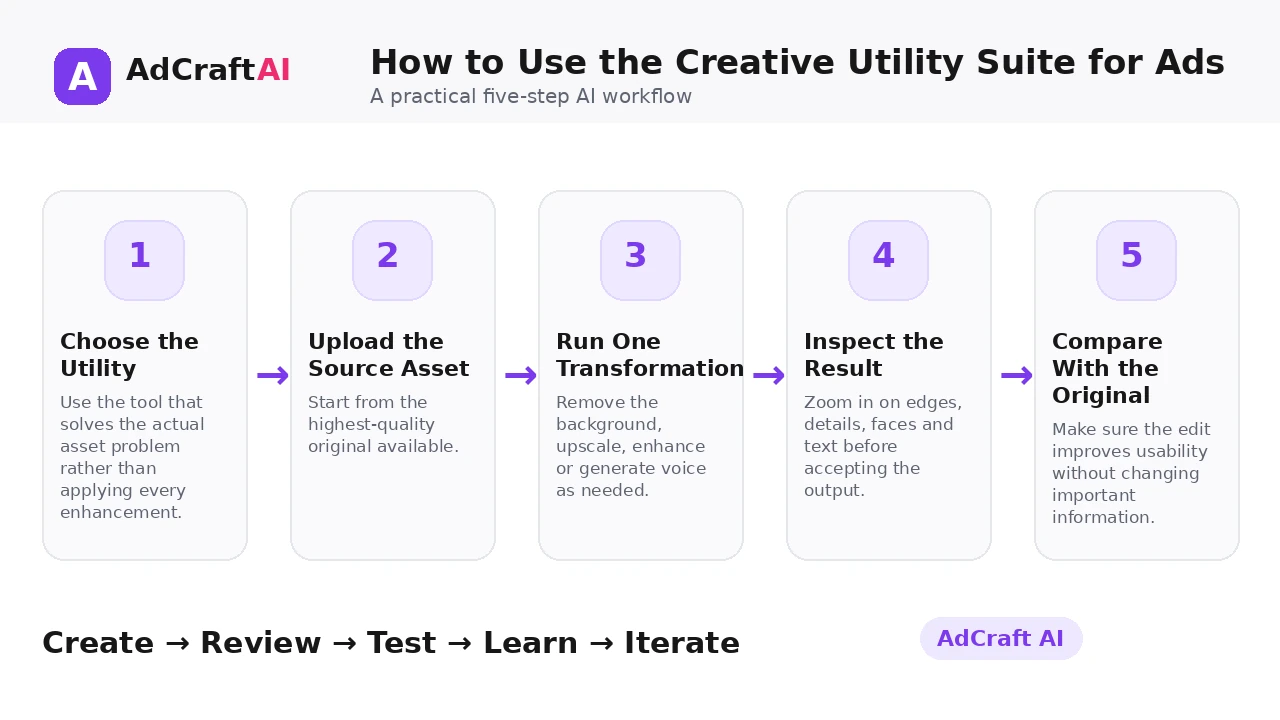
1. Choose the Utility
Use the tool that solves the actual asset problem rather than applying every enhancement.
2. Upload the Source Asset
Start from the highest-quality original available.
3. Run One Transformation
Remove the background, upscale, enhance or generate voice as needed.
4. Inspect the Result
Zoom in on edges, details, faces and text before accepting the output.
5. Compare With the Original
Make sure the edit improves usability without changing important information.
6. Save a Clean Version
Keep the processed asset separate from the original.
7. Use It in the Main Creative
Move the improved asset into ads, product visuals or video workflows.
8. Measure Workflow Value
Keep utilities that genuinely save time and remove steps from production.
What's Inside AdCreative.ai Creative Utility Suite?
AdCreative.ai currently groups several supporting tools inside its Creative Utility Suite. The product page highlights background removal, image upscaling, face enhancement and voiceover utilities, while its help center also describes a Text Reader AI that converts written text into AI speech.
These tools are most useful when they solve a specific production bottleneck. They do not replace the strategic parts of advertising—message, offer, audience, creative concept and measurement—but they can make asset preparation faster.
Explore Creative Utility Suite
Use the feature as part of a practical advertising workflow: generate, review, edit, test and learn from real campaign results.
Explore the AI Tool →What the AI Workflow Can Help With
- Remove image backgrounds for cleaner asset reuse.
- Upscale images for higher-resolution creative workflows.
- Improve facial details in selected AI-generated imagery.
- Convert text into AI-generated speech or voiceover.
- Save processed assets back into a working library.
- Reduce the number of external tools used for small creative tasks.
Feature availability can change, so verify the current product interface before building a permanent production process around one specific capability.
What to Review Before Publishing
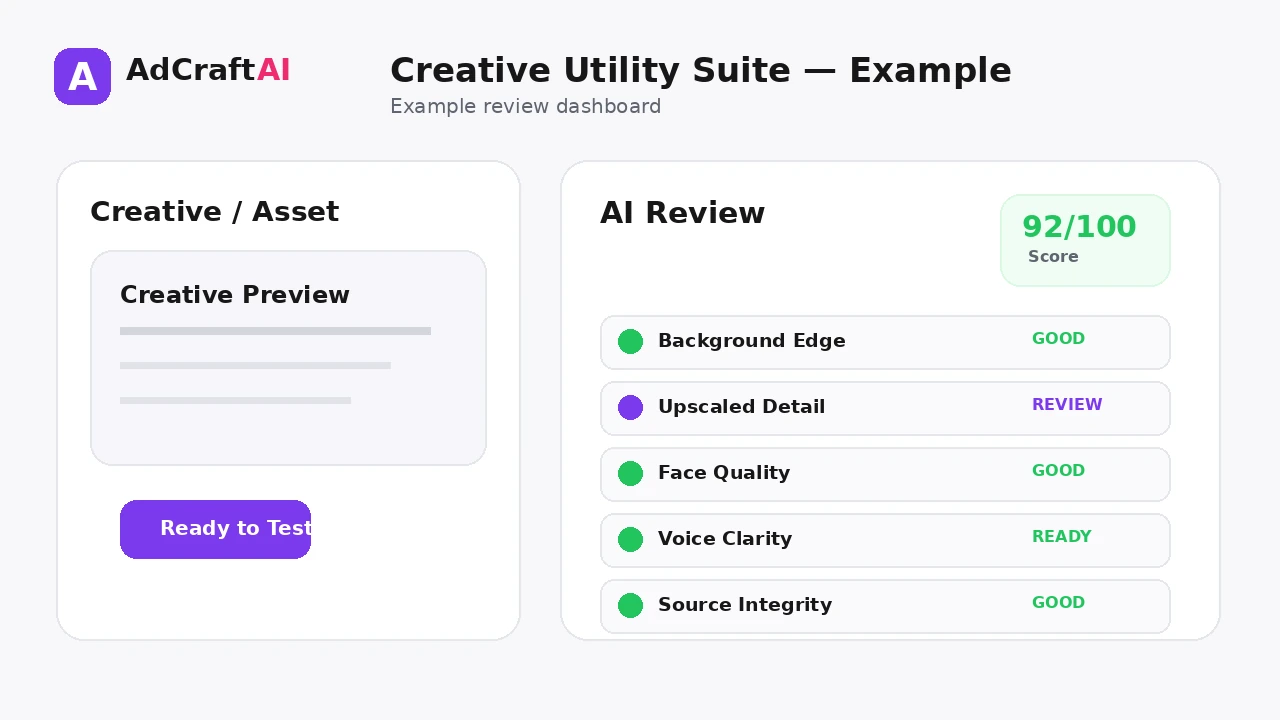
| Review Area | What to Check |
|---|---|
| Background edges | Are product outlines clean and free from halos? |
| Upscaled detail | Does the result look sharper without inventing misleading product information? |
| Face realism | Does enhancement remain natural and appropriate? |
| Voice clarity | Is pronunciation, pace and emphasis correct? |
| File quality | Is the final asset suitable for the target placement? |
| Source integrity | Did the transformation preserve important brand and product details? |
Review is not a formality. The output becomes useful only when it accurately represents the product, offer, brand and campaign objective.
Practical Example: Prepare One Product Asset for Three Uses
Imagine you have a small product photo with a busy background.
Step 1 — Background removal: Isolate the product so it can be reused in multiple layouts.
Step 2 — Upscaling: Increase usable resolution for larger ad placements, then inspect edges and labels.
Step 3 — Voiceover: Turn a short product script into an audio asset for a video variation.
The suite supports the production chain; the final ad still needs a strong message, layout and testing plan.
Common Mistakes
Using utilities without a clear need
Extra processing can waste time and introduce artifacts.
Throwing away the original
Always keep the source asset so edits can be compared or reversed.
Expecting upscaling to recover true detail
Upscaling can improve appearance but cannot verify missing real-world information.
Ignoring cutout edges
Background removal errors become obvious on contrasting layouts.
Over-enhancing faces
A polished result can still look artificial if pushed too far.
Using synthetic voice without review
Pronunciation and tone should be checked before publishing.
Best Practices for Better Results
- Use one clear campaign goal for each generation session.
- Change one important variable at a time so you know what caused a difference.
- Keep source information accurate and current.
- Review AI output against the real product, offer and brand.
- Use prediction or automated checks as decision support, not as guarantees.
- Let live campaign data determine the next creative iteration.
A strong AI workflow is disciplined. It creates more useful options without turning the campaign into uncontrolled content production.
A Simple Repeatable Workflow
- Define the campaign goal.
- Prepare accurate source inputs.
- Generate a small number of meaningful variations.
- Review the strongest outputs for accuracy and brand fit.
- Run any required compliance or commercial-use checks.
- Adapt the creative for the target placement.
- Launch controlled tests.
- Analyze real campaign results.
- Create the next variation from what you learned.
Continue Building Your AI Advertising Workflow
Frequently Asked Questions
What is AdCreative.ai Creative Utility Suite?
It is a group of supporting AI tools for common creative-production tasks such as background removal, image upscaling, face enhancement and voice-related workflows.
Can it remove image backgrounds?
Yes. Background removal is one of the utilities currently highlighted by AdCreative.ai.
Can it upscale images?
Yes. The suite includes an AI image upscaling workflow.
What does Face Enhancer do?
It is designed to improve facial details in selected imagery, especially when AI generation leaves visible artifacts.
Can it create voiceovers?
The current product page references voiceovers, and the help center describes a Text Reader AI that converts written text into AI speech.
Does the suite create a complete ad by itself?
Its main role is asset preparation and enhancement. Complete ad creation still requires the larger creative, copy and campaign workflow.
Official Resource
Product features can change. Check the current official information before relying on a specific capability in a permanent workflow.
Final Thoughts
Handle repetitive creative-production tasks—background cleanup, upscaling, face refinement and voice generation—inside one supporting workflow.
The best use of AI is not to remove judgment from advertising. It is to reduce repetitive production work, create clearer testing options and make the path from idea to measurable campaign faster.
Build Your Next Creative With AI
Explore AdCreative.ai's generation, analysis and creative-production tools, then review the final assets before putting them into a live campaign.
Discover the AI Tool →