SMALL BUSINESS AI ADS GUIDE
AI Ad Generator for Small Businesses in 2026: Practical Workflow
Use AI to reduce repetitive creative work, create more testable ad variations and build a disciplined small-business advertising workflow without generating content just for volume.
Disclosure: This page may contain affiliate links. We may earn a commission at no extra cost to you if you sign up through these links.
Small businesses usually need more creative testing than their design time or budget comfortably supports. AI can help reduce production friction, but only when it is connected to a clear offer and measurement process.
AdCreative.ai currently positions its small-business workflow around generating banners, videos, text and product shoots, using creative scoring, account data and competitor insights, and producing platform-specific ad copy.
Those are vendor claims and product capabilities, not guaranteed business outcomes. The practical value depends on whether the workflow actually saves time and produces ads worth testing.
For the wider strategy around generating, testing and improving advertising assets, see our complete AI advertising guide.
What This Workflow Means in Practice
Use AI to reduce repetitive creative work, create more testable ad variations and build a disciplined small-business advertising workflow without generating content just for volume.
The goal is to reduce repetitive work while keeping the final campaign, integration or business decision accurate and measurable.
What Inputs Matter Most?
| Input | Why It Matters |
|---|---|
| Offer | One clear reason for the customer to act. |
| Brand assets | Logo, colors, product images and approved messaging. |
| Audience hypothesis | Defines who the ad is trying to reach. |
| Creative angles | Different ways to frame the same product or problem. |
| Budget | Controls how many variations can receive meaningful delivery. |
| Performance data | Shows which creative direction deserves another iteration. |
What to Prepare Before You Start
- Start with one campaign objective.
- Choose one real product or service.
- Prepare accurate brand information.
- Write the main offer before generating visuals.
- Decide how many creative tests the budget can support.
- Track performance beyond vanity metrics.
Important: Better source information reduces the amount of guessing in the workflow.
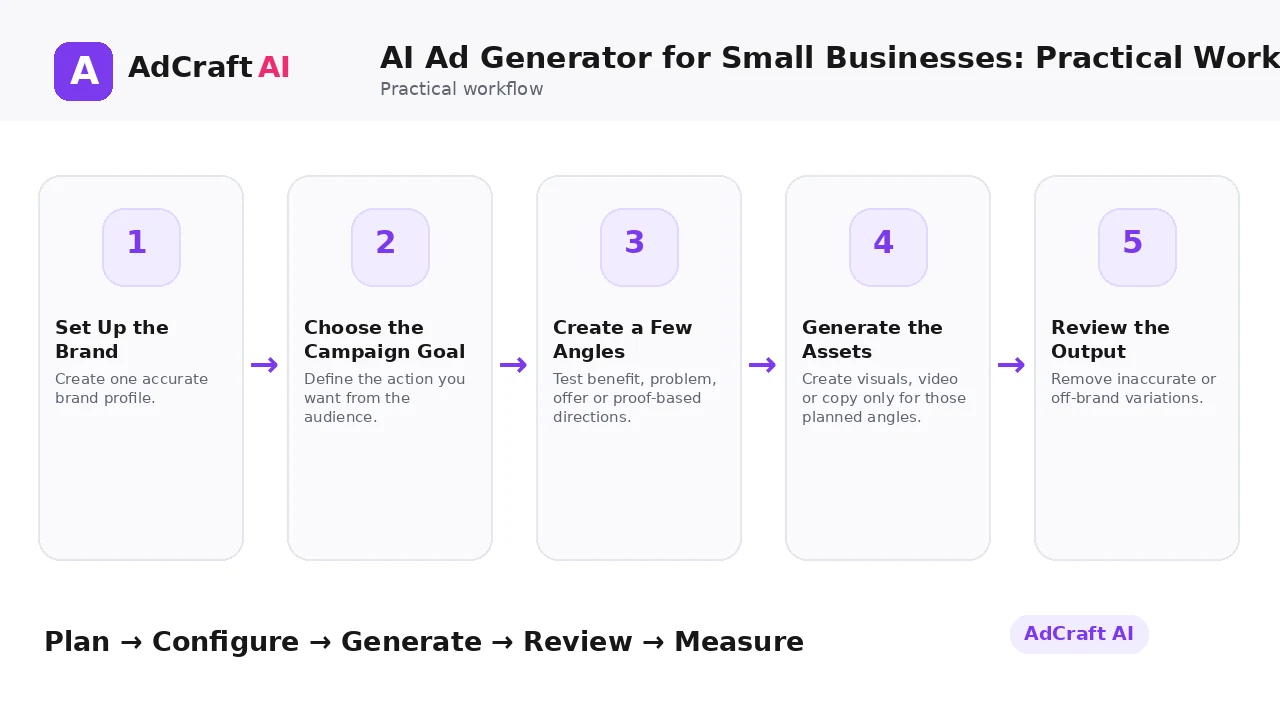
AI Ad Generator for Small Businesses: Practical Workflow: Step by Step
1. Set Up the Brand
Create one accurate brand profile.
2. Choose the Campaign Goal
Define the action you want from the audience.
3. Create a Few Angles
Test benefit, problem, offer or proof-based directions.
4. Generate the Assets
Create visuals, video or copy only for those planned angles.
5. Review the Output
Remove inaccurate or off-brand variations.
6. Score or Prioritize
Use prediction tools as decision support, not guarantees.
7. Launch Controlled Tests
Give each useful variation enough delivery to learn.
8. Iterate From Results
Create the next batch from real campaign evidence.
What AdCreative.ai Currently Offers Small Businesses
AdCreative.ai’s current small-business page highlights generation of banners, videos, text and product shoots, as well as AI-generated stock images, creative scoring, ad-account analysis, competitor insights and ad-copy generation.
The page also promotes access to iStock images and account integrations. Performance claims on that page are AdCreative.ai’s own marketing claims and should not be treated as guaranteed outcomes.
For a small business, the useful question is simpler: does the tool reduce repetitive work enough to create more meaningful tests without increasing operational complexity?
Explore the Current AdCreative.ai Workflow
Use the feature as a starting point, verify the current interface and plan details, and review every output before it becomes part of a live campaign.
Explore AdCreative.ai →What to Review Before You Use the Result
| Review Area | What to Check |
|---|---|
| Time saved | Did the workflow actually reduce production time? |
| Usable ratio | How many generated assets were good enough to test? |
| Brand accuracy | Did the ads stay consistent with the business? |
| Budget per test | Did each creative receive enough delivery to learn? |
| Conversion quality | Did the campaign produce useful business outcomes? |
| Repeatability | Can the team run the workflow again without extra complexity? |
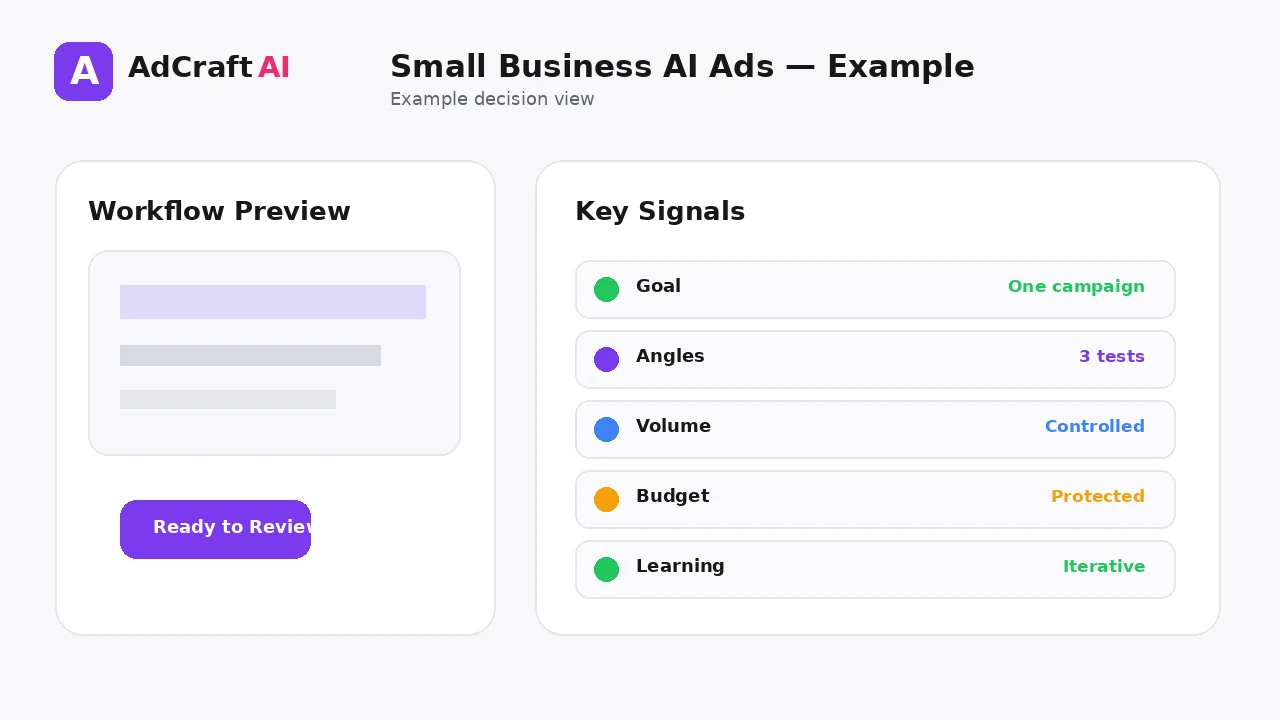
Practical Example: A Local Service Business Tests Three Angles
Imagine a small service business promoting one core offer.
Angle 1 — Problem: Lead with the customer frustration the service solves.
Angle 2 — Outcome: Lead with the desired result.
Angle 3 — Offer: Lead with a clear promotion or trial.
Create one strong creative for each angle, keep the landing page consistent and use the results to decide what to expand.
Common Mistakes
Generating too much
Small budgets cannot meaningfully test endless variations.
Changing offer and creative together
You lose the ability to identify what caused the difference.
Using AI claims without verification
Every product or service statement still needs to be accurate.
Choosing a tool only by feature count
Workflow fit matters more than a long feature list.
Ignoring the landing page
Creative performance cannot compensate for a broken destination.
Upgrading before usage justifies it
Match plan cost to actual production volume.
Best Practices
- Use accurate and current source information.
- Create a small number of meaningful variations before expanding volume.
- Keep brand, offer and landing-page information consistent.
- Use automation and scoring as decision support, not as guarantees.
- Review every asset before delivery or launch.
- Use real campaign or operational data to decide the next iteration.
A Simple Repeatable Workflow
- Define one campaign or workflow goal.
- Prepare accurate source inputs.
- Configure the relevant brand, account or creative settings.
- Generate or complete a small first batch.
- Review accuracy, brand fit and operational risk.
- Deliver or launch only approved assets.
- Measure the result with the appropriate data source.
- Document what worked and what failed.
- Use the learning to improve the next iteration.
Continue Building Your AI Advertising Workflow
Frequently Asked Questions
Why use an AI ad generator for a small business?
The main value is reducing repetitive production work and creating more structured variations to test.
Does AdCreative.ai have a small-business use case?
Yes. Its current website has a dedicated small-business page.
What can it generate?
The current page highlights ad creatives, product shoots, images, video and ad text among other workflows.
Should a small business generate dozens of ads?
Usually no. Start with a small set of meaningful creative hypotheses that the budget can actually test.
Can AI guarantee higher ROI?
No. Vendor pages may publish performance claims, but your results depend on the offer, audience, creative, budget and execution.
When should a small business consider a higher plan?
When real usage, team size and creative volume consistently exceed the current plan—not simply because more features exist.
Official Resources
Product features, limits, integrations and plan details can change. Verify the current workflow in the official resources below.
Final Thoughts
Use AI to reduce repetitive creative work, create more testable ad variations and build a disciplined small-business advertising workflow without generating content just for volume.
The strongest AI advertising workflow combines faster production or analysis with human review and real performance data.
Explore More AdCreative.ai Tools
Compare the current features with your actual creative workflow and use the capabilities that remove real production or analysis bottlenecks.
Discover the AI Tool →